

kbrice
Known Participant
February 27, 2023
Question

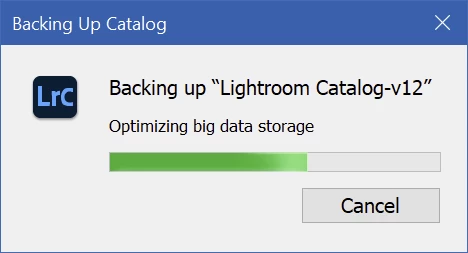
Lightroom Classic hanging on "Optimizing big data storage"

  • February 27, 2023
  • 1 reply
  • 911 views

Starting with the latest version of Lightroom Classic CC, Lightroom is hanging on exit with the message "Optimizing big data storage." Clicking "Cnacel" doesn't do anything, and there's no meaningful activity in Task Manager. What does this mean, and how do I get it unstuck? Thanks!
 

This topic has been closed for replies.

1 reply

Sameer K
Community Manager
Community Manager
February 28, 2023

I'll need more specific info to help you figure this out. What version of Lightroom Classic are you working on? Where do you keep the Lightroom Classic catalog? Internal drive or an external drive?


The catalog is a database & it might have some underlying integrity issues. As a test, move the catalog to the internal drive & ensure the backup location when exiting Lightroom Classic is also set to the internal drive. If this does not help, select collections or all images & go to File > Export as catalog - to create a new catalog. Check if this catalog backs up as expected.


Thanks!
Sameer K

kbrice
kbriceAuthor
Known Participant
February 28, 2023

The latest version (12.2), with the catalong on the internal system drive. There's nothing wrong with the catalog - the first step is always checking catalog integrity. which has always succeeded, and optimization succeeded after restarting the system. Optimization was consistently failing until I rebooted, though. And a problem with the catalog wouldn't explain the "Cancel" button being ignored.


I agree this isn't really diagnosable without some sort of debug information. Is there any to collect should this happen again?

Sameer K
Community Manager
Community Manager
March 6, 2023

Thanks for sharing the details. The catalog & its related files can be used as debug sources.

Did creating a clone catalog help?


Thanks!

Sameer K