BCseray
Participant
May 6, 2026
Question

Lightroom classic is not syncing SOME photos

  • May 6, 2026
  • 2 replies
  • 51 views

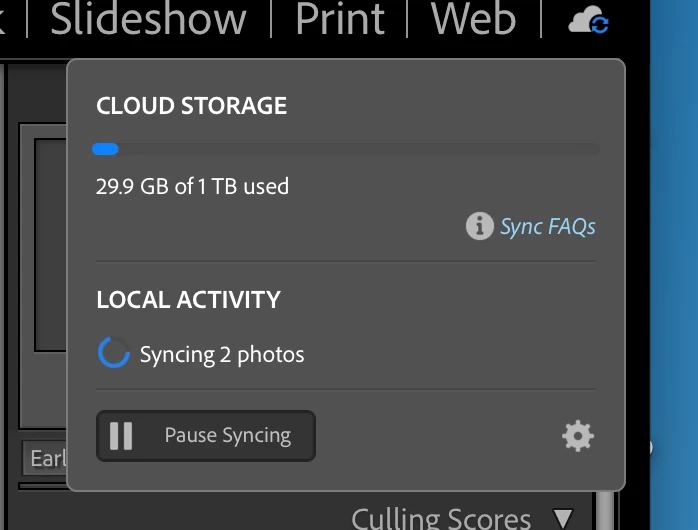
I can not get all photos to sync to LRC. (Ver 15.3) I have 2 image that have synced but no others. There are over 600 in the album. 
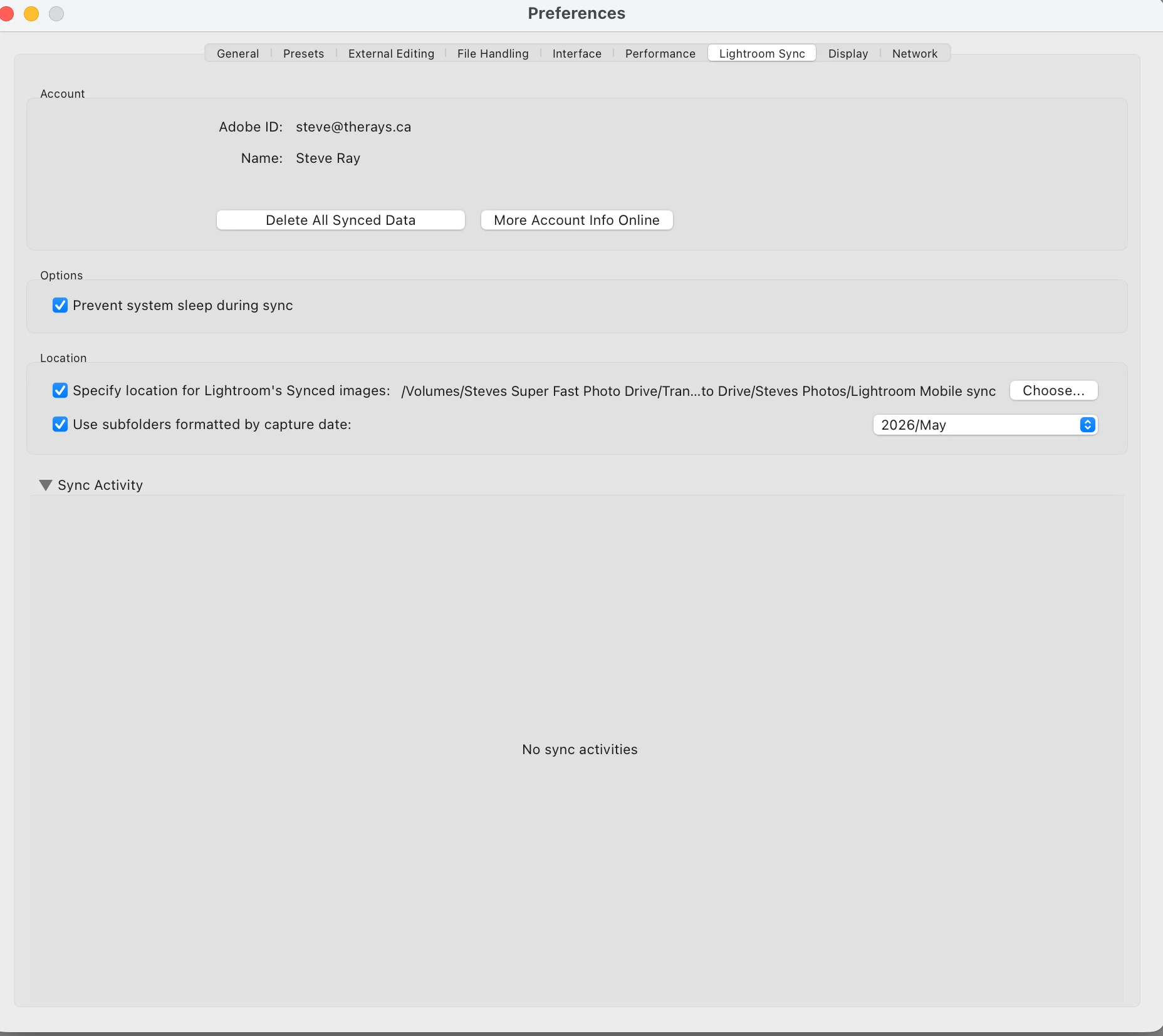
I have tryed everything I can find in the help section but can not get it to work

On a MacBook Pro. M4 machine.

Thanks.

 

    2 replies

    BCseray
    BCserayAuthor
    Participant
    May 6, 2026

    Thanks for the reply. Yes a see 2 photos that have synced but no others. When I open LRC it says syncing 2 photos but nothing happens.

    No videos in the selection.

    I’m stumped.

    Rob_Cullen
    Community Expert
    Community Expert
    May 7, 2026

    I am not a heavy user of ‘Lightroom’ (desktop) and in the words of Rikk Flohr “ Every system and sync issue has its own idiosyncrasies”.

    You mention “600 photos in an album”- That would be an album in Lightroom, but you must have more photos in the Cloud to occupy the 30Gb.  You cannot selectively sync photos down from the cloud- it is an ‘all or nothing’ function, so I would expect your Lr-Classic dialog to show many more photos downloading. Do you have other photos that have successfully downloaded into the LrC catalog?  ie. other than the 2 you see? 

    You  see 2 photos that have synced- Are you seeing these photos in a Mac Finder window? ie. the Folder you have chosen for downloads. Post a screen-clip of the folders in Mac Finder. 

    You can check the LrC Preferences > Lightroom Sync tab to check for errors-  Hold down the [OPT] key and click on [View Sync Status on Web]. See if you have any ‘Sync Issues’ there.  It is not generally recommended to [Re-build Sync Data] but that may still be an option.

    Your screen-clip of the aerobatics- Is that  Lightroom-Desktop interface, or Lightroom-Web in a browser interface? (Looks like the Web interface.)

    You might find some relevant answers in this article by Dan Harford-

    SYNCING- Everything to know- Dan Hartford Photo


    Regards. My System: Windows-11, Lightroom-Classic 15.4.1, Photoshop 27.8, ACR 18.4, Lightroom 9.4, Lr-iOS 10.4.0, Bridge 16.0.3 .
    Rob_Cullen
    Community Expert
    Community Expert
    May 6, 2026

    Normally you would not need to do anything in Lightroom. Simply enable sync in Lightroom-Classic.

    You have set a folder in LrC to download photos-  That looks OK.  Do you see any photos in that folder in the LrC catalog?


    I am not sure where you see this dialog  “Sync to Lightroom”- as it is not needed, or part of, automatically syncing files down to LrC:

    You do have 30Gb of files in the Cloud- they will take considerable time to download depending on your internet speed.

    I have seen one problem with my sync, and that was a movie clip. (Deleted, problem solved)

    SYNC SETUP IN CLASSIC


    Regards. My System: Windows-11, Lightroom-Classic 15.4.1, Photoshop 27.8, ACR 18.4, Lightroom 9.4, Lr-iOS 10.4.0, Bridge 16.0.3 .