

Participant
December 12, 2025
Question

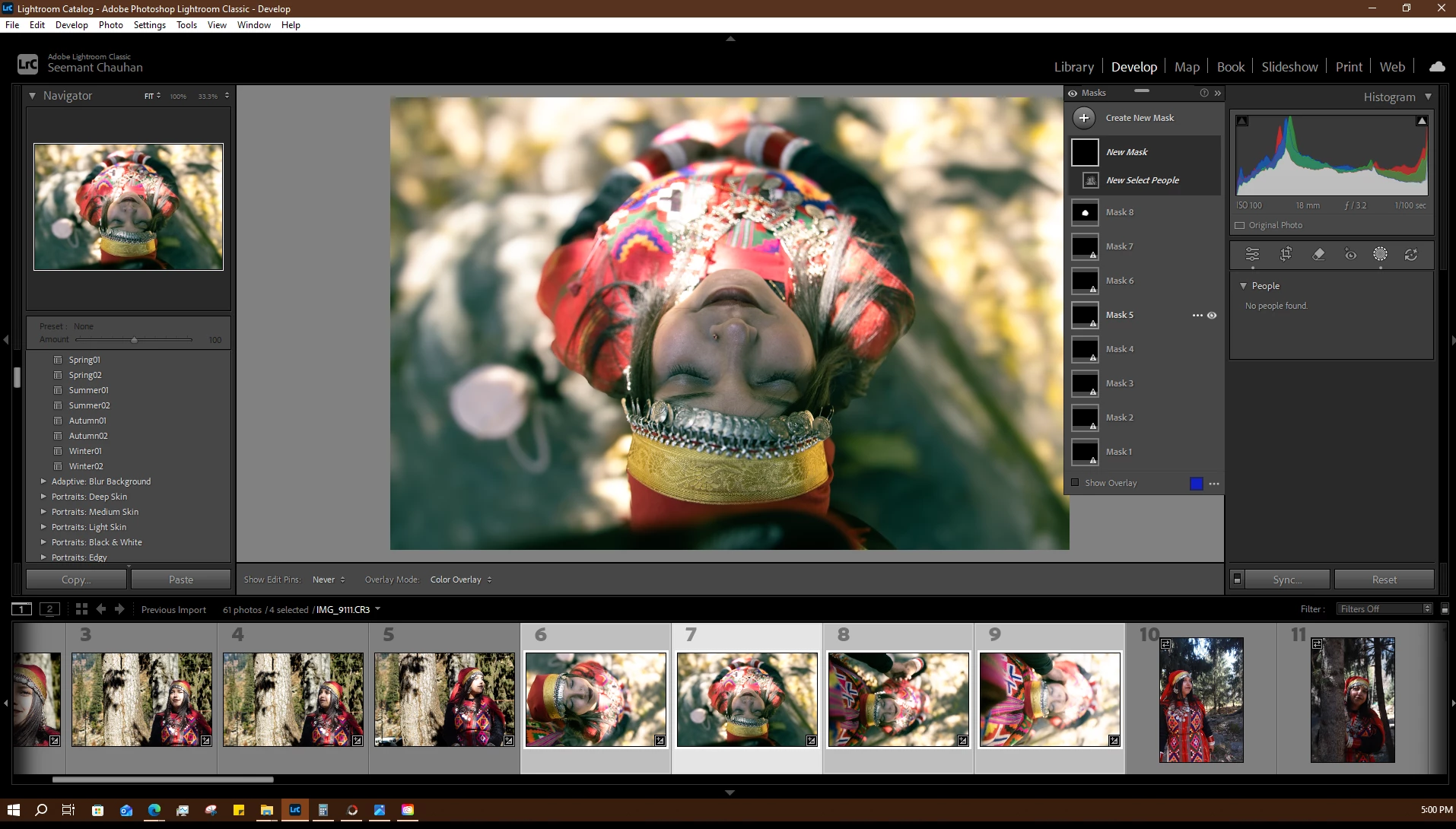
Lightroom classic is unable to detect people/face for masking.
  • December 12, 2025
  • 2 replies
  • 186 views

Lightroom classic is unable to detect people/face for masking.  Screenshot (149).png

2 replies

Ian Lyons
Community Expert
Community Expert
December 12, 2025

Try rotating the selected photos so that they are in normal orientation (i.e. at top and mouth at bottom).

johnrellis
Legend
December 12, 2025

[This post contains formatting and embedded images that don't appear in email. View the post in your Web browser.]


Rotating the photo as @Ian Lyons suggested does indeed allow People masking to identify the person:

johnrellis_0-1765557634562.png


But there's a gotcha. After applying the People mask and rotating the photo back, the AI Edit Status button will turn yellow indicating the mask needs to be updated. If you click the Update button, the existing computed person mask will get deleted:

johnrellis_1-1765557868912.png


So apply all your edits in the order recommended by Adobe and avoid clicking the Update button or giving the menu command Update AI Settings on that photo.


nikunj.m
Legend
December 12, 2025

Hi, thanks for reaching out! 

Please go to the Help menu in Lightroom Classic, then System Info, and copy the text. You can share the info with us by either pasting it as a reply here or in a text file and sharing the file with us. 

Are you only facing this behavior with the images selected/highlighted in the screenshot or all the images in this folder? 


Thanks,
Nikunj