
Answered
Lightroom Classic keeps complaining about sync
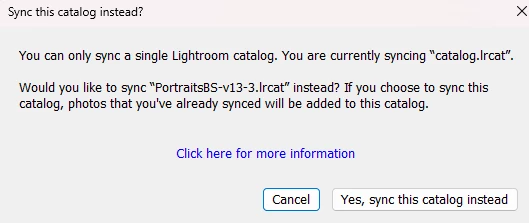
At some point I tried setting up a sync from Lightroom Classic (13.5.1), only to shown a message that I can only sync with one catalog. Apparently I set up sync before, but totally forgot about that. I cancelled syncing the new catalog.
When I now start LR from the catalog that I tried to sync, the same error message keeps popping up. When I click "cancel" it shows an animated help which turns off sync in the top right. But it will happen again each time I open the catalog. I cannot find a way to permanently disable this attemped sync. How can I fix this?
In the meantime I already deleted the mentioned "catalog.lrcat", but the message remains.


 AdChoices