
Participating Frequently
March 30, 2024
Question

Lightroom Classic (Local) and Cloud totally disconnected (not syncing)

  • March 30, 2024
  • 1 reply
  • 1141 views

Hi team,


I'm a mac user, lightroom classic version 13.2, havent use the software for 2 months ish and suddenly having syncing issue like never before:

1. when i put new photos in shared/synced collection on lightroom classic, it's not showing up on lightroom (cloud), yes i waited 30min at least

2. after i delete all synced photo on cloud, the photo still remains in synced collections in lightroom classic and yes, i waited long enough


3. in both cases, lightroom classic is showing synching in progress (blue loading sign), but there's no sync activity at all when u double click into it.
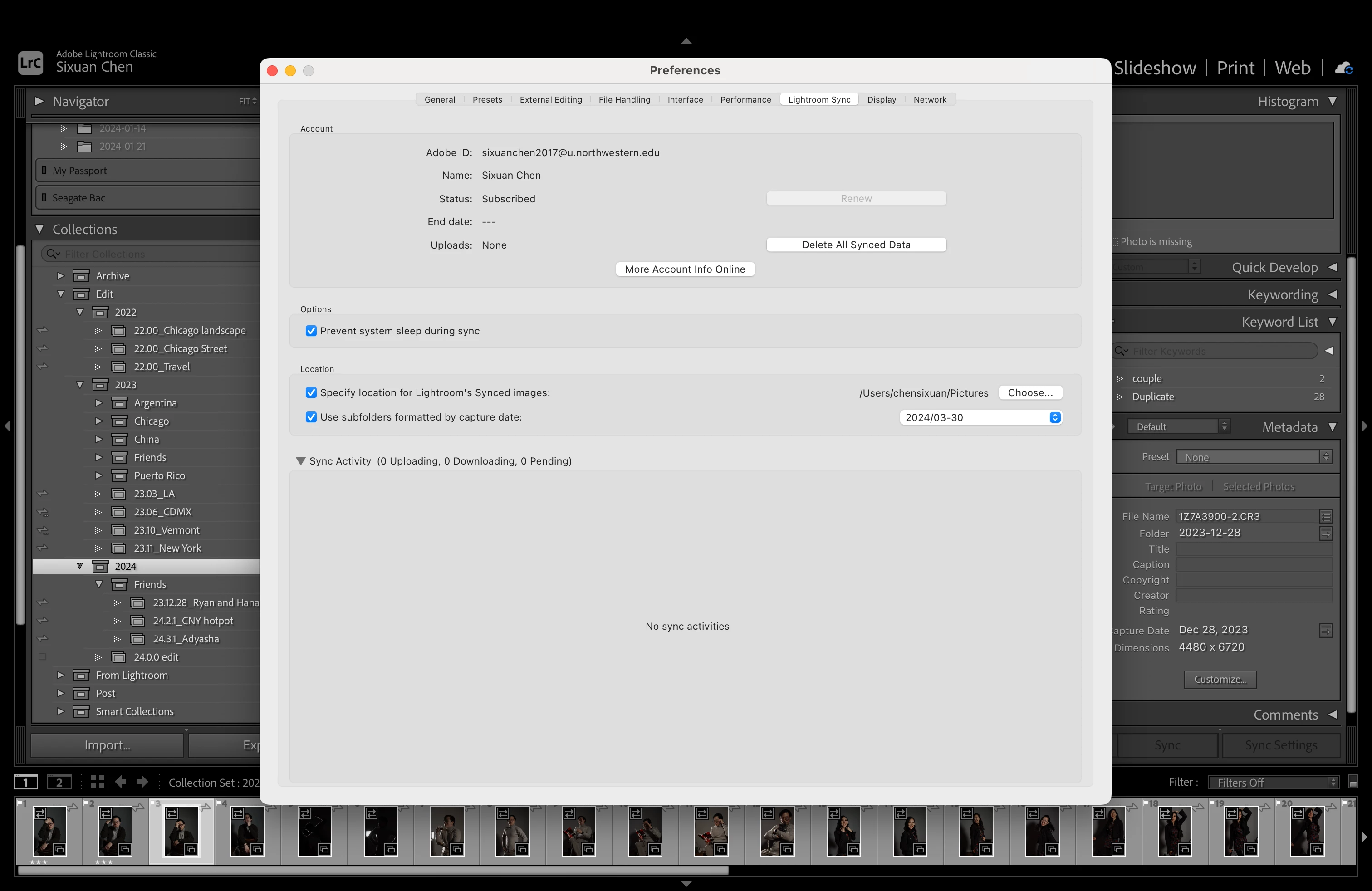
 

What's happening? how to fix it? thanks

This topic has been closed for replies.

1 reply

Rob_Cullen
Community Expert
Community Expert
March 31, 2024

Two items I can comment on from your screen-clips-

1) There are Notifications (Red Dot) for your Creative Cloud App.  Do you have the current version installed? Have you upgraded the CC Desktop App? 

2) The files  you have marked to sync (38 in the selected folder) are all 'Missing'. Where are these original files in your system? Can you re-link them to the Catalog? Do any of the other Collections contain Missing photos?


Is it correct that you have 1TB of Adobe Cloud storage?  (ie. the Photography Plan 1TB.)


Regards. My System: Windows-11, Lightroom-Classic 15.1.1, Photoshop 27.3.1, ACR 18.1.1, Lightroom 9.0, Lr-iOS 10.4.0, Bridge 16.0.2 .
Participating Frequently
March 31, 2024

Hi Rob,


Thank you so much for replying my question! Unfortunately I dont think either are the cause...

1. the red dot for creative cloud app apprears to be unread notifications, all adobe apps are up-to-date, as I mentioned, LrC version is 13.2 (latest) and yes, I have 1TB of cloud storage.

2. the shown "missing" was because i didnt plug in the external hard drive. the issue remains after i plug the hard drive in.

1) i double checked, photos in all collections are linked to catalog

2&3)as i mentioned before, I deleted all synced photos (1289 pics) and restored them... (try to see if it fix the problem), the result is shown in circle 2 and 3, my LrC says it's syncing 58 pics, while the action says 0 download/upload and 1289 pending... (idk what the hell is going on...), meanwhile lightoom cloud shown all is synced (what a mess)

3. as shown below, the lightroom cloud says there are 1289 synced photos and LrC said there are 1325 synced photos...

.             


What do you think is happening.... is there a way to escalate this question to developers?

Thank you!

Peter

Rob_Cullen
Community Expert
Community Expert
April 1, 2024

All your apps are up to date, but is the CC Desktop App itself up to date?

v6.1.0.594  ?

I myself am still learning about sync errors so will not be much help with your problem.

It is often advised to use Lightroom in a web browser where errors can be more obvious.

https://lightroom.adobe.com/

At least your Preferences now show files as "Pending" that might be re-syncing the re-added photos that were missing- And you have photos showing in Lightroom "All Photos" -that's a change.

Keep bumping your thread for other answers.


Regards. My System: Windows-11, Lightroom-Classic 15.1.1, Photoshop 27.3.1, ACR 18.1.1, Lightroom 9.0, Lr-iOS 10.4.0, Bridge 16.0.2 .