


Participant
August 20, 2022
Question

Lightroom Classic Low core usage and Percentage when exporting.

  • August 20, 2022
  • 1 reply
  • 406 views

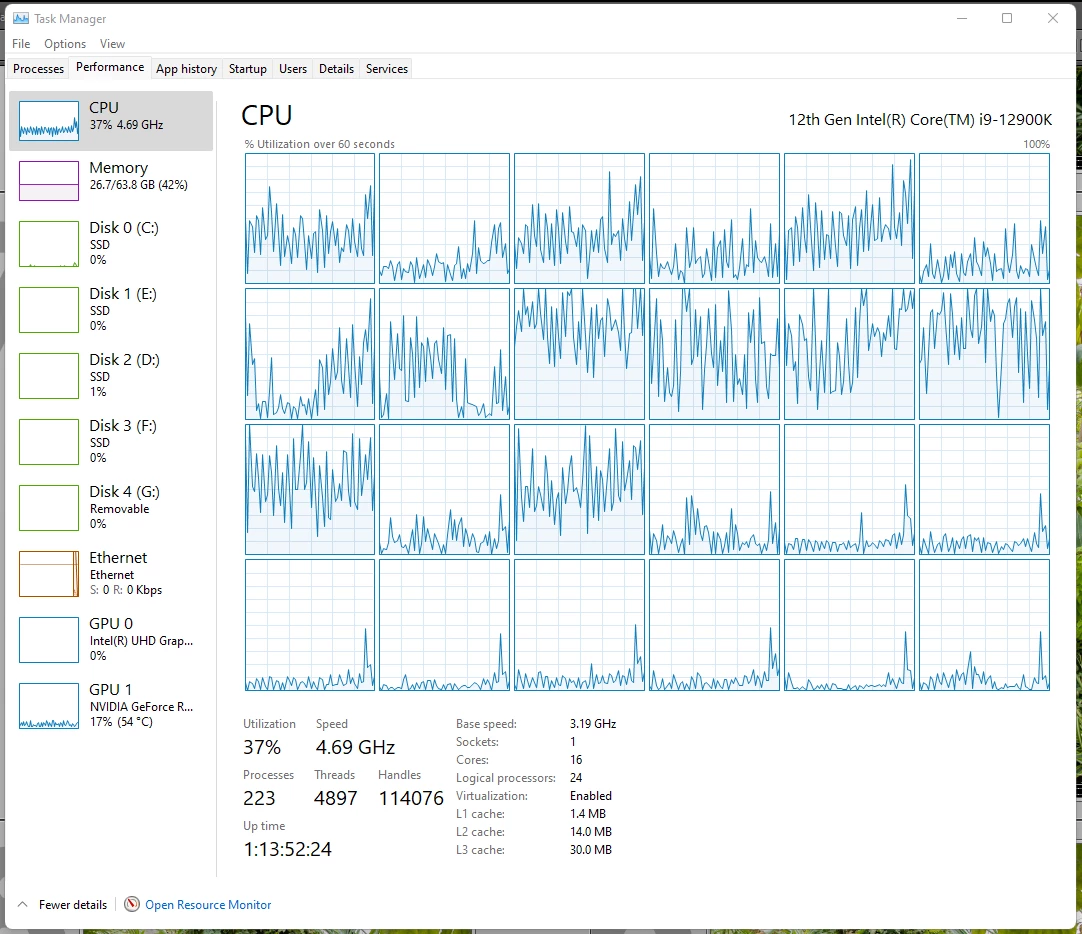
When exporting to Jpeg, I've noticed that most of  my system resources arn't used. Is there a way to ensure they are being used to full potentical and speed things up? it's a bit a drag to have a high end pc and only use 30% processing power. 
This topic has been closed for replies.

1 reply

Conrad_C
Community Expert
Community Expert
August 20, 2022

In Lightroom Classic 11.4 and later, this is supposed to be normal, and also an improvement…


Have you timed the difference for large export jobs before and after version 11.4? Because what they did in 11.4 is apply GPU acceleration to exporting. If your GPU qualifies, exporting should be faster now, even with less CPU usage. Before 11.4, you should have seen maximum CPU usage during export, which the heat and fan activity that goes along with that.


Also, have you noticed whether your discrete GPU usage is higher or lower in 11.4 or later? Your screen shot shows 17%.


So what should have changed since version 11.4 is:

  • CPU usage should be down because of the work being shifted to GPU acceleration for export. 
  • GPU usage should be higher for the primary GPU (in your case the NVIDIA card). 
  • If GPU acceleration is now used, total export time should be significantly shorter. 
  • With the CPU less busy, system should run cooler, for less fan noise, and a lower possibility of thermal throttling. 


That’s been the experience on my computer.


All of those changes are consistent with what happens when GPU acceleration is enabled in other types of applications (video editing, 3D). CPU usage is supposed to go down, because the work was transfered to the GPU.

johnrellis
Genius
August 20, 2022

[This post contains formatting and embedded images that don't appear in email. View the post in your Web browser.]


To build on Conrad's comprehensive reply:


You can see whether the GPU is being used for Export by going to Preferences > Performance:


Do test exports of at least 25 photos with and without that option checked. Report back the total elapsed time for both tests, along with a similar screenshots of Task Manager.