defaultoyx5xbsjcm9j
Participant
April 4, 2026
Question

Lightroom Classic (macOS) fails to correctly reproduce Nikon Zf in-camera presets via Camera Flexible Color

  • April 4, 2026
  • 6 replies
  • 119 views

Hello,

Lightroom Classic 15.2.1 (on macOS 26.4 in my case) does not correctly reproduce Nikon Zf in-camera presets (my test is on custom presets).

In the Library module, the image matches the in-camera look because Lightroom is showing the embedded RAW preview. But in the Develop module, Lightroom switches to its own rendering and applies Camera Flexible Color, which produces colors that are clearly off compared with the Nikon rendering.

So although Lightroom appears to support this feature in principle, the current implementation is not accurate enough to be useful. The user is then left trying to reverse-engineer and manually correct the many settings changed by Camera Flexible Color.

As it stands, this feature is effectively broken/useless for Nikon Zf files.

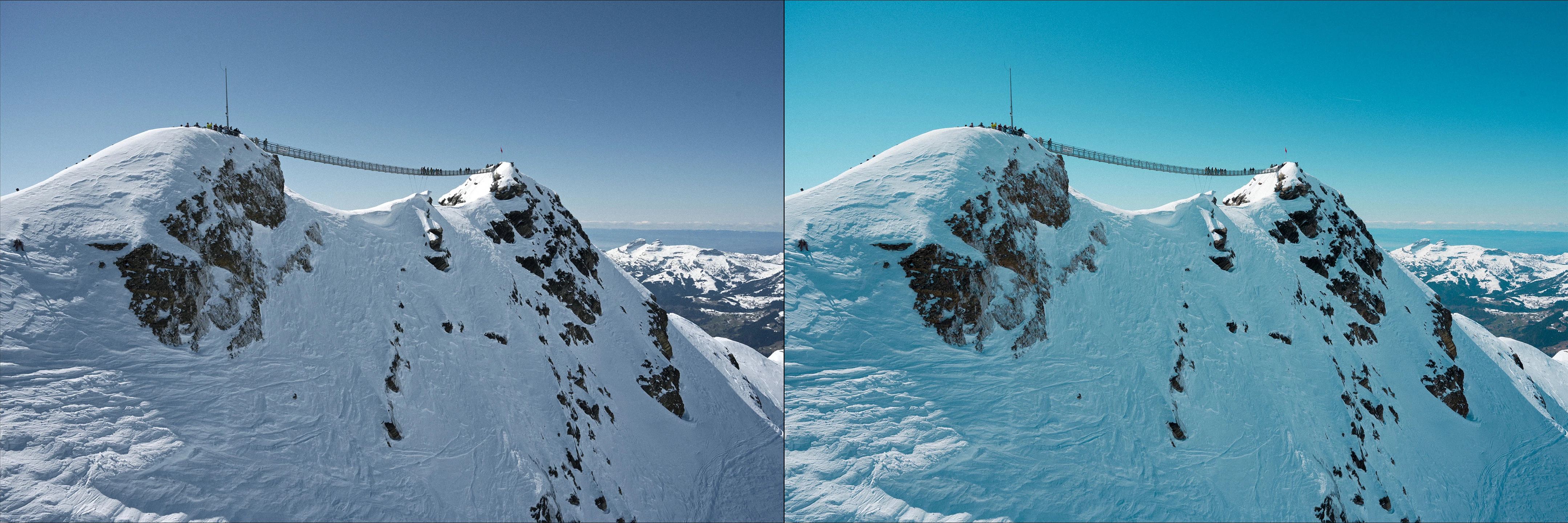
Here is a side by side view of what is expected and shown correctly in the Library module (left), and what Lightroom’s Develop renders (right).
 

Thanks in advance for considering this bug report.
6 replies

opt1mum
Participant
August 4, 2026

I am having the same issue with nef files taken by Z6III

Sameer K
Community Manager
Community Manager
August 4, 2026

Hey, @opt1mum. Thanks for the comment. As Johnrellis suggested, the investigation into this behavior will benefit if you also provide sample raw images that demonstrate it, along with any specific details.


Thanks!
Sameer K
(Type '@' and type my name to mention me when you reply)

opt1mum
Participant
August 4, 2026

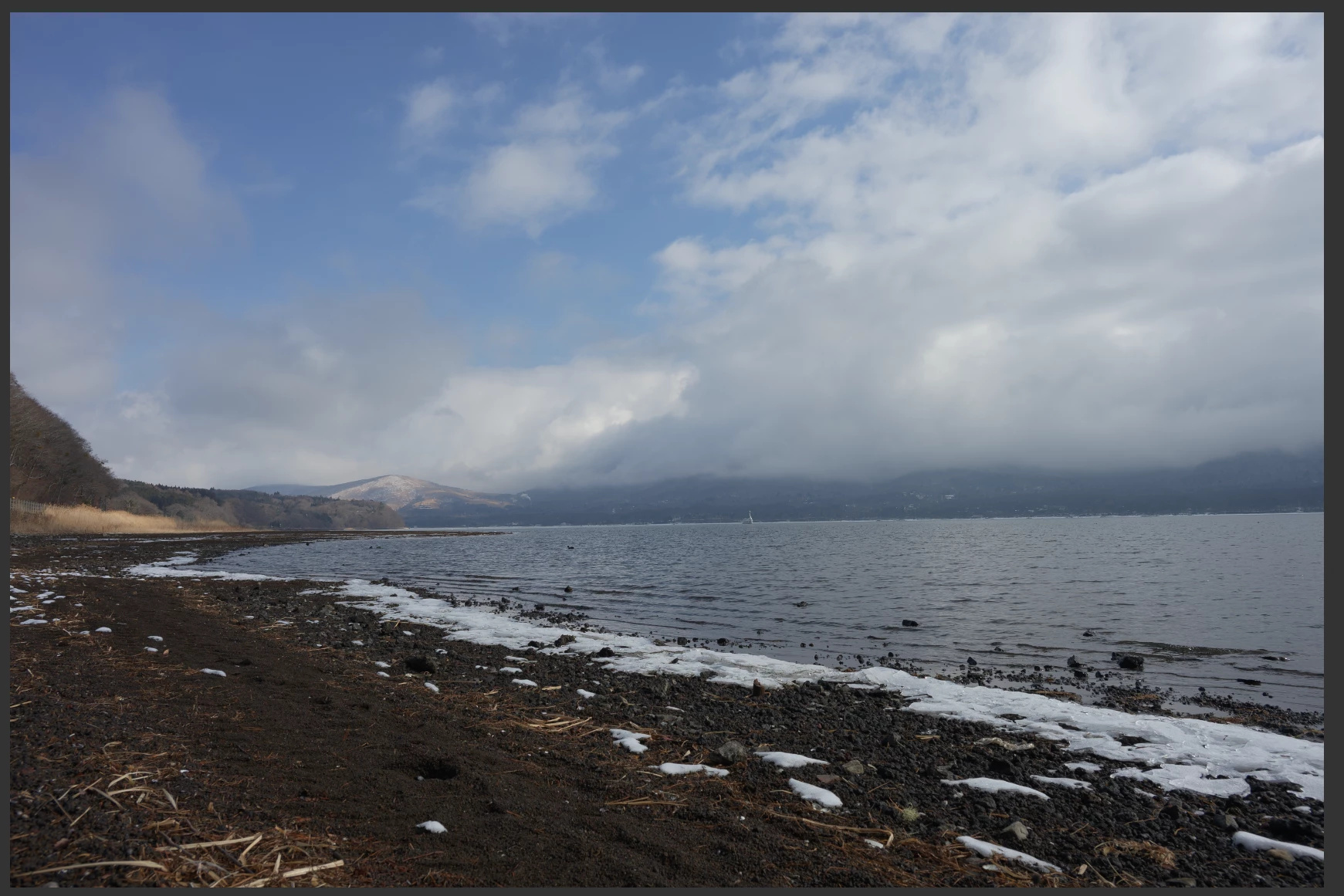
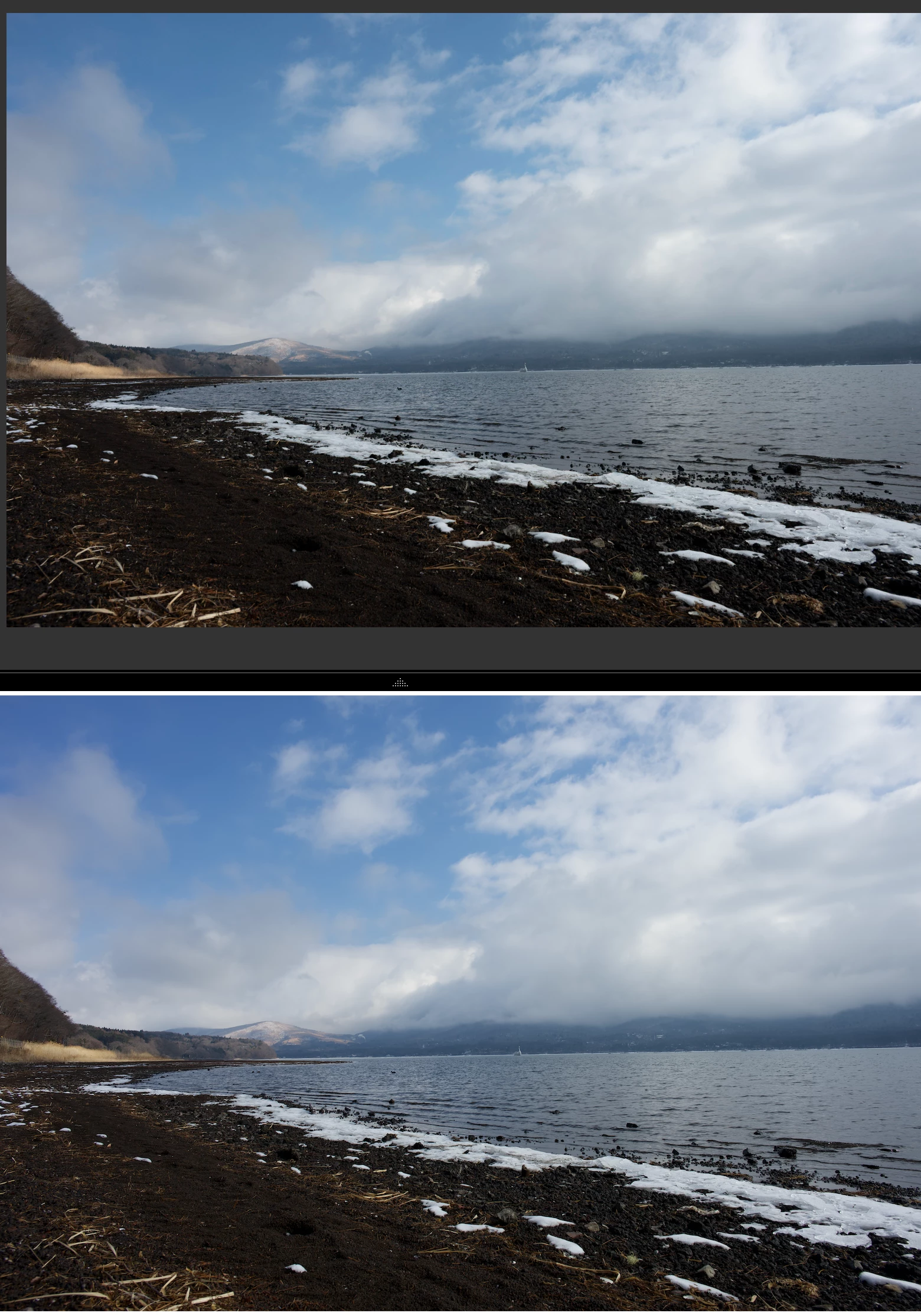
The photo (nef file) was shot with Nikon recipe VitalityFilm_Pmango. The two screenshots for preview in Mac OS and Lightroom Classic are also provided. It can be seen that the LRC preview (second preview) has strange blue tune which make the photo unnatural, my case is quite similar to what happen to the post owner. ​@Sameer K 

johnrellis
Legend
April 5, 2026

Adobe is much more likely to pay attention to such bug reports if you supply a couple of sample images showing the problem, allowing the developers to quickly reproduce the problem. You can attach the .nefs here using hte paper-clip button.

defaultoyx5xbsjcm9j
Participant
August 5, 2026

deleted