
BenoAg
Participant
October 29, 2022
Question

Lightroom Classic masking tool, brush options not showing

  • October 29, 2022
  • 1 reply
  • 112 views

Hello

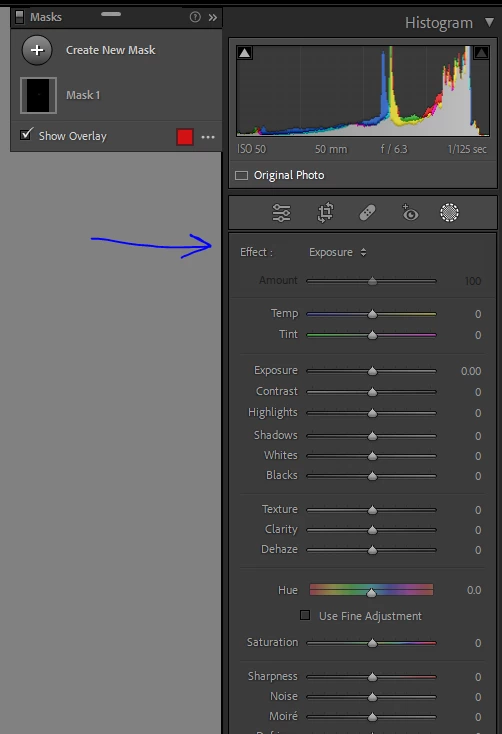
The masking tool brush option dissapeared. I am not sure if I pressed something. Before I was able to see the brush size, feather, etc.

Could somebody help me to put it back?
Thanks

Benito A.

This topic has been closed for replies.

1 reply

Rob_Cullen
Community Expert
Community Expert
October 29, 2022

Your screen panel does look a little different to the usual.

So what type of mask have you created in your screen-clip?

You will not see the Brush options if you have a Gradient or something other than a Brush mask.

Click the (+) button, select Brush to check if the options will appear.


Regards. My System: Windows-11, Lightroom-Classic 15.4.1, Photoshop 27.8, ACR 18.4, Lightroom 9.4, Lr-iOS 10.4.0, Bridge 16.0.3 .