
Participant
December 23, 2022
Question

Lightroom classic not connecting to cloud server

  • December 23, 2022
  • 2 replies
  • 710 views

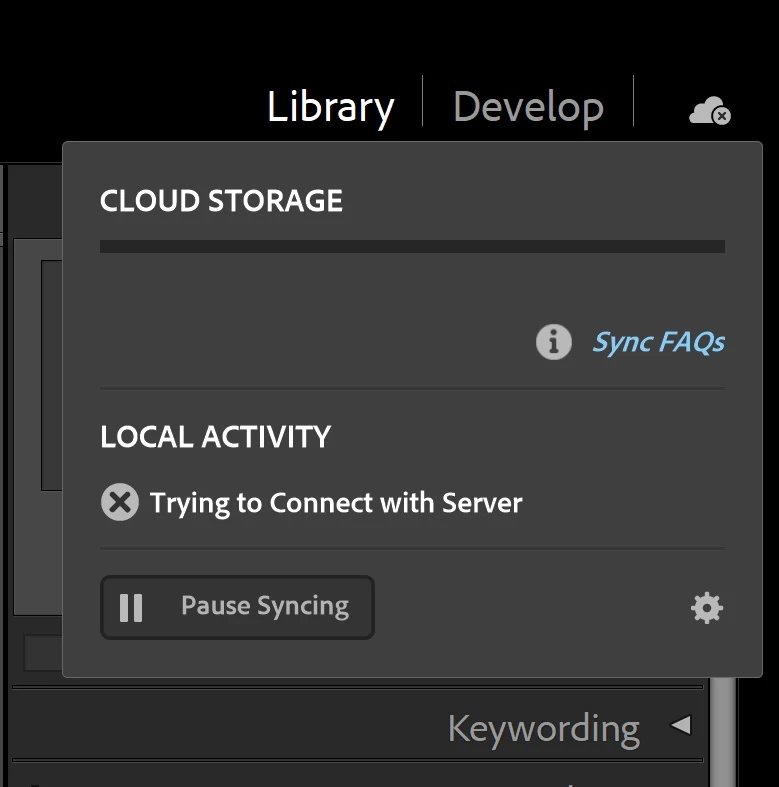
Since yesterday I have encountered a problem with the sync function with adobe cloud on Lightroom Classic 12.1, with the message "trying to connect with server" when I click on the cloud storage icon.

I have never had issues with the cloud before and it just lost connection all of a sudden. Can anyone shed some light on this problem? 

I am on windows 10 and I have tried restarting LrC and rebooting numerous times without success, any help is appreciated thanks!
This topic has been closed for replies.

2 replies

Participant
June 21, 2024

Was there a way to fix this issue i've had it come up and have spent all day trying to fix it. 

Community Expert
December 23, 2022

Are you able to open https://lightroom.adobe.com on this computer? The error implies (but this could be caused by another problem of course) you are having internet connectivity issues. Could also be a firewall issue or something else like that.

phtse927Author
Participant
December 23, 2022

Yes, I can open this link without a problem, and the photos on cloud storage sync well with my mobile device, so it definitely is not due to my internet connectivity but somehow LrC just fail to connect with the cloud server.

Community Expert
December 23, 2022

Any firewall on your computer itself enabled? Antivirus software?