



Lightroom Classic not syncing getting "error rendering"... no steps found in forum have helped.
Hi, I've reached a frustration point where I'm ready to look for alternatives to Adobe.
One day I create a catalog & a collection and it syncs to my lightroom.adobe.com library beautifully and then another day I create a different catalog and collection and it refuses to sync.
I'm using Lightroom Classic 15.0.1 on Windows 11 Home, with plenty of Ram (64GB) and a 4TB drive, my raw cache is set to 60GB.
Current sample set is 849 images.
I have imported every way possible - w standard previews, w 1:1 previews, w smart previews, etc.
I create a collection, I initiate sync.
EVERY TIME, I see my photos "sync", but none of the images actually do - I receive this error for every image. Every single image.
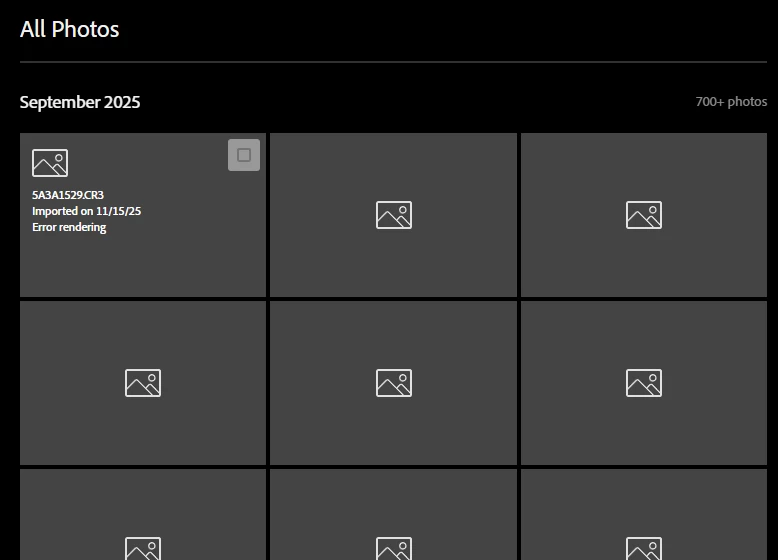
If I go to my ipad to view the sync'd files it gives the same error, the grid with grey blocks is there - with no image actually available for me to edit.
The issue started before the updates that were just released to LR Classic. I've "permanently deleted all files" on the web, I've removed/recreated collections, I've started catalogs from scratch. I've cleared cache, I've "rebuilt sync data", and I've reviewed the sync errors, with little information to work with.
Any ideas at all?
Thanks!
Jaime
 AdChoices