
simont72341843
Participant
July 7, 2022
Question

LIghtroom classic not syncing white balance

  • July 7, 2022
  • 2 replies
  • 248 views

updated to newest version of classic and not the white balance doesn't sync to other images, bing a night photography this is massive problem for me.


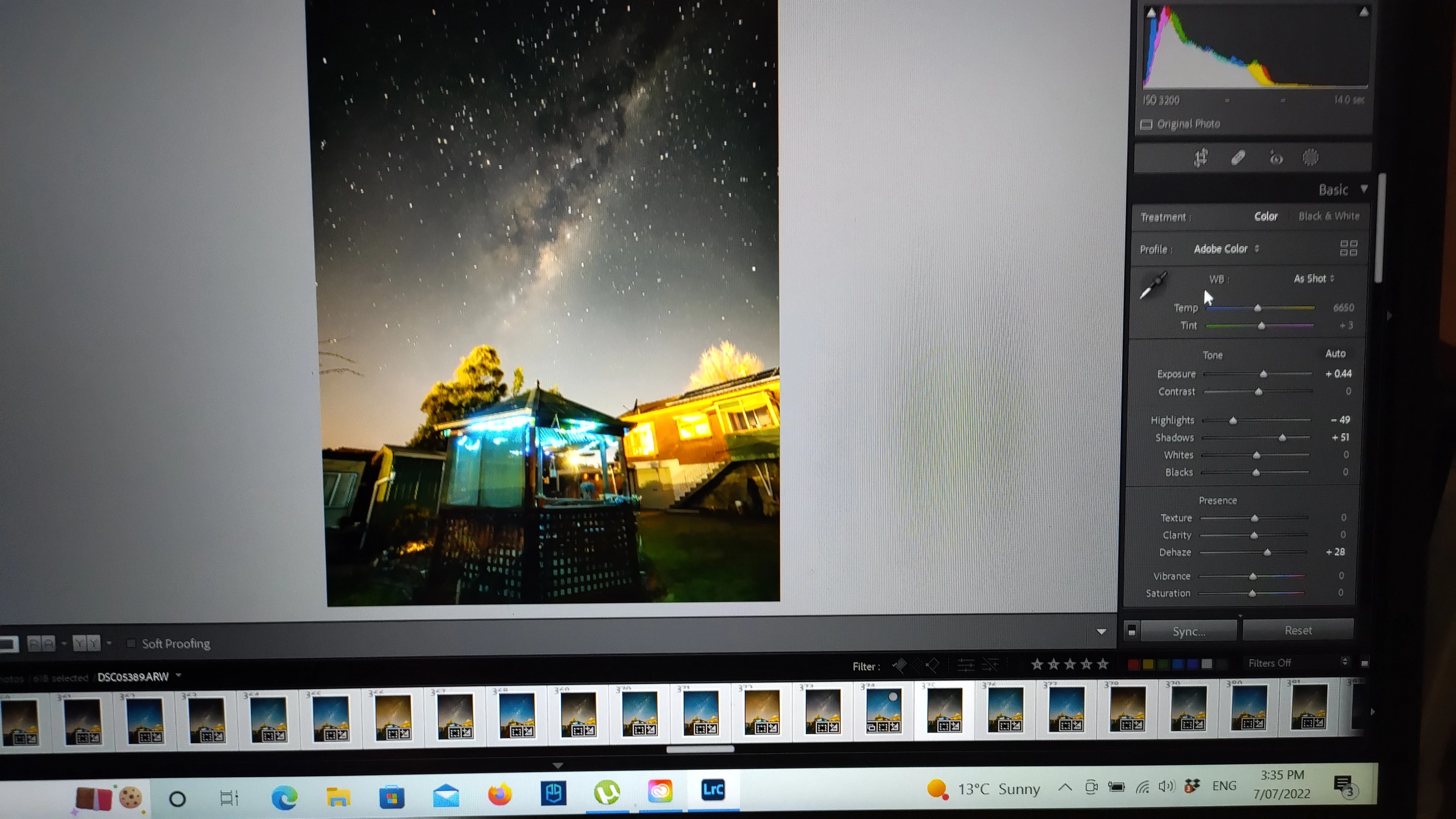
in the below image u can see that is isnt just not applying the sync but it seems to be applying a completly different edit
I Have.....

*reset the first image then synced all back to original no problem

*retried = same result

*closed classic and rertiried = same result

*i have reset classic preferences = same result

*i have gone back a version = same result

*i have gone back 2 versions = same result


this is def a bug as i have been using lr then classic for 10 years and never had this until this update, this is the 4th buggy update in a row from adobe


This topic has been closed for replies.

2 replies

JohanElzenga
Community Expert
Community Expert
July 7, 2022

You haven't toggled 'Auto Sync', so Lightroom Classic will not sync anything until you click on the Sync button. And indeed, if your currently selected image is 'As Shot', then that is what all images will be if you do click 'Sync' and check the WB as one of the things to sync.


-- Johan W. Elzenga
DdeGannes
Community Expert
Community Expert
July 7, 2022

The screen capture shows the white balance is "As shot" on the most selected image sync that will not achieve your expected result. Each selected image will just show the "As shot" for each individual image. Make a very small chang to the tint or temperature of the most selected image so that it shows as custom. That way you would be syncing the actual temp and tint values.

Regards, Denis: iMac 27” mid-2015, macOS 11.7.10 Big Sur; 2TB SSD, 24 GB Ram, GPU 2 GB; LrC 12.5,; Lr 6.5, PS 24.7,; ACR 15.5,; (also Laptop Win 11, ver 24H2, LrC 15.0.1, PS 27.0; ) Camera Oly OM-D E-M1.