winstond49232361
Participating Frequently
March 6, 2025
Resuelto

Lightroom Classic - old cataloge files

  • March 6, 2025
  • 1 respuesta
  • 344 visualizaciones

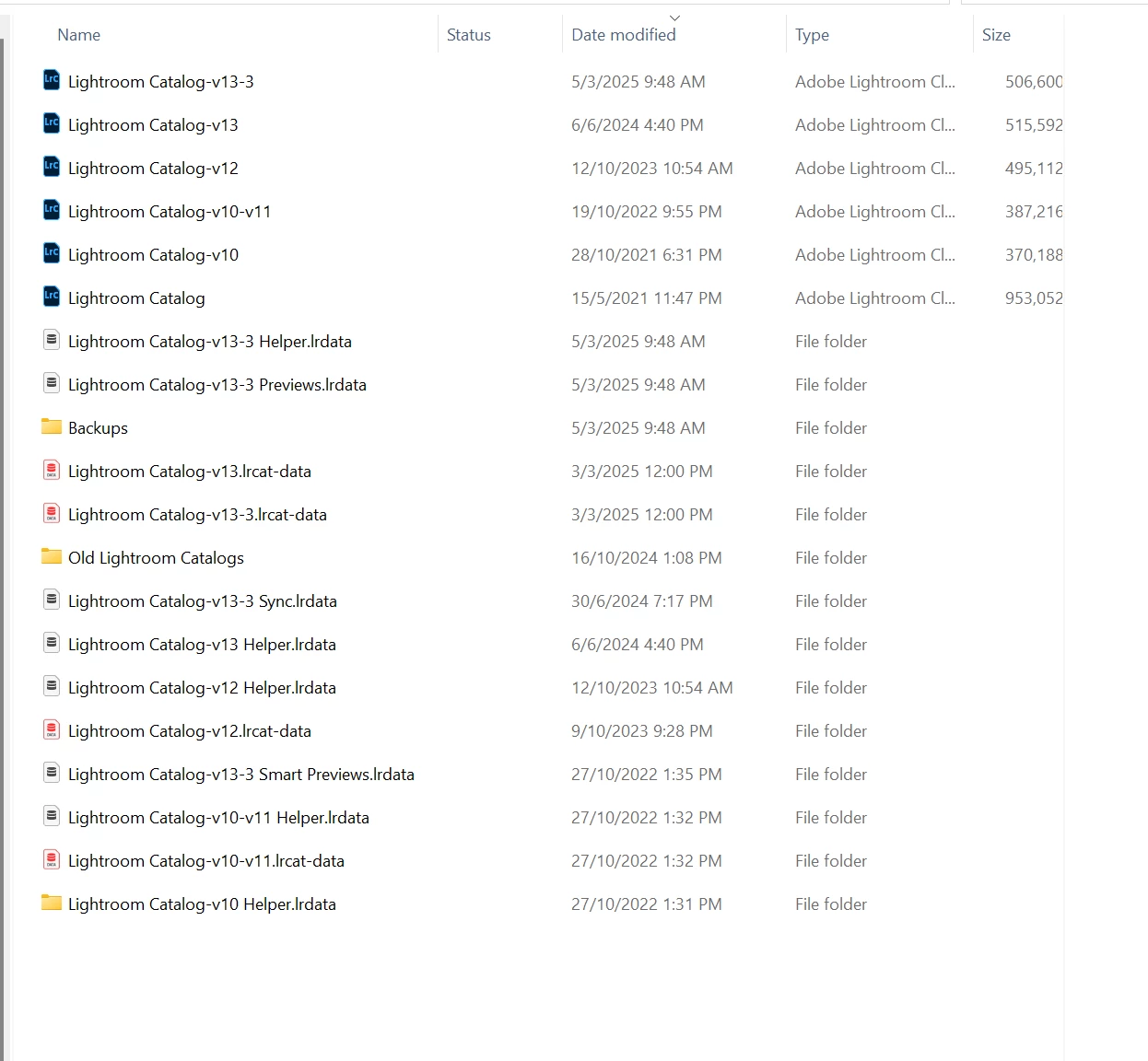
I have updated my Lightroom Classic to Version 14.2 and when I look in my Catalogue folder, I see the above. Can I delete the ones that are not v13?


Also, can I delete the file named Lightroom Catalog-v13-3 Previews.lrdata? It is taking up a lot of space.

Mejor respuesta de Rob_Cullen

Anything and everything that has "-v13-3" in a file name IS your current catalog and ancilliary files. Do NOT delete any of the files that are "-v13-3". (The rest you can archive until you know your catalog is working correctly with all  your imported images. I note different sizes for the .LRCAT files!)


The Preview cache can get very large with many photos in your catalog:

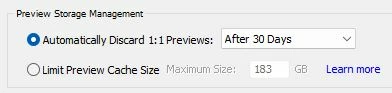
There is now a facility in LrC 'Catalog Settings' to control (Limit) the space that Previews occupy. (Some find it is not an immediate result.)
The old method was to delete or 'refresh' the  {Lightroom Catalog Previews.LRDATA } and then slowly allow the catalog to re-build its previews.


And a Hint- Rename your catalog to make sense to you. [Menu > File > Rename Catalog...]

 

1 respuesta

Rob_Cullen
Community Expert
Rob_CullenCommunity ExpertRespuesta
Community Expert
March 6, 2025

Anything and everything that has "-v13-3" in a file name IS your current catalog and ancilliary files. Do NOT delete any of the files that are "-v13-3". (The rest you can archive until you know your catalog is working correctly with all  your imported images. I note different sizes for the .LRCAT files!)


The Preview cache can get very large with many photos in your catalog:

There is now a facility in LrC 'Catalog Settings' to control (Limit) the space that Previews occupy. (Some find it is not an immediate result.)

The old method was to delete or 'refresh' the  {Lightroom Catalog Previews.LRDATA } and then slowly allow the catalog to re-build its previews.


And a Hint- Rename your catalog to make sense to you. [Menu > File > Rename Catalog...]


Regards. My System: Windows-11, Lightroom-Classic 15.1.1, Photoshop 27.3.1, ACR 18.1.1, Lightroom 9.0, Lr-iOS 10.4.0, Bridge 16.0.2 .
winstond49232361
Participating Frequently
March 6, 2025

Thank you, Rob. THis is very clear and exactly what I needed to learn.