
Lightroom classic: Randomly unable to export photos after applying upright transformation.
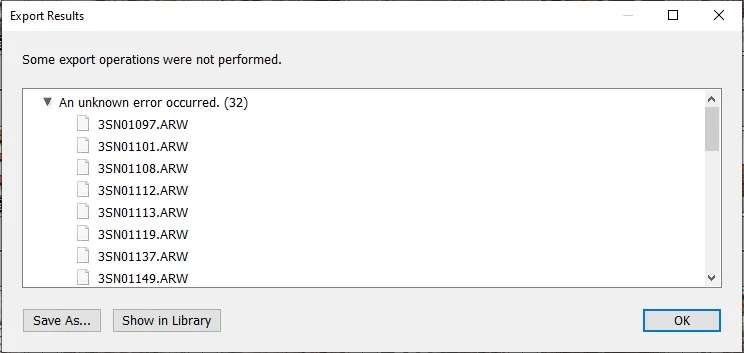
Problem: I'm unable to export some of the photos from .ARW and .jpeg format.
Removing Upright Transformation fixes the issue. The issue affects only some of the transformed images.
Multiple exports of the same files fix the issue for some of them, but the issue prevails for the majority of the photos. It seems to be a bit random.
I'm unable to open affected photos in Photoshop.
The same catalog exported to Lightroom Classic on Mac worked just fine.
I don't experience any problems with any other video editing / graphic software.
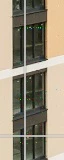
Possibly unrelated symptoms: Occasionally photos in main view are rendered slowly or have some glitches (e.g. darker rectangles that sometimes stay, sometimes disappear or light green pixels etc.).
Error messages:
1. When exporting photos: Some export operations were not performed. An unknown error occured.
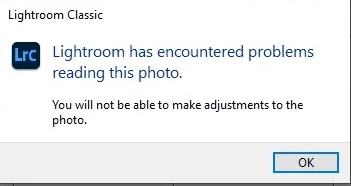
2. When opening the affected photo: Lightroom has encountered problems reading this photo. You will not be able to make adjustments to the photo.
Versions: Adobe Lightroom Classic 9.4, 10.0, 10.1
System: Windows 10, Intel i7-6700, 32GB RAM, GeForce RTX 2060 (Studio 460.98 driver)
Tried solutions:
1. Upgrade / Downgrade
2. Reinstall
3. Video Card driver update
4. Resetting preferences to default
5. Changing file locations and used drives
6. Disabled GPU support
None of the above helped.
Would be glad to receive any technical support on the issue as I use your software on daily basis to make a living, the support said it's going to contact me, but I haven't received any calls. I experience the issue for a few weeks now, it started after upgrading to 10.1 in the end of December 2020.
The software is at the moment unusable for me - how can I apply for reimbursement?
 AdChoices