Question
Lightroom Classic stuck in sync without other info
Hi,
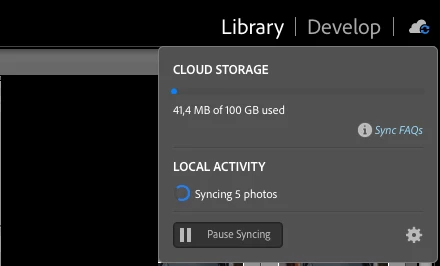
Currently I use LRC with the sync of collections to Adobe Cloud and recently I'm facing the issue of LRC being stuck while tries to sync 5 photos, this photos do not appear in "sync Activity".
This is what i tried so far without success:
- Check for errors in LRC and Lighroom Web - No errors
- Rebuild the sync data
- Delete the sync data file
- Create a new brand new catalog, with my photos and start a new sync
After checking each collection photos one by one in LRC, i was able to notice the photos that always "in sync" and not available in Lightroom Web (Adobe Cloud).
Note: The Adobe Cloud storage space is not even properly calculated, always shows 41mb of used space.
Does anyone knows any other way to fix this sync issue?
Thanks


 AdChoices