
Question
Lightroom Classic Tethered Capture Destination Folder is not working on Mac
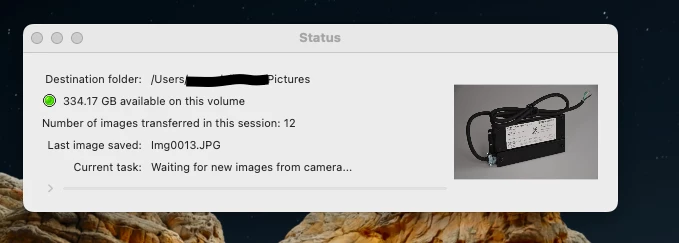
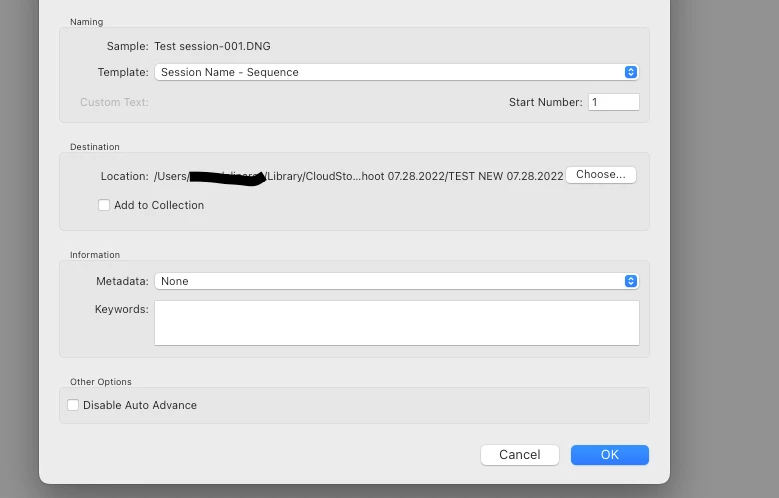
When doing a tethered capture using a Nikon D7000 on Lightroom Classic on a Mac Mini, the destination folder that is selected when initiating a tethered capture does not match the destination folder shown on the status window. The tethered capture is not pulling the photos into the "Library" view as it does by default on a PC. We see the photos in the destination folder that is shown on the status window, but not in the destination folder seclected when initiating the tethered capture. I've attached images for reference.
 AdChoices