
Known Participant
July 1, 2025
Question

Lightroom Classic Using Incorrect GPU

  • July 1, 2025
  • 1 reply
  • 428 views

I am on a 2019 Mac Pro. I have 3 graphics cards installed:


  • 1 AMD Radeon PRO W6600
  • 2 AMD Radeon RX 6900 XTs.


The 6600 is used for my monitor, the 6900s are used for their processing power (3D rendering, etc.). My understanding is that Lightroom Classic can only use the graphics card that the monitor is plugged into. That being the case, I switch my monitor over to a 6900 when I work in Lightroom, so that I can take advantage of the superior horsepower for things like AI settings.


However, when I plug my monitor into either 6900, Lightroom ignores it and continues processing on the 6600. This is true even after restarting Lightroom. It will only process on the 6900s if I remove my 6600 from the machine entirely.


The 6900s are significantly more powerful and process AI settings in half the time, but my GPU setup works very well for the rest of my workflow, so removing the 6600 permanently is not an option.


This is the latest version of Lightroom Classic and macOS 15.5.  Here is the arrangement in the Mac Pro:

 

When I am plugged into the 6900, it displays correctly in Lightroom, but Lightroom fails to use it:
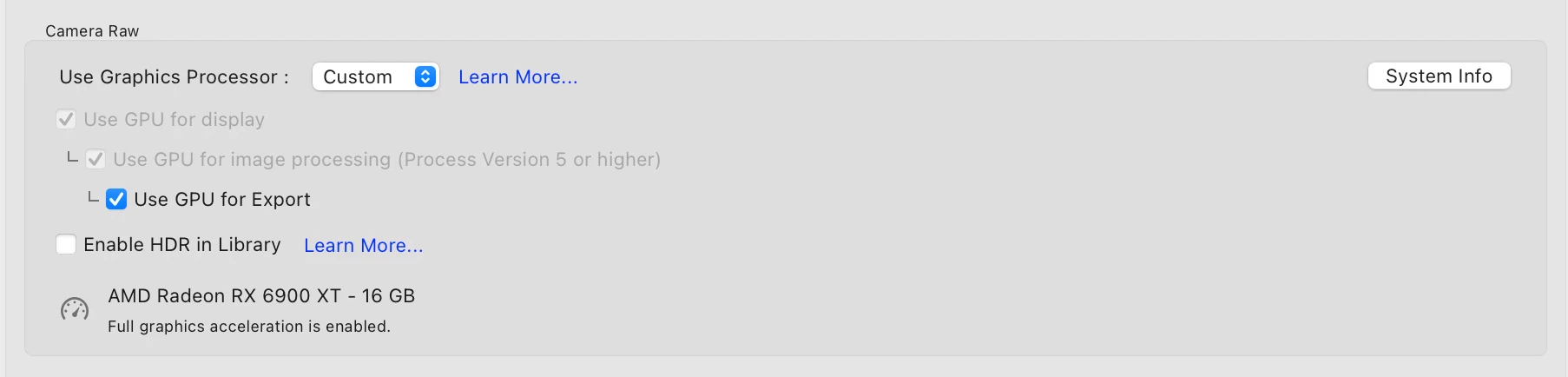
 

Any help would be appreciated. Thanks!

1 reply

nikunj.m
Legend
July 1, 2025

Hi, thanks for reaching out! Just out of curiosity, have you tried restarting the machine as well after switching the GPU that the monitor is connected to? If not, try that to check if it makes a difference.

Also, do you have multiple monitors? If yes, are all the monitors connected to the same GPU? 


Thanks,
Nikunj

joeriveraAuthor
Known Participant
July 1, 2025

Yes, tried that multiple times as well, I meant to include that in my original question. Thanks.

nikunj.m
Legend
July 4, 2025

Hi, sorry about the delay in responding! Could you confirm whether you have multiple monitors? 

Normally, macOS initializes the GPU as the display GPU when you boot your machine; that's why I asked if you restarted the computer after changing the GPU to which your display is connected. If you have multiple monitors, you can try disconnecting the additional monitors for now, ensuring that the main display is connected to the correct GPU, and restarting the machine one more time to check. 

If you continue to experience the same behavior, please go to the Help menu in Lightroom Classic, then System Info, and copy the text. You can share the info with us by either pasting it as a reply here or in a text file and sharing the file with us. 


Thanks,
Nikunj