Ok, I failed to be clear.
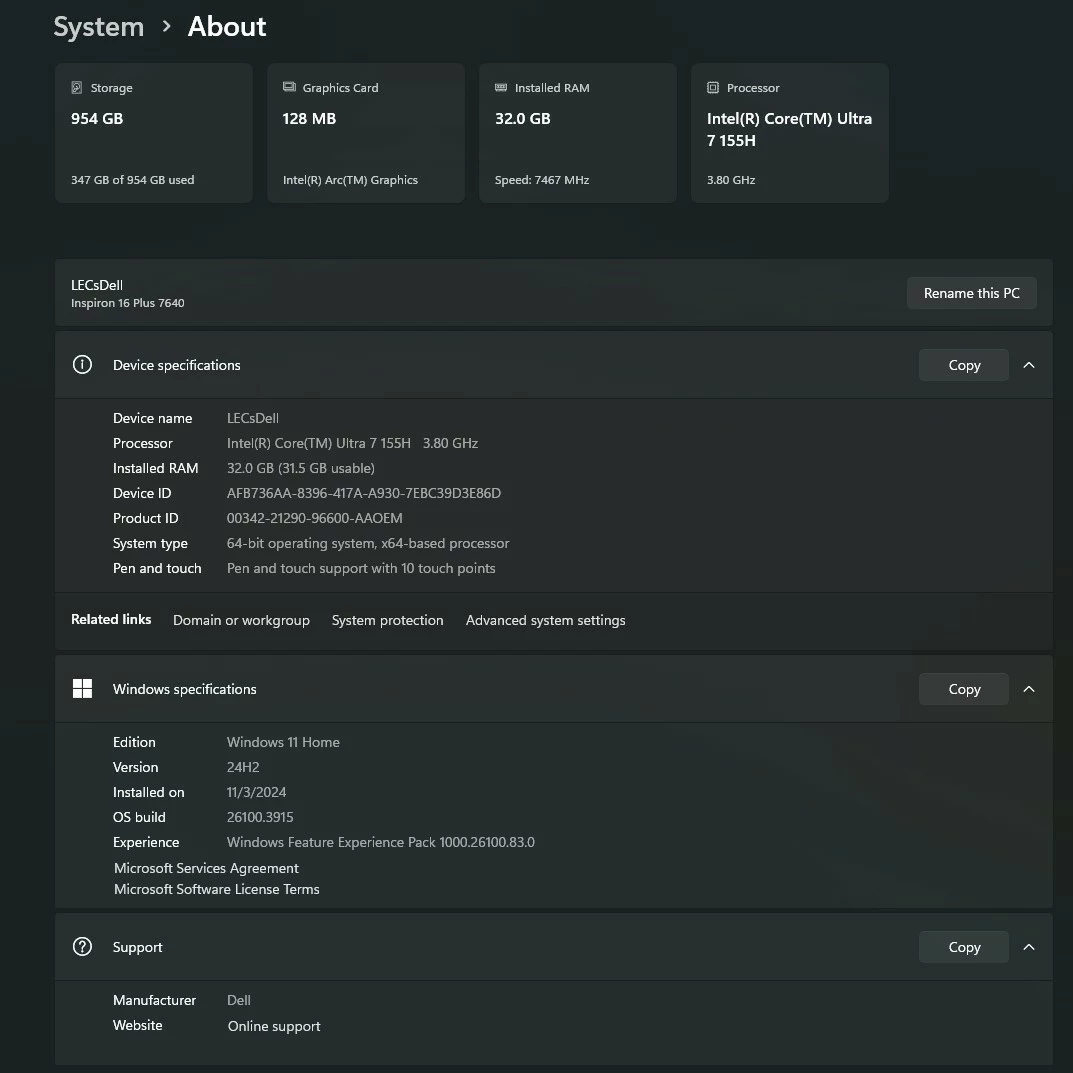
In LrC, click on Help, then on System Info, then copy that info, then paste that into a reply .
Looking for:
Lightroom Classic version: 14.3.1 [ 202505061331-b063faef ]
License: Creative Cloud
Language setting: en
Operating system: Windows 11 - Home Premium Edition
Version: 11.0.26100
Application architecture: x64
System architecture: x64
Logical processor count: 32
Processor speed: 2.9GHz
SqLite Version: 3.36.0
CPU Utilisation: 1.0%
Power Source: Plugged In
Built-in memory: 65243.7 MB
Dedicated GPU memory used by Lightroom: 5080.5MB / 8018.0MB (63%)
Real memory available to Lightroom: 65243.7 MB
Real memory used by Lightroom: 2776.4 MB (4.2%)
Virtual memory used by Lightroom: 9169.3 MB
GDI objects count: 809
USER objects count: 2798
Process handles count: 3108
Memory cache size: 488.3MB
Internal Camera Raw version: 17.3.1 [ 2227 ]
Maximum thread count used by Camera Raw: 5
Camera Raw SIMD optimization: SSE2,AVX,AVX2
Camera Raw virtual memory: 1001MB / 32621MB (3%)
Camera Raw real memory: 1067MB / 65243MB (1%)

Cache1:
Final1- RAM:919.0MB, VRAM:2858.0MB, mine-7.RAF
NT- RAM:919.0MB, VRAM:2858.0MB, Combined:3777.0MB

Cache2:
m:488.3MB, n:204.1MB

U-main: 90.0MB

System DPI setting: 96 DPI
Desktop composition enabled: Yes
Standard Preview Size: 2560 pixels
Displays: 1) 2560x1440
Input types: Multitouch: No, Integrated touch: No, Integrated pen: Yes, External touch: No, External pen: No, Keyboard: No

Graphics Processor Info:
DirectX: NVIDIA GeForce RTX 3070 (32.0.15.6636)
Init State: GPU for Export supported by default
User Preference: Auto
Enable HDR in Library: OFF

Application folder: C:\Program Files\Adobe\Adobe Lightroom Classic
Library Path: W:\Active Projects\Photography\test\test.lrcat
Settings Folder: C:\Users\DavidsLocal\AppData\Roaming\Adobe\Lightroom

Installed Plugins:
1) AdobeStock
2) jf Bag-o-Goodies
3) Loupedeck2
4) SmugMug

Config.lua flags:

Adapter #1: Vendor : 10de
	Device : 2488
	Subsystem : 404e1458
	Revision : a1
	Video Memory : 8018
Adapter #2: Vendor : 1414
	Device : 8c
	Subsystem : 0
	Revision : 0
	Video Memory : 0

info below this point can be ignored
Hi all:
Not sure why, but this issue seems to have resolved itself as it's no longer happening.
Thanks, LC:



 AdChoices