
Lightroom Classic Window Scaling Issue
Hi all,
I have read a few threads about this specific problem and have found success with none of them.
I have recently started to create presets to help speed up my workflow and noticed that whenever I go to create a preset, the "New Develop Preset" window is too large meaning that I cannot click to save the preset at the bottom of the window - please see below image as an example.
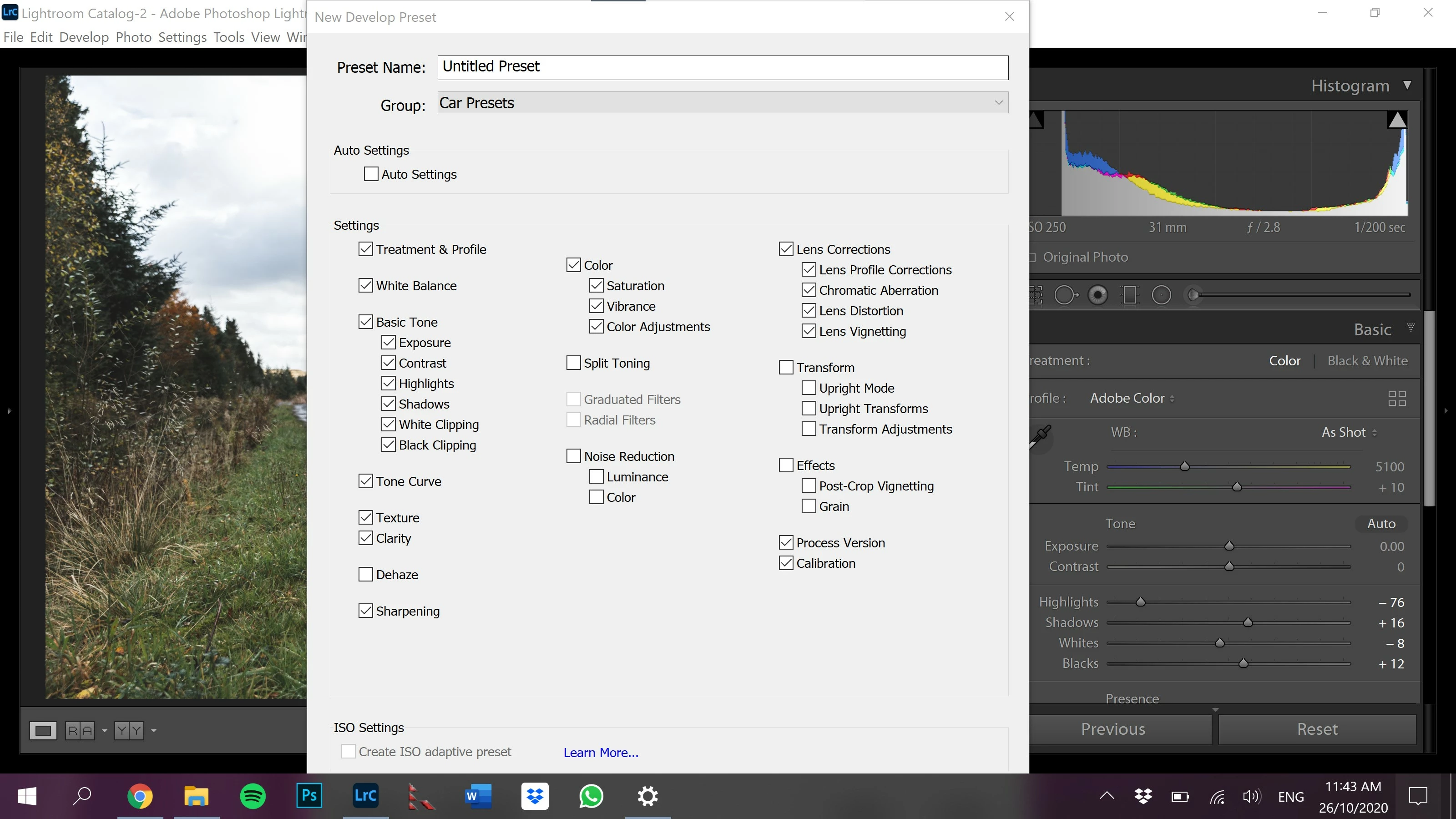
So far my workaround has been to set the task bar to the right-hand side to save the preset then reposition it to the bottom again where I like it.
I have tried all the "tricks" in the compatibility tab for the Lightroom Classic application file and have found none of them to work.
I am currently using Lightroom on a Dell XPS 13 and my resolution settings are 3200x1800 and scaling is 250%, both of these settings are what Windows 10 recommends.
Any help would be greatly appreciated.
Thank you,
Antonio


 AdChoices