
Known Participant
April 29, 2023
Answered

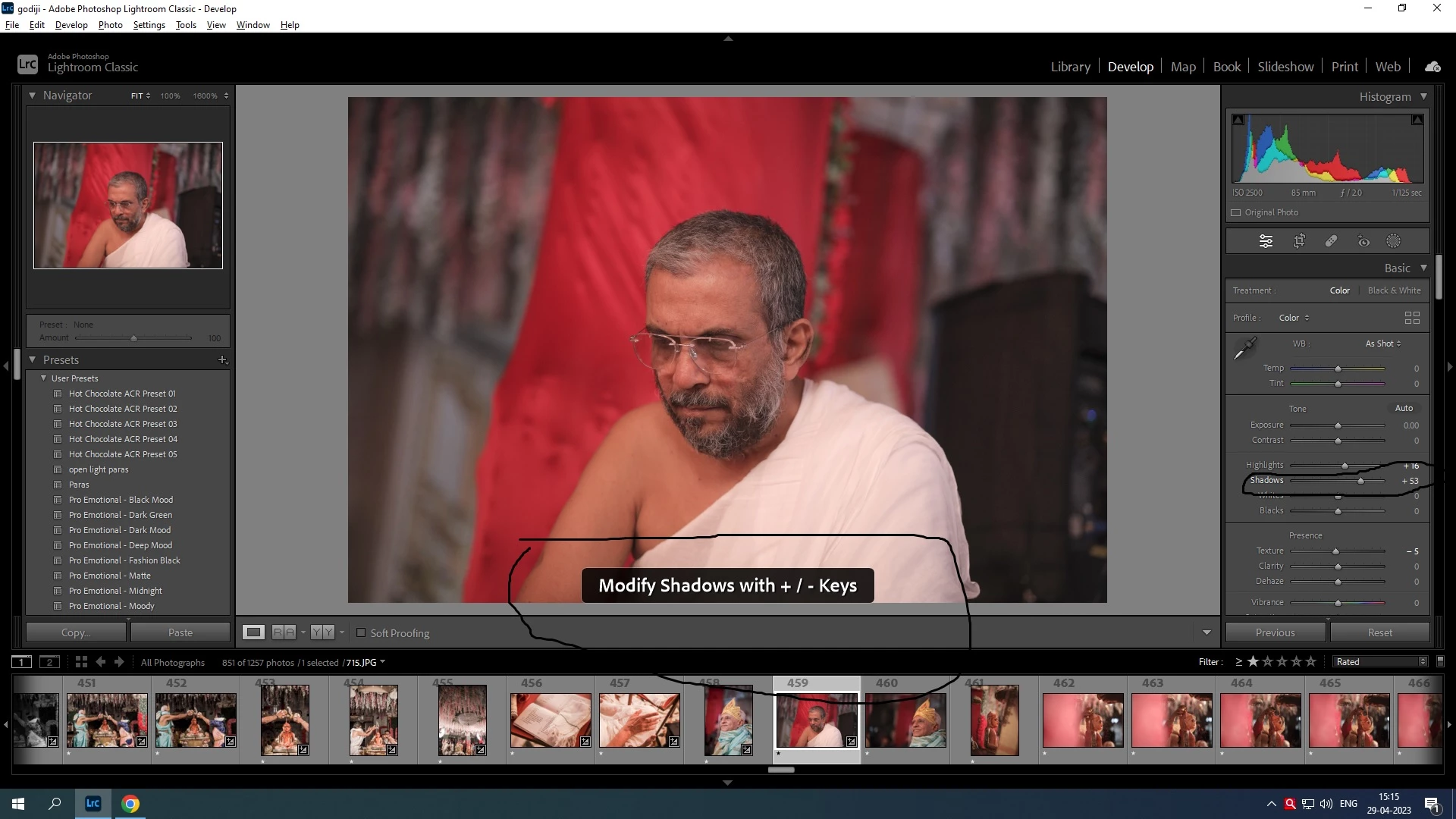
Lightroom Develop module tone settings

  • April 29, 2023
  • 1 reply
  • 579 views

Hello sir, 

Greetings of the day,


I have seen my friends editing their photos on lightroom with just the mouse cursor kept on name of the adjustment like (eg. highlights, shadows) and incresing or decreasing with the help of keyboard keys plus and minus (+,-). But when I do in my system it doesnt happens, i have to click on the shadow then it says modifiy shadows with  +/- keys. then only I am able to do..


How to change without clicking on shadows or other tone internal settings , 


Please do reply

 Thanks 
This topic has been closed for replies.
Correct answer DdeGannes

Try clicking up / down on the keyboard while hovering over the slider button with your mouse.

When you click on "shadow", it will activate and if you hit +/- the slider will increase for the shadows until you select another option exposure, contrast, white, etc.


1 reply

DdeGannes
Community Expert
DdeGannesCommunity ExpertCorrect answer
Community Expert
April 29, 2023

Try clicking up / down on the keyboard while hovering over the slider button with your mouse.

When you click on "shadow", it will activate and if you hit +/- the slider will increase for the shadows until you select another option exposure, contrast, white, etc.


Regards, Denis: iMac 27” mid-2015, macOS 11.7.10 Big Sur; 2TB SSD, 24 GB Ram, GPU 2 GB; LrC 12.5,; Lr 6.5, PS 24.7,; ACR 15.5,; (also Laptop Win 11, ver 24H2, LrC 15.3; PS 27.0; ) Camera Oly OM-D E-M1.
DdeGannes
Community Expert
Community Expert
April 29, 2023

See the screen capture.

Regards, Denis: iMac 27” mid-2015, macOS 11.7.10 Big Sur; 2TB SSD, 24 GB Ram, GPU 2 GB; LrC 12.5,; Lr 6.5, PS 24.7,; ACR 15.5,; (also Laptop Win 11, ver 24H2, LrC 15.3; PS 27.0; ) Camera Oly OM-D E-M1.