
Participant
October 29, 2018
Answered

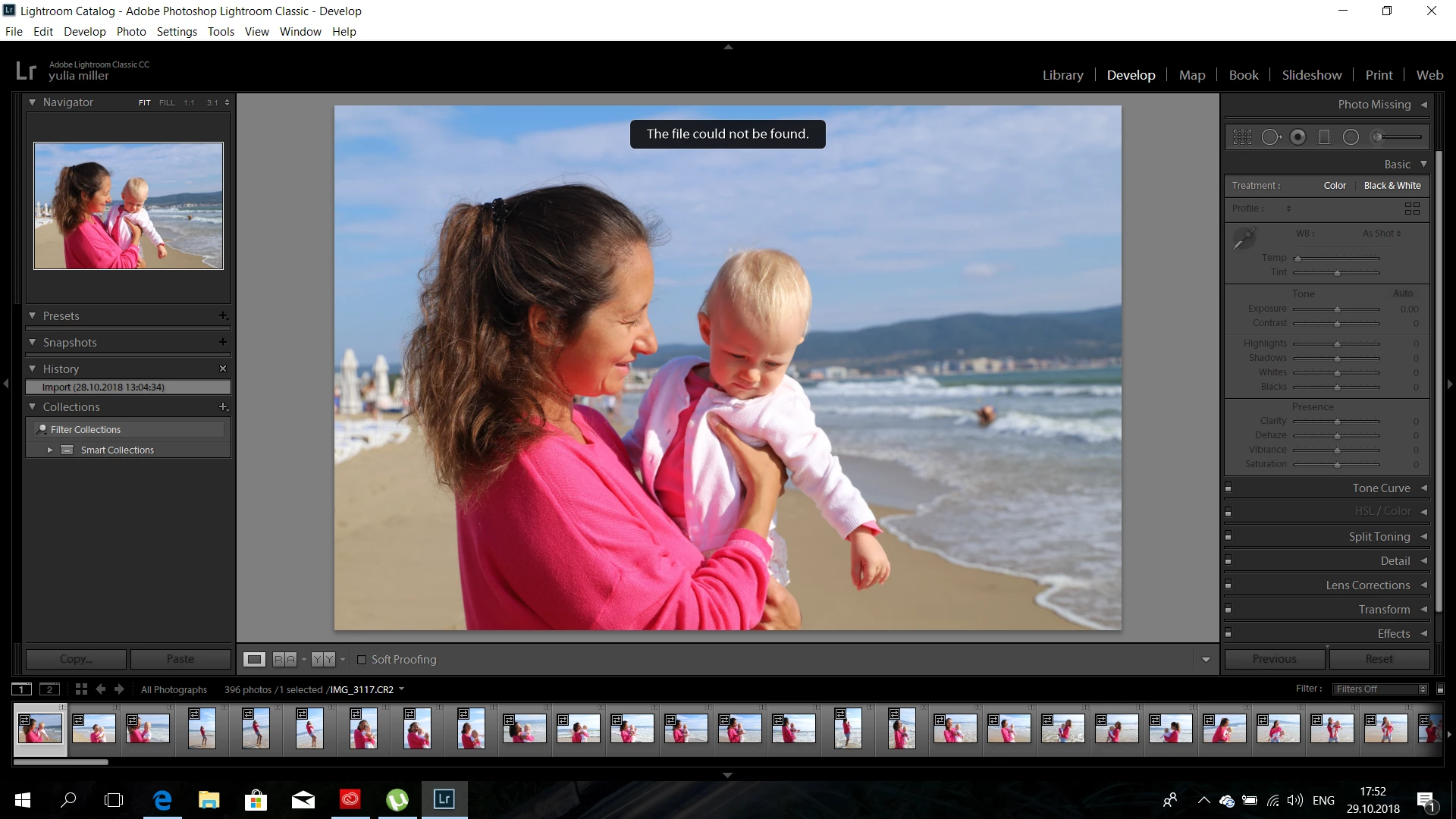
lightroom does not work, please, help me

  • October 29, 2018
  • 1 reply
  • 943 views

After installing Lightroom, the right panel does not work (no HISTOGTRAM is displayed, the sliders do not move in LIBRORY and DEVELOP on the rightfter installing Lightroom, the right panel does not work (no HISTOGTRAM is displayed, the sliders do not move in LIBRORY and DEVELOP on the right
    This topic has been closed for replies.
    Correct answer dj_paige

    First, I think you have to deal with the message "The file could not be found". All of your photos have exclamation point icons. I do not believe the Develop Module or the Quick Edit panel will work in this situation.

    You have to locate (using your operating system) the exact folder where these file are. Then (using Lightroom) click on the exclamation point icon and select that file in that specific folder, and check the box that says something like "Apply to Nearby Photos".

    Or, follow the instructions here: http://www.computer-darkroom.com/lr2_find_folder/find-folder.htm

    1 reply

    dj_paige
    dj_paigeCorrect answer
    Legend
    October 29, 2018

    First, I think you have to deal with the message "The file could not be found". All of your photos have exclamation point icons. I do not believe the Develop Module or the Quick Edit panel will work in this situation.

    You have to locate (using your operating system) the exact folder where these file are. Then (using Lightroom) click on the exclamation point icon and select that file in that specific folder, and check the box that says something like "Apply to Nearby Photos".

    Or, follow the instructions here: http://www.computer-darkroom.com/lr2_find_folder/find-folder.htm

    Participant
    October 29, 2018

    Thank you! I added a photo from a removable disk and pulled it out, and you can’t do that. Be true. It all worked

    Participant
    November 24, 2023

    Can't find Catalog