
Question
Lightroom doesn't relaunch into Rosetta mode on MacBook M1
Hello everybody.
I've just got a new Macbook Pro with the M1 chip and installed Lightroom.
I don't have any catalog imported yet. When connecting to my camera (Canon 6D Mark II) using a tether cable, I tried to follow these instructions for relaunching Lightroom with the Rosetta emulation.
Once I click reluanch I'm asked if I want to backup the catalog, but since I don't have one, I just click "skip this time".
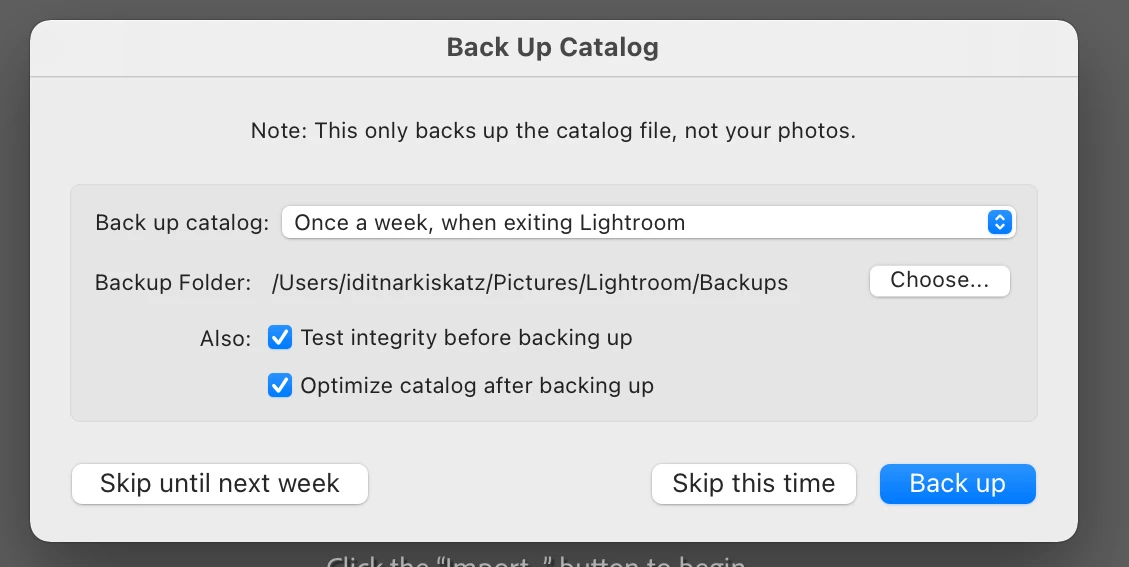
Then, nothing happens. Lightroom is closed and doesn't relaunch at all. When I launch it myself it is not in Rosetta mode.
So basically, I just can't tether.
Please help, because this is very crucial for me. Thanks!
 AdChoices