Participant
July 18, 2023
Answered

Lightroom doesn't set White Balance temperature correctly on import.

  • July 18, 2023
  • 2 replies
  • 234 views

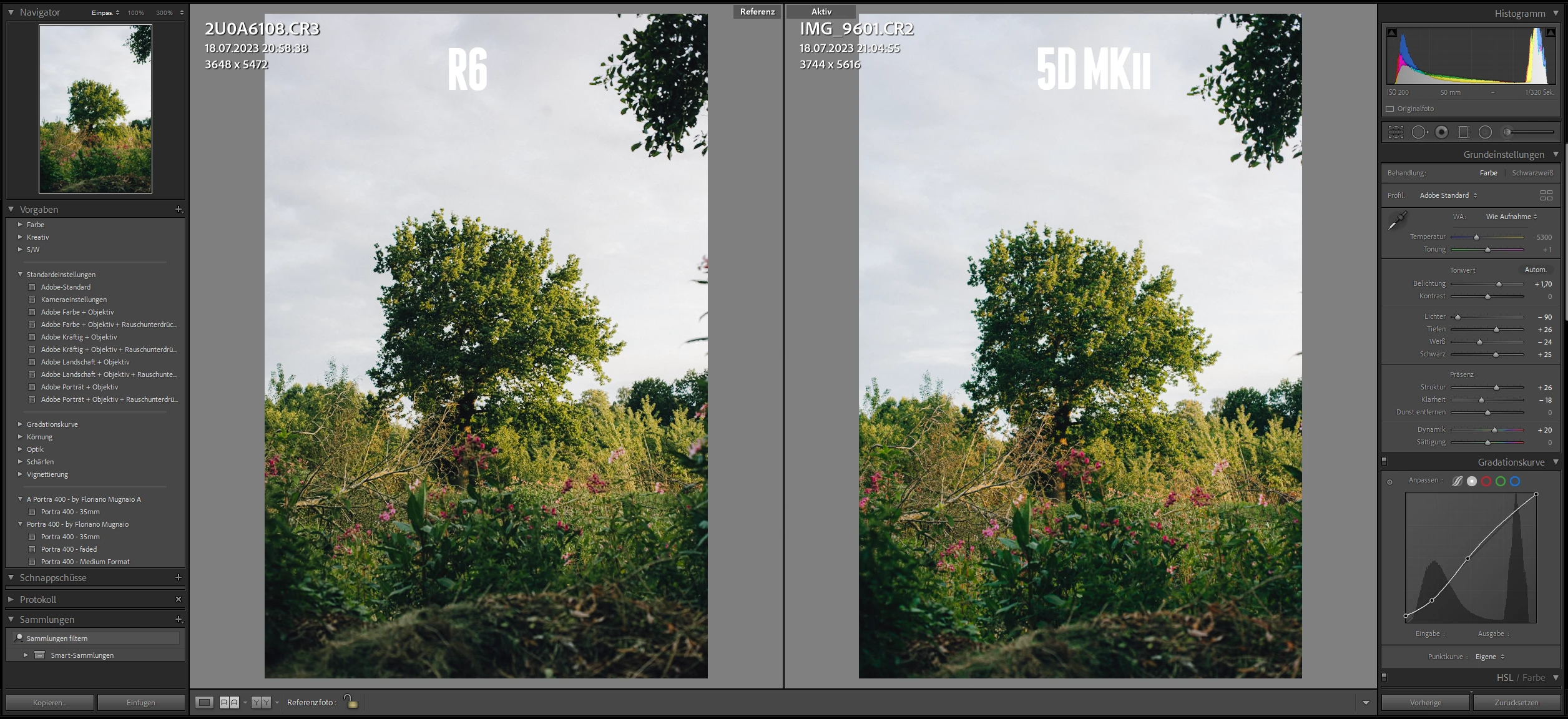
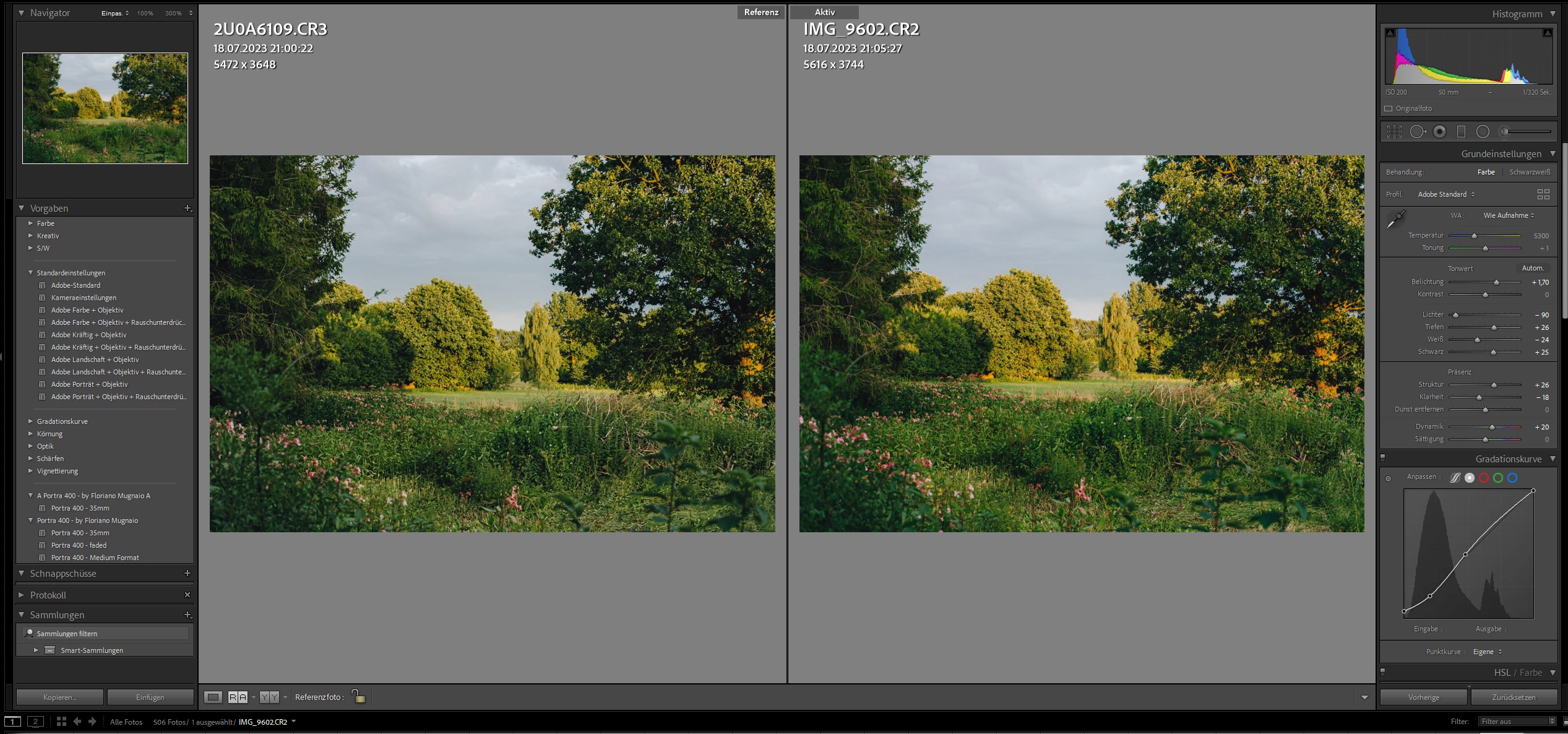
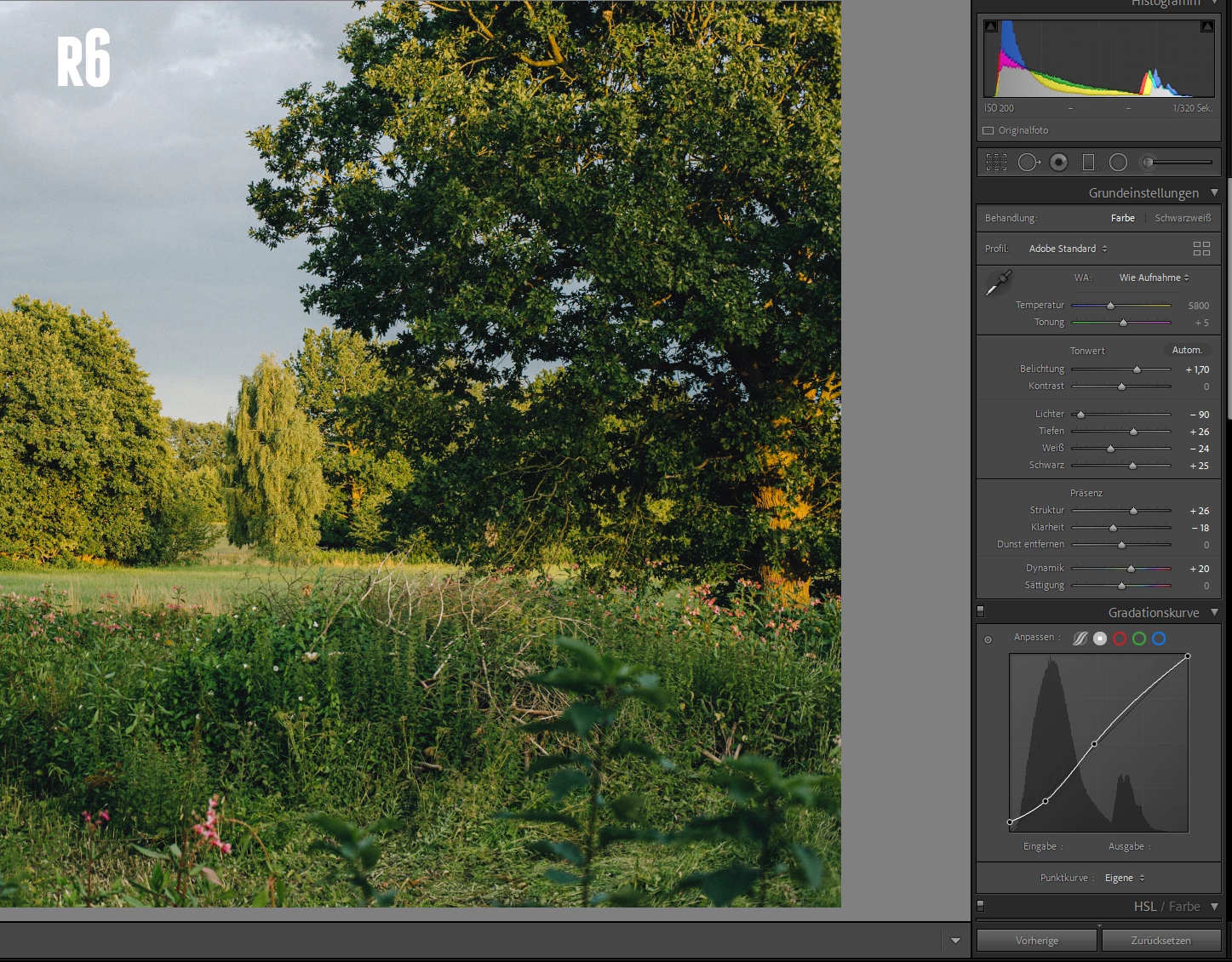
So I have rented the canon r6 and when I import the cr.3 files it goes to 5800k but I have set the camera to 5700k. So for some reason it goes higher? And when I import the cr.2 files from my 5D mark ii it goes to 5300 in camera it is 5700k. I also went on DP review and tried it with the Canon EOS R raw files and there it is the same as my Canon 5D mark ii so on import 5300 in camera set 5700k.Colors are the same with my film preset.With the R6 not. As shown in the Images.


And the colors are also a little bit more flat (r6) not as contrasty as my 5D mark ii raw files. I have set both cameras on the same settings. Also when I want to use the r6 canon picture styles in LR it only works with my 5D mark ii not with the r6 . But on LR website it says that It should work work: https://helpx.adobe.com/de/camera-raw/kb/canon-camera-matching-color-profiles.html

I have used as the lens the Carl Zeiss Contax Planar 50mm f1.4 AEJ at f4

LR version 2021 vers 10.0


Here are also some raw files from the 5D mark ii and R6:

https://drive.google.com/drive/folders/1vAxEkaHwrO7HhkJbgwLZy1WK16NPL68-?usp=sharing


This topic has been closed for replies.
Correct answer D Fosse

Short version: it's a different processing engine, so the underlying calculations are not comparable.


White balance is not an absolute number. It's the compensation needed to produce a neutral-looking result. There's nothing that "measures" the actual light when the shot was taken.


By design, the ACR engine prioritizes appearance over absolute numbers. So to produce the same visual white balance, the numbers will be different. If you just set the same numbers, white balance would likely be off visually.

2 replies

D Fosse
Community Expert
D FosseCommunity ExpertCorrect answer
Community Expert
July 19, 2023

Short version: it's a different processing engine, so the underlying calculations are not comparable.


White balance is not an absolute number. It's the compensation needed to produce a neutral-looking result. There's nothing that "measures" the actual light when the shot was taken.


By design, the ACR engine prioritizes appearance over absolute numbers. So to produce the same visual white balance, the numbers will be different. If you just set the same numbers, white balance would likely be off visually.

Participant
July 19, 2023

Thanks for the help :). I have found a way to make the images comparable

Rob_Cullen
Community Expert
Community Expert
July 19, 2023

You will see a long discussion on this topic at-

https://community.adobe.com/t5/lightroom-classic-discussions/lr-doesn-t-set-white-balance-temperature-correctly-on-import/td-p/8623124


In particular some quotes from that link-


"But by telling LrC to respect the camera's WB "As-Shot", IMO this is not about matching a Kelvin number. It really means, AFAICT, that you want to see the same pictorial effect of whatever that particular camera's WB response amounted to - whether due to Auto or Manual settings inside the camera - as that outcome is translated into LrC adjustment terms. "


"All products translate differently, for example the same image in these following products have different K values but look exactly the same:

DPP - 5200

C1 - 5766 Tint + 2.1

LR - 5800 Tint +14

So, it really depends on the RAW processor you are using."


http://digitaldog.net/files/22Thecolorofwhite.pdf


Regards. My System: Windows-11, Lightroom-Classic 15.1.1, Photoshop 27.3.1, ACR 18.1.1, Lightroom 9.0, Lr-iOS 10.4.0, Bridge 16.0.2 .
Participant
July 19, 2023

Thanks 🙂