
Lightroom "Edit In" not opening images in Photoshop CC
Prior to today, I could right click an image I was editing in Lightroom Classic CC and select "Edit In" and then "Edit in Adobe Photoshop CC 2018..." and it would open an instance of Photoshop CC, if one wasn't already open, and then open a TIFF called "<image filename>-Edit<ordinal>.tif" with all my Lightroom edits and what not.
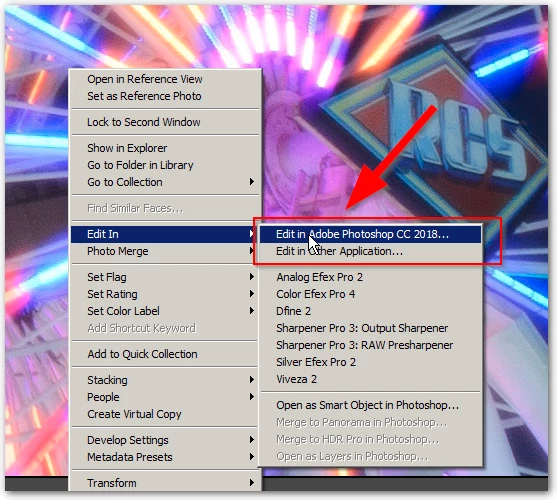
This evening, after updating Photoshop CC, when I right click the image in Lightroom and select "Edit in"and then "Edit in Adobe Photoshop CC 2018..." it will open Photoshop CC but will not open the file...it just stops at the Photoshop Recent File list.
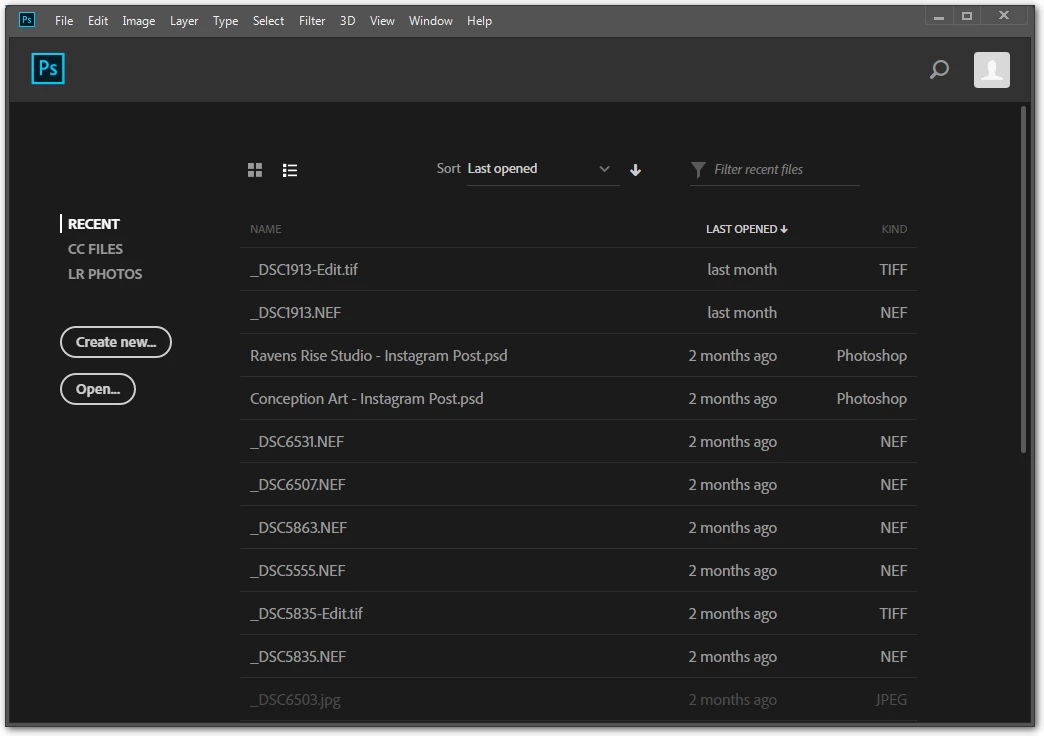
Does anyone know how to get this linked back up again?
I have the following versions:
Windows 7 Professional - SP1
Lightroom Classic CC 7.4 (Camera Raw 10.4)
Photoship CC 15.1.5
Thanks,
-Scott


 AdChoices