Participant
January 13, 2025
Question

Lightroom Exporting Dark

  • January 13, 2025
  • 1 reply
  • 422 views

Hey guys,


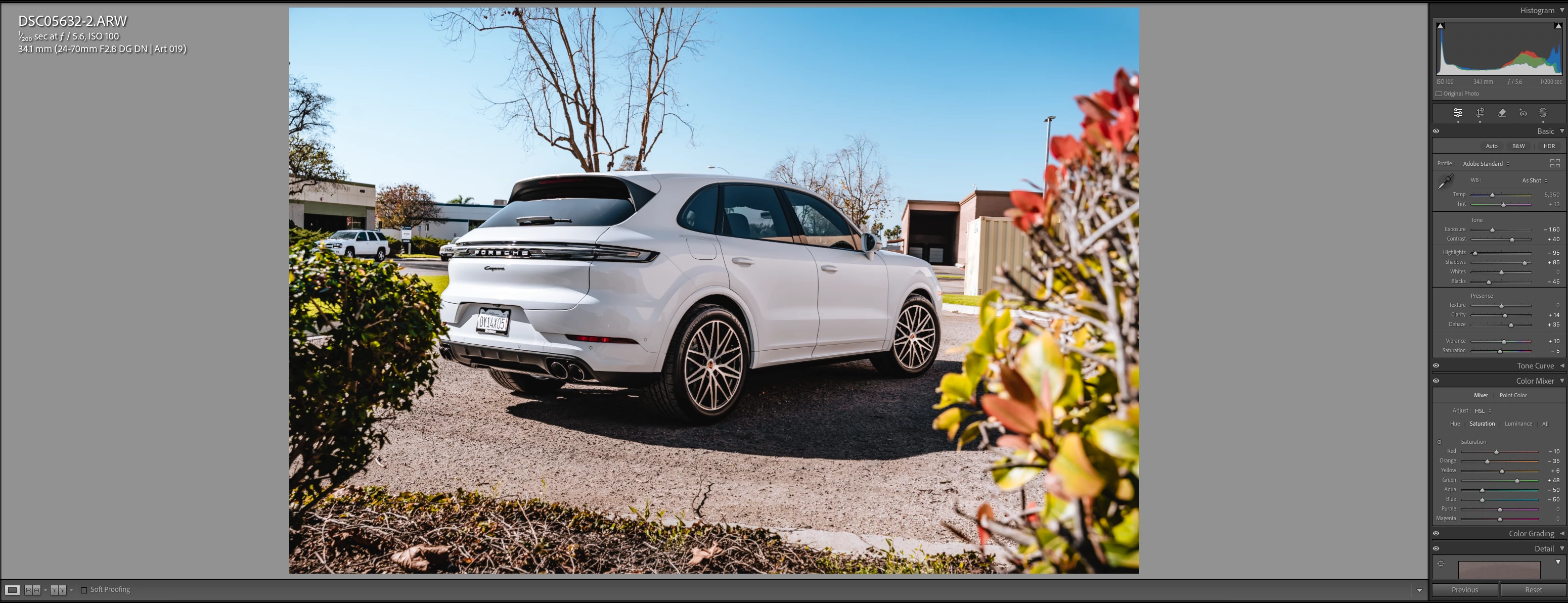
I have recently come across a huge issue where Lightroom randomly exports my photos much darker than how they were edited; some photots will export perfect and others will export dark randomly. My colorspace is sRGB and my monitor display settings are correct. 


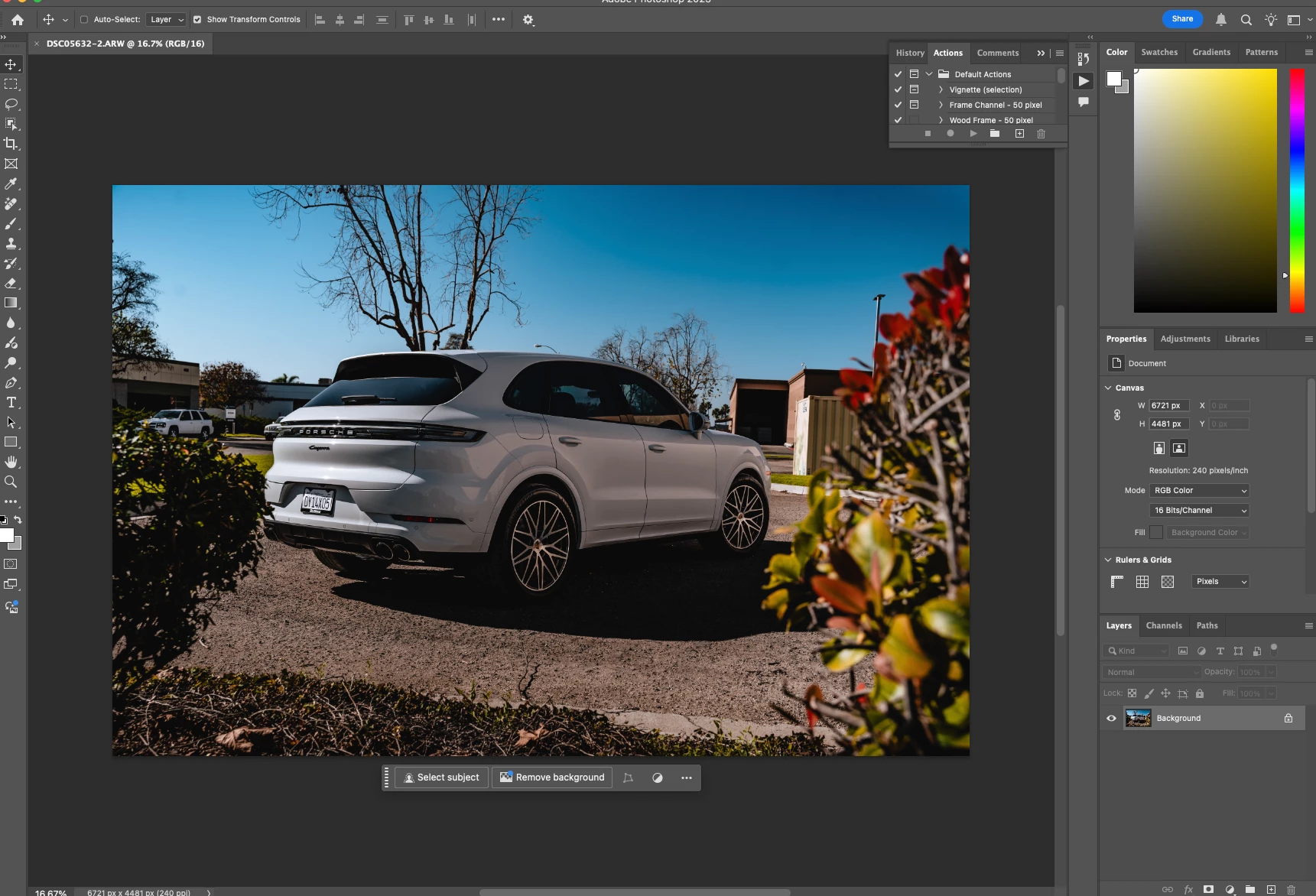
I have also tried pulling them into Photoshop from Lightroom, and same thing, looks much darker than how they look in Lightroom. I will use a preset for a photo and it will export perfect, then use the same preset and it exports dark, super weird.


Anything helps! 
1 reply

JohanElzenga
Community Expert
Community Expert
January 13, 2025

This could be a corrupted monitor profile. Your edits (Exposure -1.60) suggest that the image should normally look much darker than Lightroom shows it. So most likely Lightroom shows a too bright image and the image in Photoshop is actually correct. Because the image in Lightroom is MelissaRGB while the image in Photoshop is sRGB, a corrupted monitor profile could cause these differences.


-- Johan W. Elzenga
johnrellis
Legend
January 13, 2025
Participant
January 13, 2025

After swapping the color profile and restarting Lightroom we are still runing into the same issue:(