Lightroom exports original file into some weird xmp file??
every time i export a photo from lightroom to my mac in the original file setting, i cant open or view the photo and i wont to be able to airdrop the photo to my iphone
how do i fix this???
every time i export a photo from lightroom to my mac in the original file setting, i cant open or view the photo and i wont to be able to airdrop the photo to my iphone
how do i fix this???
https://forums.adobe.com/people/Just+Shoot+Me wrote
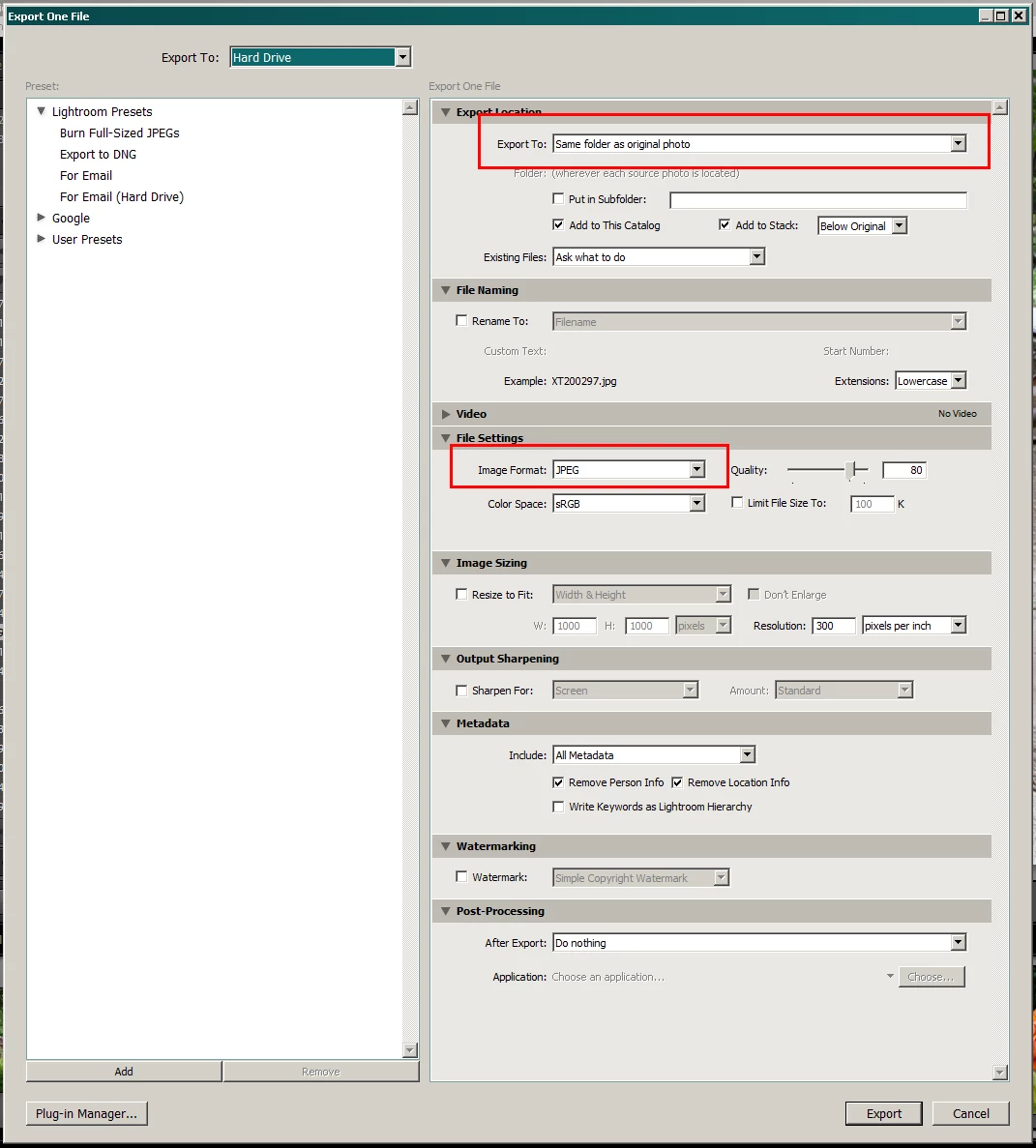
If you select Original in the export dialog then you get a second copy of it with no LR edits applied.
You have to select JPG and the File type, Extension.
Also select the option to Export To: "Same folder as original photo".
As for XMP files they get created for RAW files is you have the option checked to Auto Write changes to XMP in the Catalog Settings dialog.
Small correction: an XMP file is always created when you use the 'Export as Original' option. Even when you don't have the option checked to Automatically write changes to XMP.
Already have an account? Login
Enter your E-mail address. We'll send you an e-mail with instructions to reset your password.