
Lightroom face detection thread scheduler not working as expected
Lighroom Classic Version: Build [202212072312-d7ab524b]
Operating System: Windows 10 Build 19045.2486
Processor: Intel i5-13600k
Steps to reproduce:
- Start Lightroom Classic
- Start face detection
- Minimize Lightroom Classic and wait for the thread scheduler to assign the threads to the Efficiency cores.
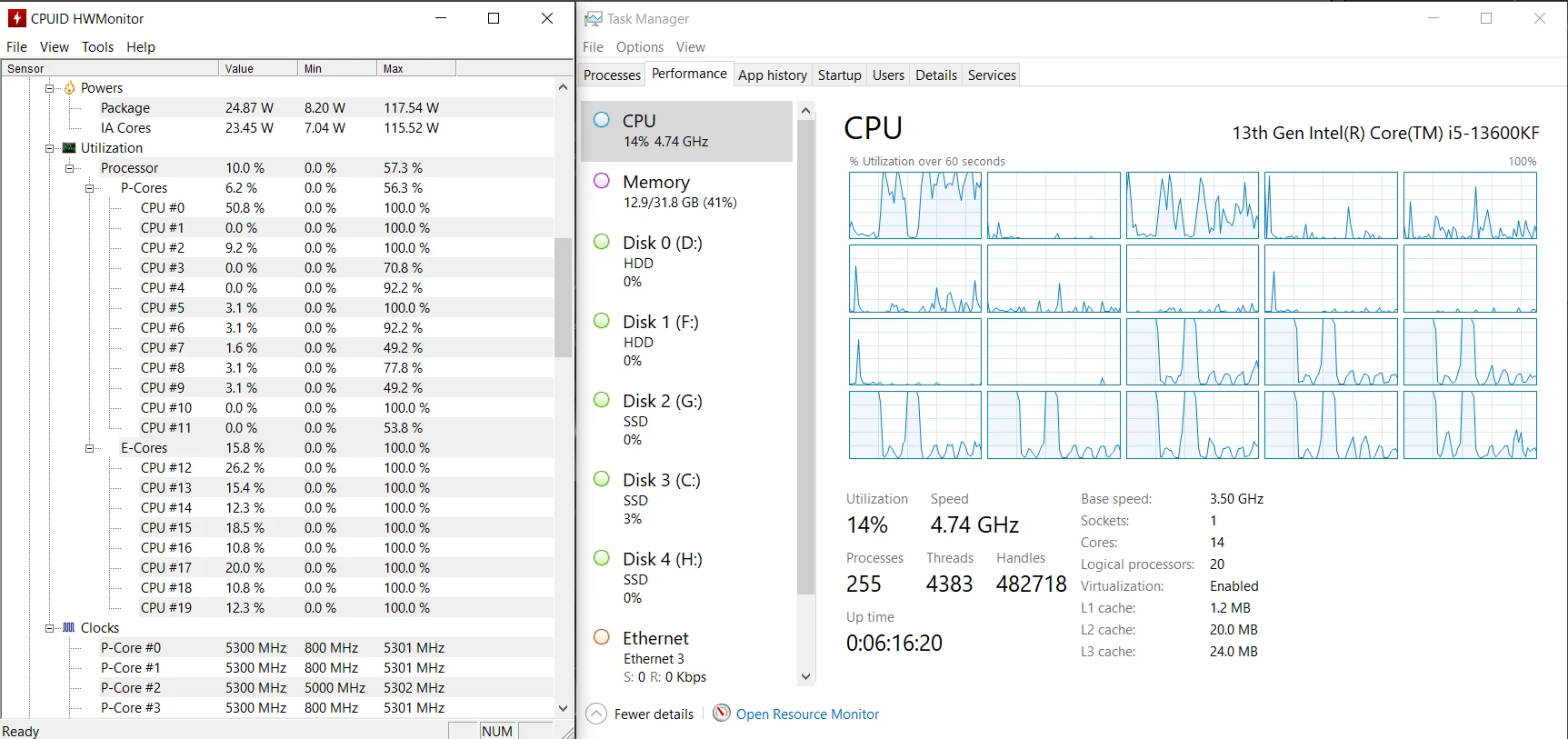
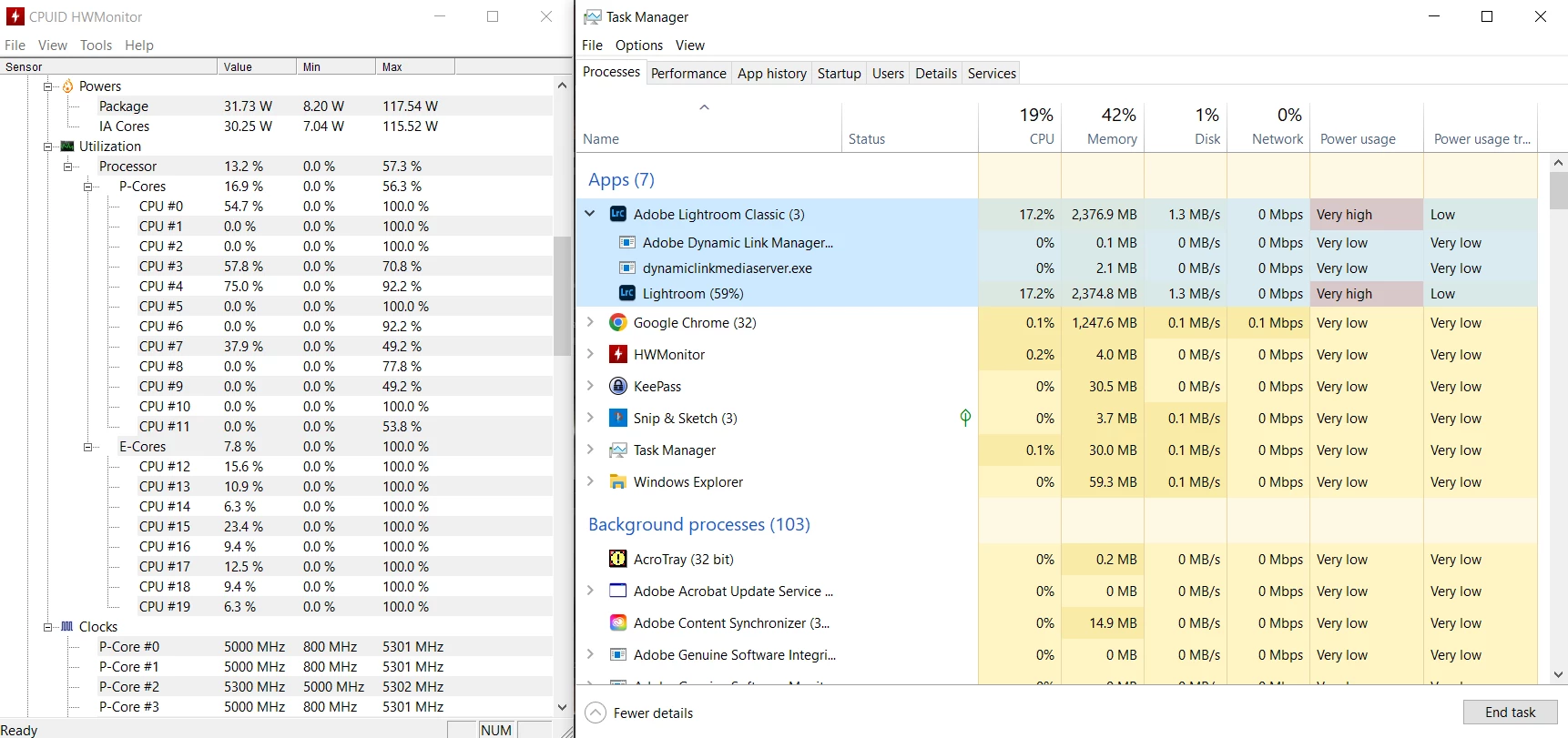
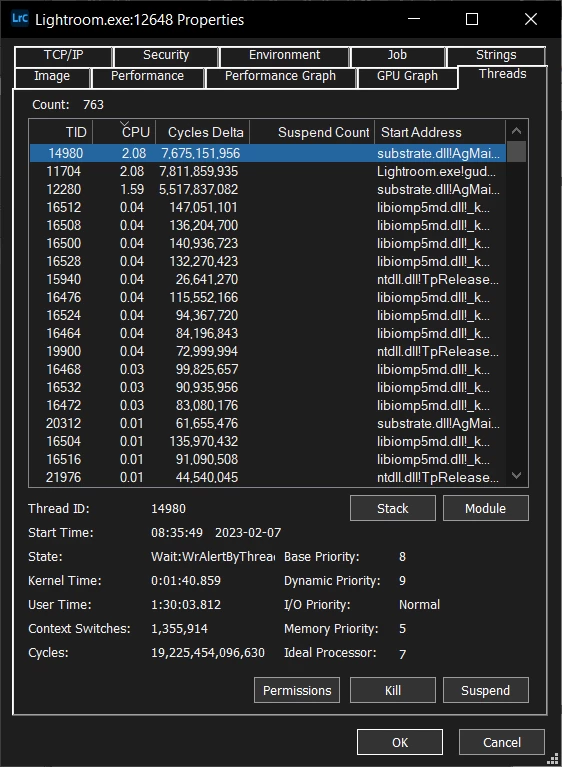
Issue: When running face detection in Lightroom Classic, the thread scheduler does not assign CPU affinity consistently. When Lightroom Classic is in the background, the scheduler tries to put the threads on the Efficiency cores. However, when doing so, it consumes 100% of the usage of the Efficiency cores. When Lightroom Classic is brought back to the foreground, or the affinity set as not to use the Efficiency cores, the issue goes away.
Here are some screenshots of the issue:
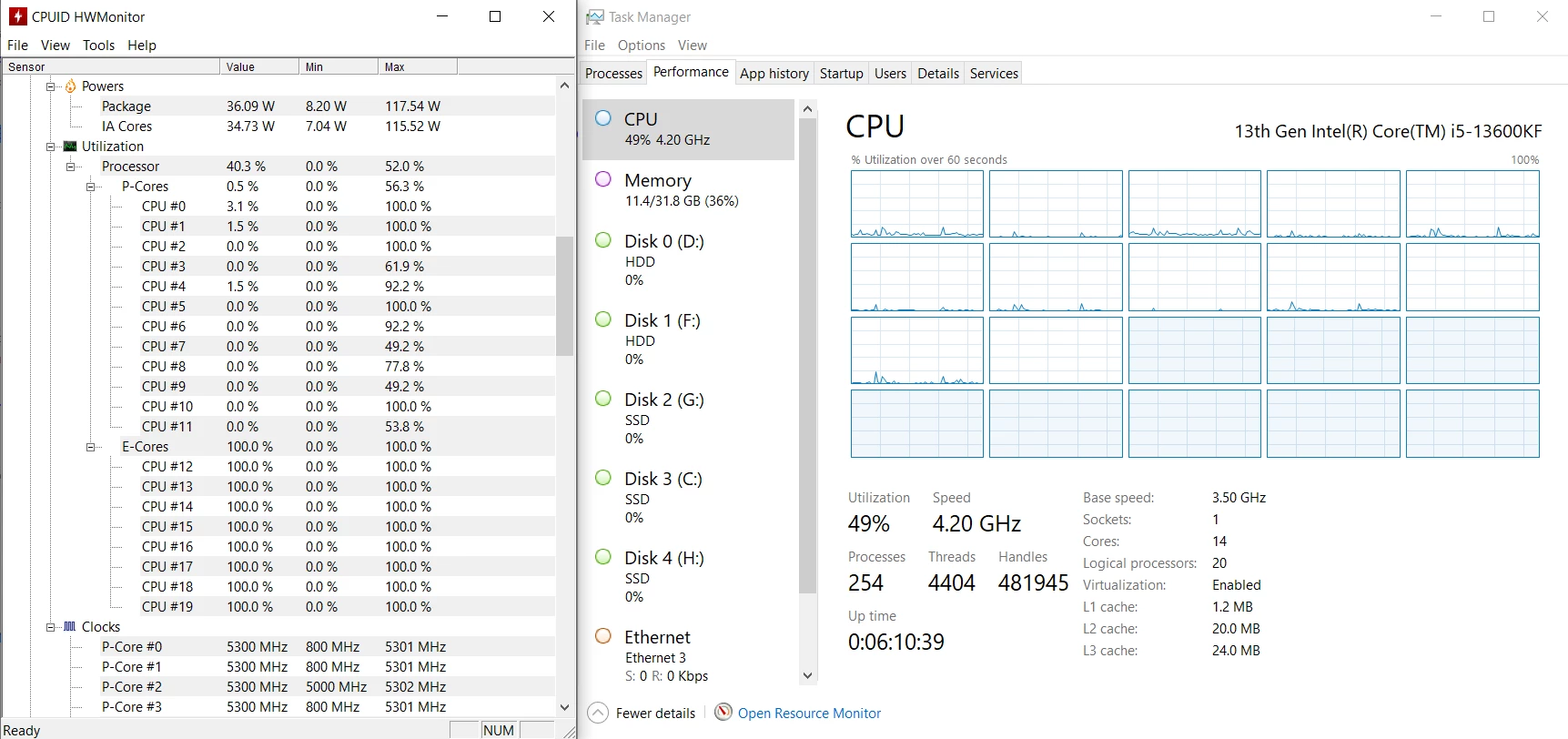
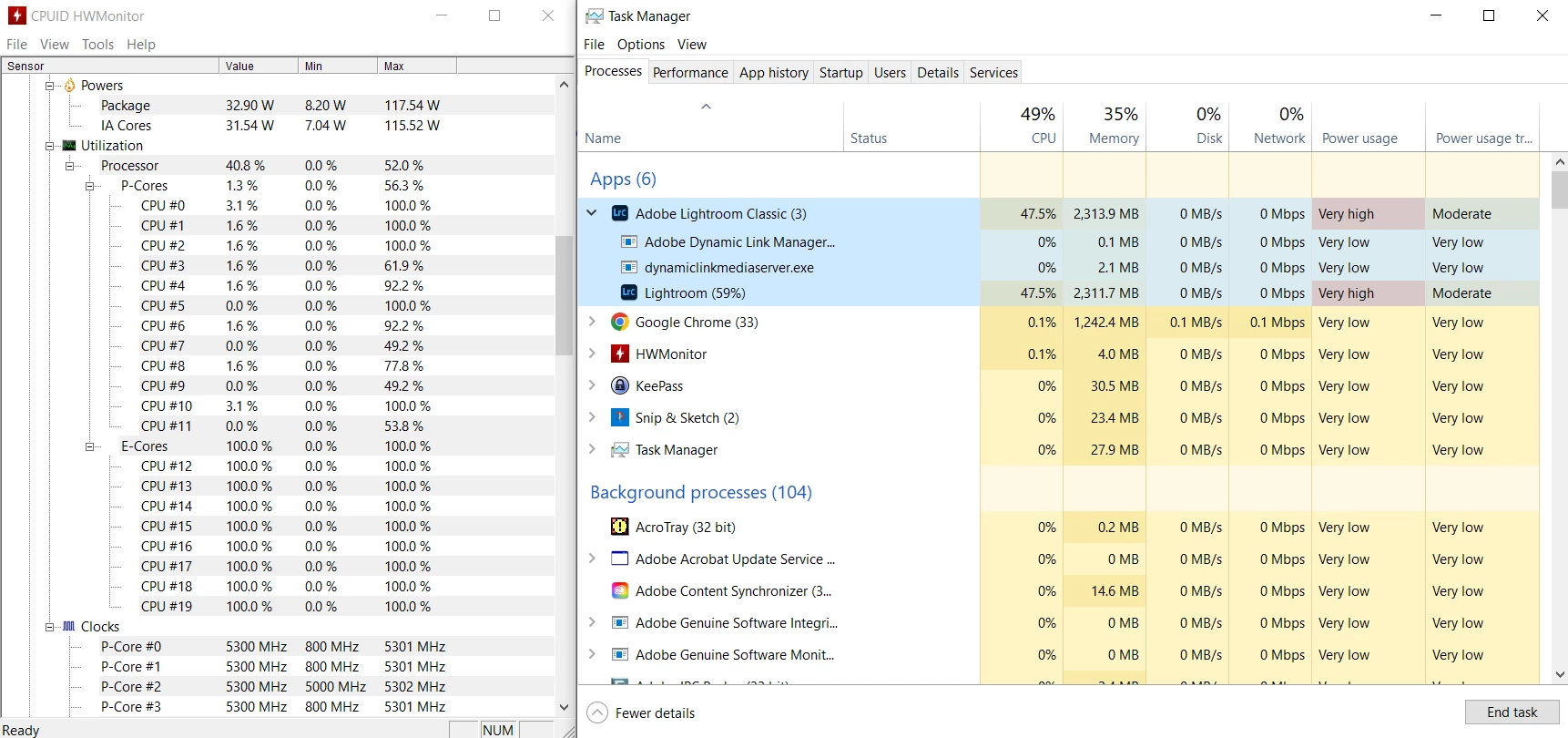
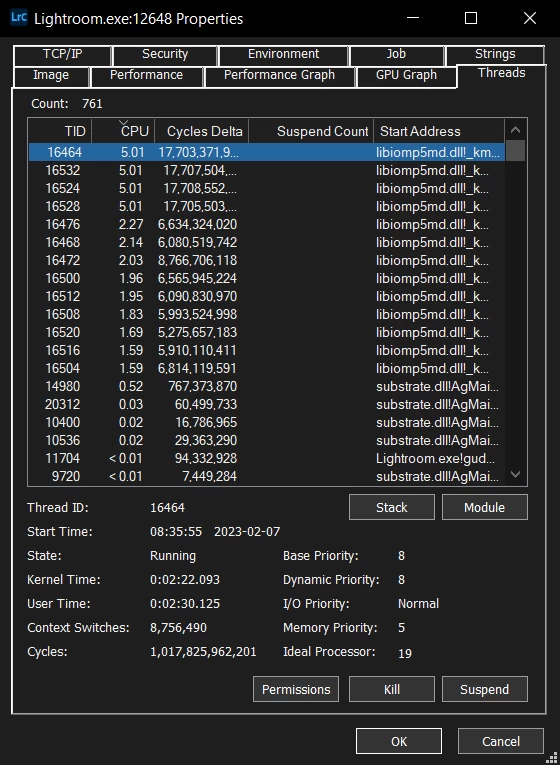
Here is the behaviour when Lightroom Classic is in the foreground, or the affinity set to not use the Efficiency cores:
 AdChoices