
Participant
October 23, 2018
Question

"Lightroom has encountered problems reading this photo" - smart preview issue

  • October 23, 2018
  • 4 replies
  • 2659 views

I edit other photographer's images. I rely on clients sending me their catelog file and smart previews. I edit their smart previews and send back the catelog file only (all via dropbox). Usually, this works very well, but sometimes when I open the catelog the images can't be edited. The have an exclamation mark on the images and the error:"Lightroom has encountered problems reading this photo. You will not be able to make adjustments to the photo."

I notice that beneath the histogram in these problematic catelogs, it says "originals + smart previews". On the catelogs that work well it says "smart previews".

For some reason these catelogs are ignoring the smart previews and continuing to try to reference the original files, which of course are not available.

How can I fix this issue? It seems to happen for very large catelogs (4500+ images) but not for smaller ones (although this might not be the cause). I have ticked in preferences "use smart previews instead of originals" but it doesn't want to work on the smart previews for some reason.
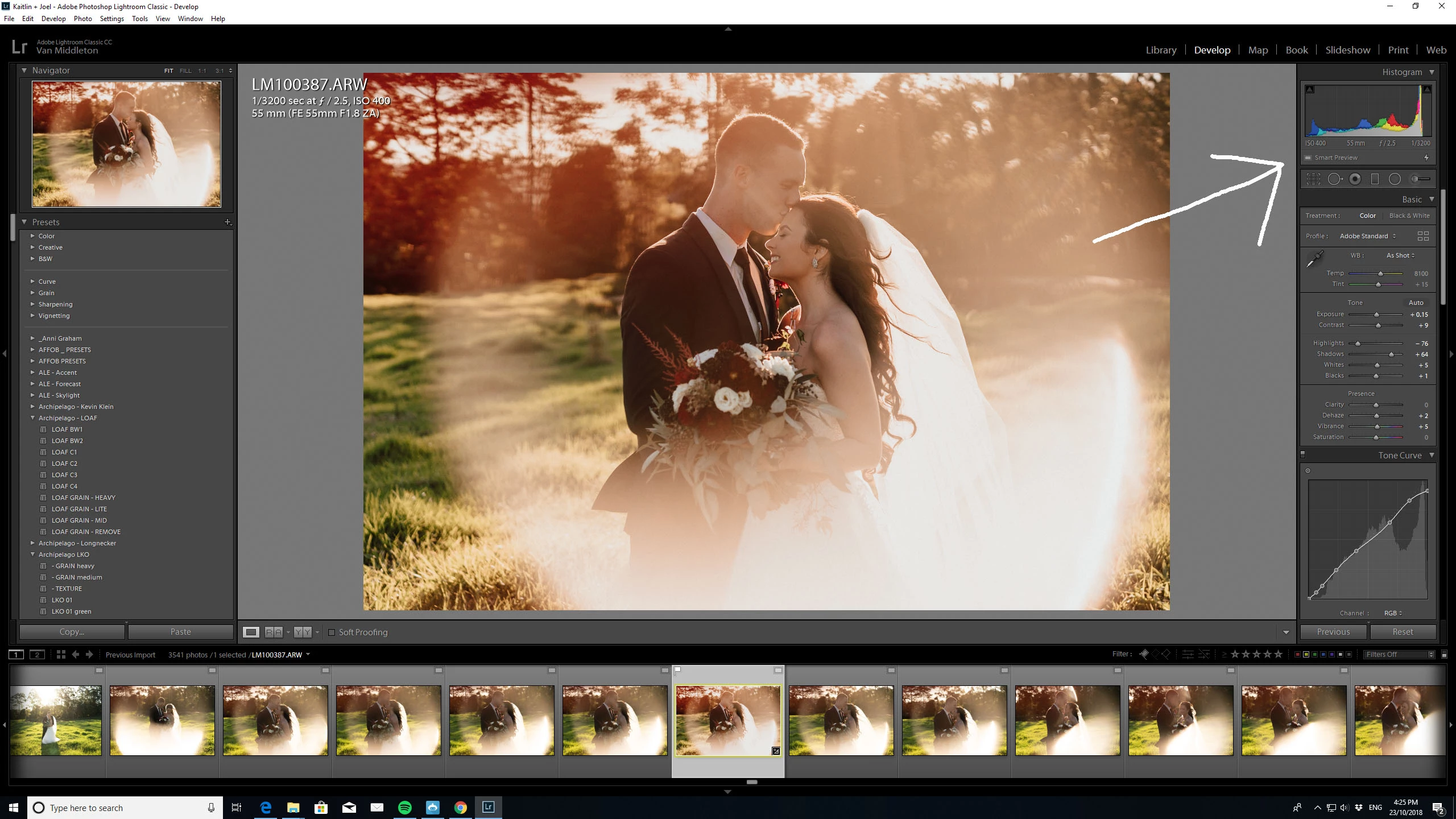
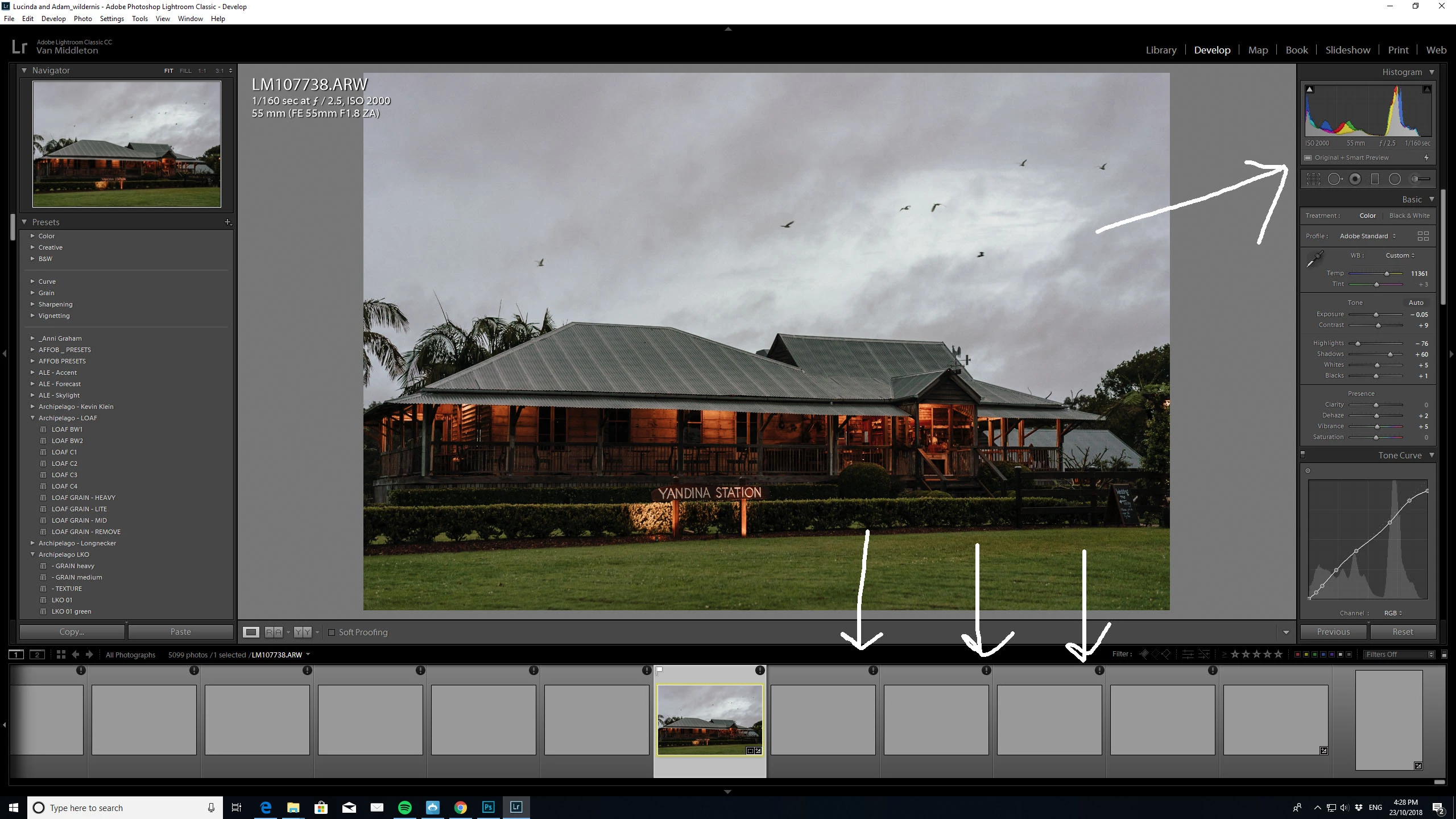
A bug? Or am I doing something wrong?

I should also note that the photographer has updated his lightroom, and has re-imported and exported the smart catelogs several times, with no success. He can edit the images on his computer (Mac) without issue. He has also sent me about a dozen catelogs that do not have this same problem.

Attached images to illustrate.

TIA

    This topic has been closed for replies.

    4 replies

    Participant
    June 23, 2021

    I encounter this issue sometimes as well. Were you able to find a solution?

    It seems like Lightroom is not reverting to using the smart previews (like it normally does) when it doesn't have the orignals online. Rebuilding the catalog and smart previews doesn't seem to be a solution. 

    One time when I opened a problematic catalog on a Mac, it loaded fine, but then I had the above issue on a Windows computer. 

    dj_paige
    Legend
    June 23, 2021

    The photo with the exclamation point in a circle icon is corrupted, so Lightroom Classic tells you that. It does not use the Smart Preview becuase the photo file is present.


    You need to find a backup of this photo, and copy the backup (not move the backup) to the folder where the corrupted original is, thereby overwriting the corrupted original with the hopefully good copy of the backup.

    Participant
    June 23, 2021

    I can guarantee that the original photo file is not present on my computer. Only smart previews.

    cmgap
    Community Expert
    Community Expert
    October 23, 2018

    This looks like it could be a sync problem. Can you check the file size of the images in Dropbox?

    Something to try... have the photographer drag a few images from this shoot into a collection, sync that collection and set the collection to Allow Downloads and share the link with you. Then you can download and edit and the images. Once you have completed your work you can save the files to Dropbox.

    mjd138563
    Participant
    November 11, 2018

    Jumping in here because I am seeing something similar.  This happened to me for the very first time and the only photos that this happened to are mobile photos that I have uploaded through lightroom mobile and edited in Lightroom CC (on my MAC).  The black circle with the exclamation point shows up on the MAC but I can see the full image still in the collection LR mobile. 

    mjd138563
    Participant
    November 11, 2018

    Also, each of the photos in question have a cloud icon with a green checkmark in stead of a cloud icon with a white circle in the mobile app.

    dj_paige
    Legend
    October 23, 2018
    The have an exclamation mark on the images and the error:"Lightroom has encountered problems reading this photo. You will not be able to make adjustments to the photo."

    The originals are corrupted and can't be read or used. This is indicated by the exclamation point in a circle icon.

    To fix this, you need to copy backups of these photos to overwrite the originals.

    The photographer should probably also check your hard disk thoroughly for malfunctions.

    JohanElzenga
    Community Expert
    Community Expert
    October 23, 2018

    Have you tried to remove the originals (just move the folder to another place)? You don't need originals when you have smart previews (that's the whole point of using smart previews in the first place), so sending originals back and forth only creates larger file transfers and more chances that something goes wrong.

    -- Johan W. Elzenga