
Lightroom has lost edit history - Catalog backup getting smaller and smaller
Hi,
My Lightroom has lost all the edit history. I had already the issue a month ago where all the edit history was lost and the pictures were reverted to the original state. I could see in real time how the previews were re-generating and losing all the edits. I managed to find an old catalog and restore from it, meaning I lost only 5 months of edits instead of 20 years. Yes, I started with Lightroom in 2004, and I almost had a heart attack when I thought 20 years of work were lost.
Now it has happened again. This time the images retain the edits, I can export and see the edits. But the history is empty again. In the attached heavily edited image you can see that there are several masks but the edit history is empty.
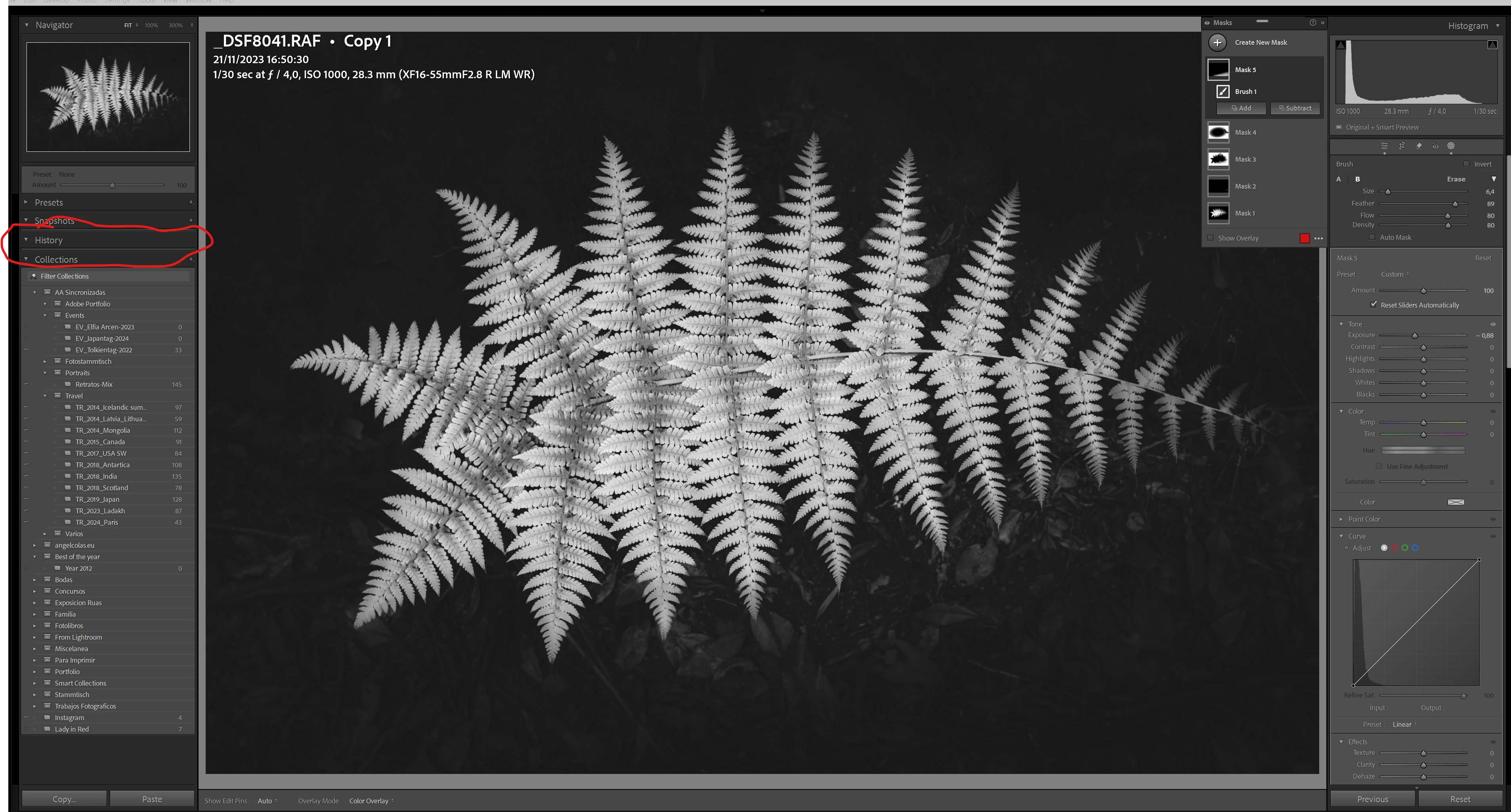
I have also seen that the backup file has gone down in size. Originally was 1,6 GB, then it went down to 640 MB, then to 500MB and now it is 474MB. So, basically, the information is gone!
I am going to go back to the catalog with the edits which means that I will again lose a month of edits and it has been a very busy month. Additionally I will need to re-generate all the previews and it takes days.
But, there seems to be a bit problem with Lightroom and I am afraid that this will happen again. Does anybody have any ideas? I have seen multiple people having similar issues. We urgently need a solution.


 AdChoices