Nethig
Participant
January 14, 2024
Question

Lightroom HDR - unusable results

  • January 14, 2024
  • 4 replies
  • 209 views

Hello everyone,


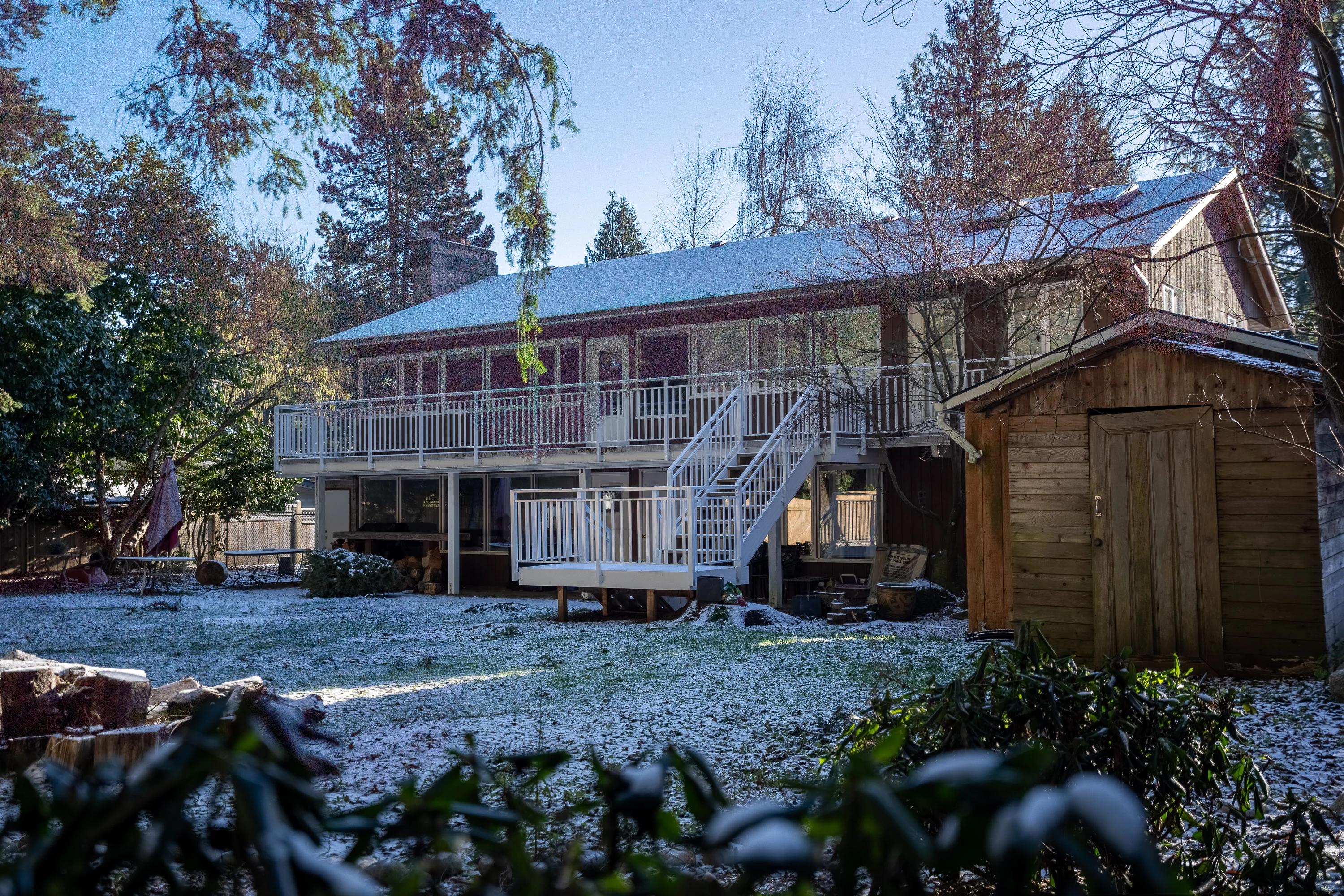
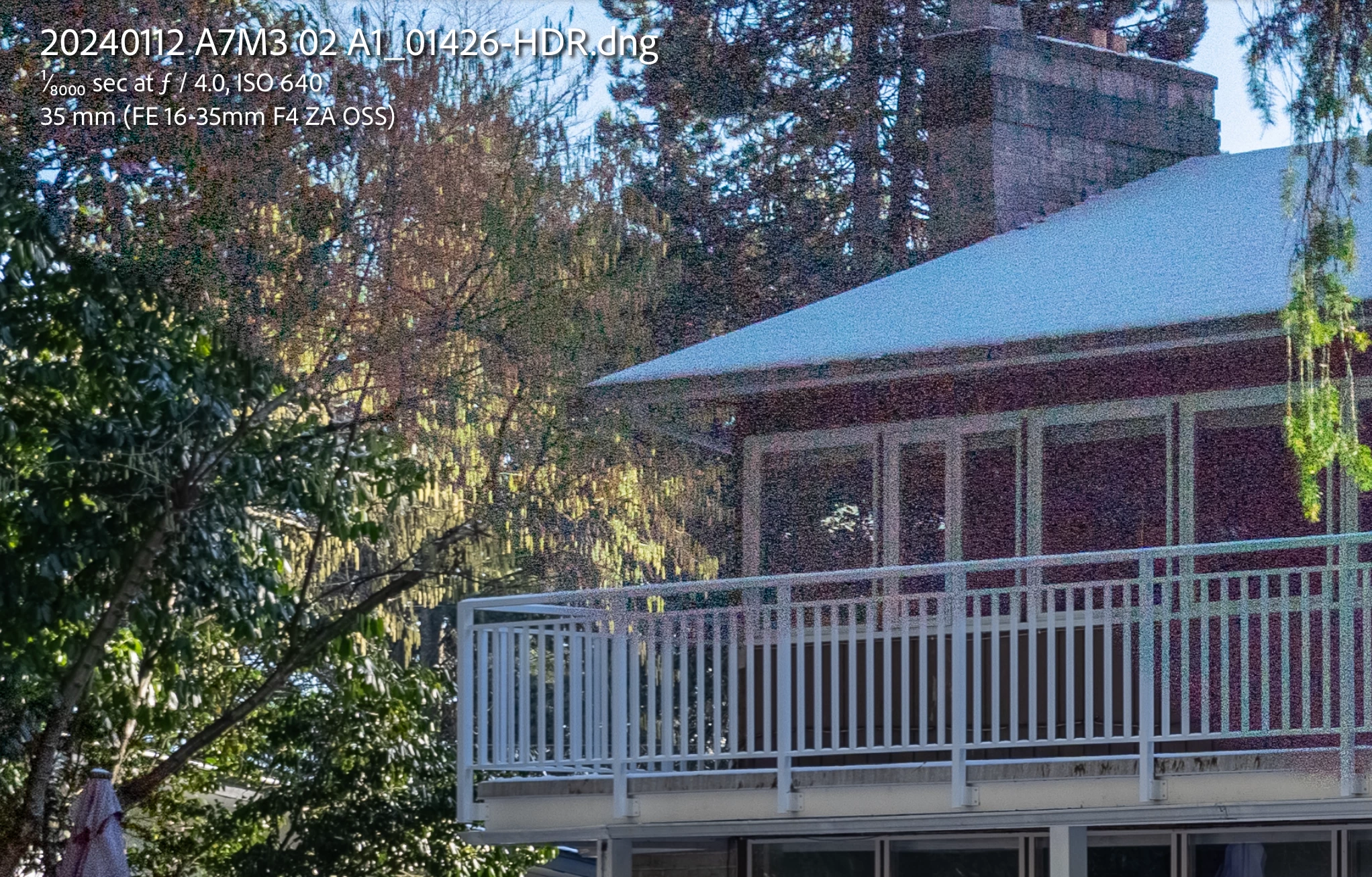
I tried to merge what seemed like a simple HDR, but result is useless. Upper part of images is super noisy. Is there any setting, that will allow me to correct it?
This topic has been closed for replies.

4 replies

JohanElzenga
Community Expert
Community Expert
January 14, 2024

There won't be very much to correct it. AI denoise does not work on an HDR merge, because merged images are no longer mosaiced raw. The question is what caused this and how to avoid it, not how to correct it after the damage has been done. Several things come to mind. First of all, what ISO did you use to shoot the brackets with? Secondly, what did the brackets look like? Did you have a properly exposed image, a darker image and a brighter image, or were all three images very dark? And finally, did you use heavy deghosting? Deghosting takes the pixels from one image rather than merging three images on the spots that need to be deghosted. And too heavy deghosting can cover large areas, much larger than really necessary.


-- Johan W. Elzenga
GoldingD
Legend
January 14, 2024

I second the point about deghosting, especially as your issue is in one area.

GoldingD
Legend
January 14, 2024

In the bracket of images for the merge, where any way way underexposed, or way way overexposed as in complety or nearly blown out?

GoldingD
Legend
January 14, 2024

In the Merge Photo HDR options, did you have Auto Tone checked. And if so, did that result in some over done develop module tone settings perhaps involving contrast including clarity?


Community Expert
January 14, 2024

Have you tried the denoise tools?