
Participant
October 1, 2026
Question

Lightroom Import Failure: Files Blank and Import Button Unresponsive

  • October 1, 2026
  • 2 replies
  • 33 views

Hi everyone,

I'm having a persistent issue in Lightroom where all files appear blank/grayed out during import, and clicking "Import" does nothing.

  • The issue: Happens with all file types and folders from all different cameras/drives.

  • What I've tried: Completely uninstalled/reinstalled Lightroom, tested multiple different versions, and tried every troubleshooting fix found online.

Nothing has worked so far. Does anyone know how to fix this? Thanks!
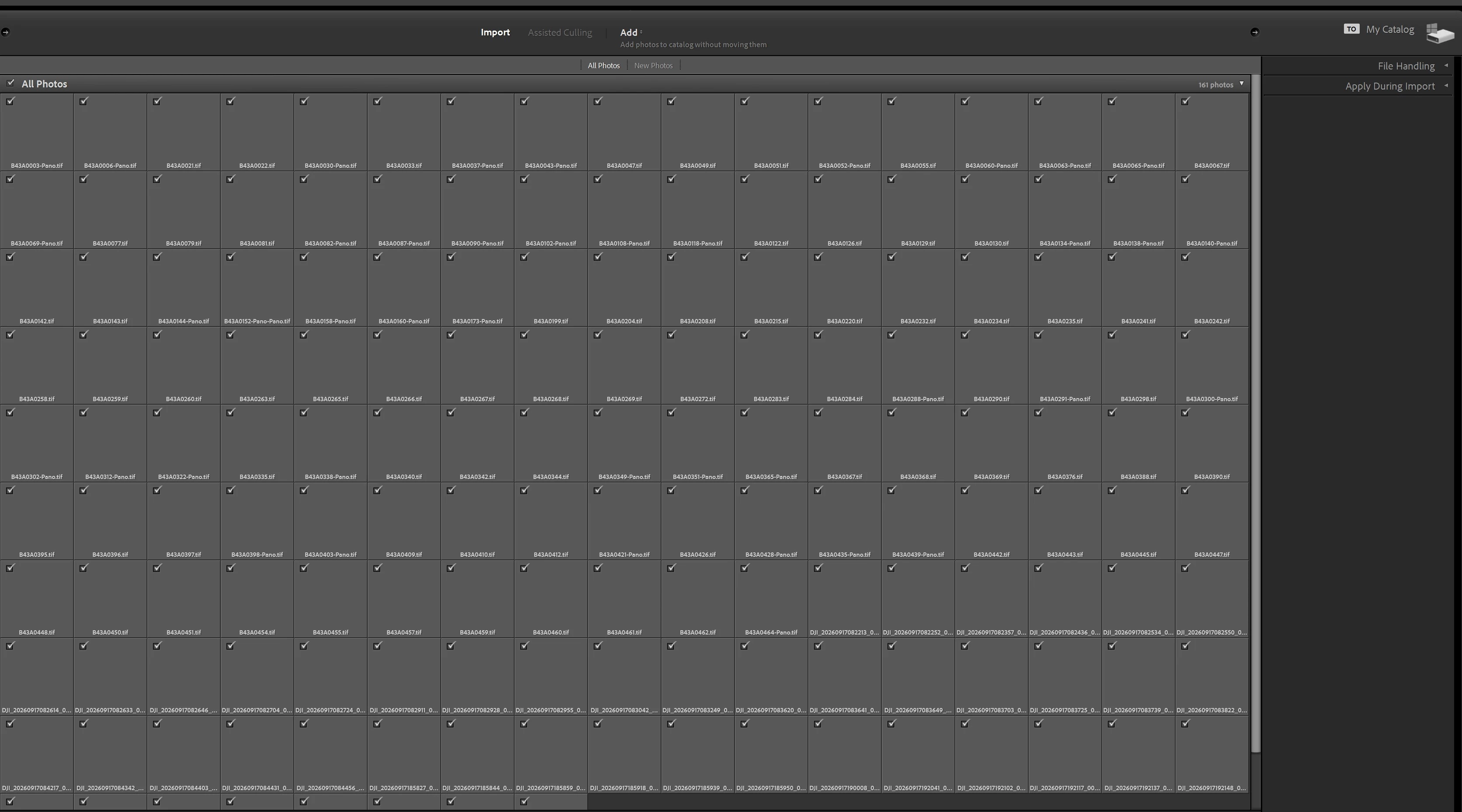
 

    2 replies

    dj_paige
    Legend
    October 1, 2026

    Please show us the entire Import dialog box with nothing chopped off. Your current screen capture above has the left side and bottom of the import dialog box chopped off.


    Sameer K
    Community Manager
    Community Manager
    October 1, 2026

    Hey, @diego28611755l5ih. Welcome to the Lightroom Classic Community. I'll need more info to help you figure this out. Please share the system info from Lightroom Help > System info > Copy & paste into a text document > upload & attach here.

    Does this happen when you copy images to a specific location? Is the catalog stored on an internal or external drive?

    If you're on macOS, ensure Lightroom Classic has the required permissions on macOS: https://adobe.ly/3VQgVZ8
    Try these variables: 

    1 - Unplug any mobile devices or External drives.

    2 - If your image source is plugged in via a USB extension, try plugging it directly into your machine.


    As a quick test, create a new catalog (File menu > Create New Catalog) on the Internal drive & import 30-40 images, and see how it goes. 


    Thanks!
    Sameer K
    (Type '@' and type my name to mention me when you reply)