December 28, 2025
Answered

Lightroom Import Problem

  • December 28, 2025
  • 2 replies
  • 415 views

I have been unable to import any photos to lightroom classic and would like to know if anyone has resolved a similar problem? 


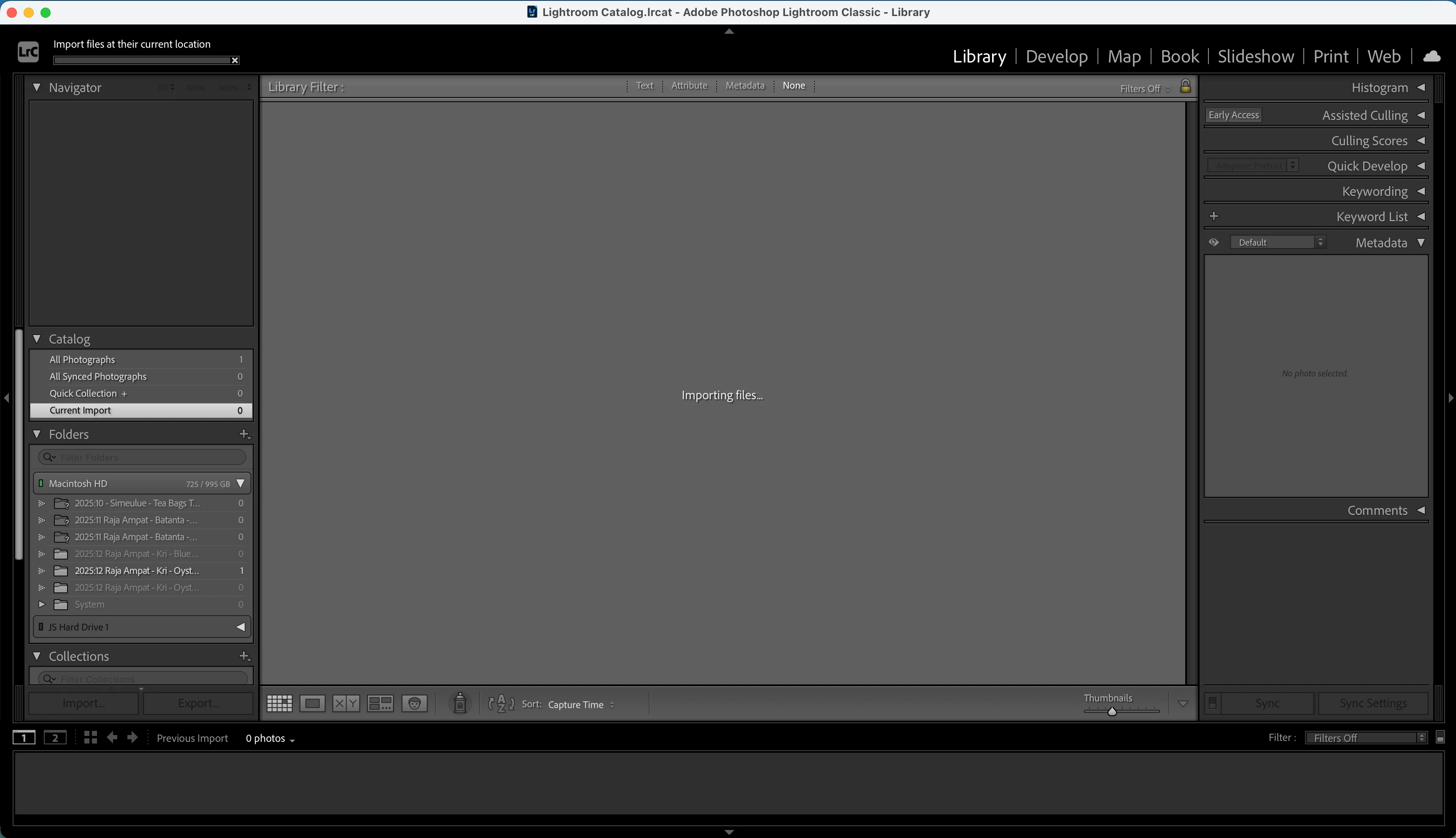
I can get all the way through the import box, click 'import' and then it looks like my files are importing but the screen just displays 'importing...' for hours without actually bringing any photos into lightroom classic. I have both my MacBook Pro and Lightroom Classic updated to the latest software and have tried uninstalling and reinstalling Lightroom. All of my permissions for lightroom classic are set to full drive access for my machine and hard drives. I'm a bit lost as to what to do next and have followed all the troubleshooting advice and conversed with pros currently working in lightroom classic without any progress. I would really appriciate any help resolving this issue. 


The software is succesfully importing large JPEG files without any issues but gets stuck importing RAW files.


 

Correct answer JohanElzenga


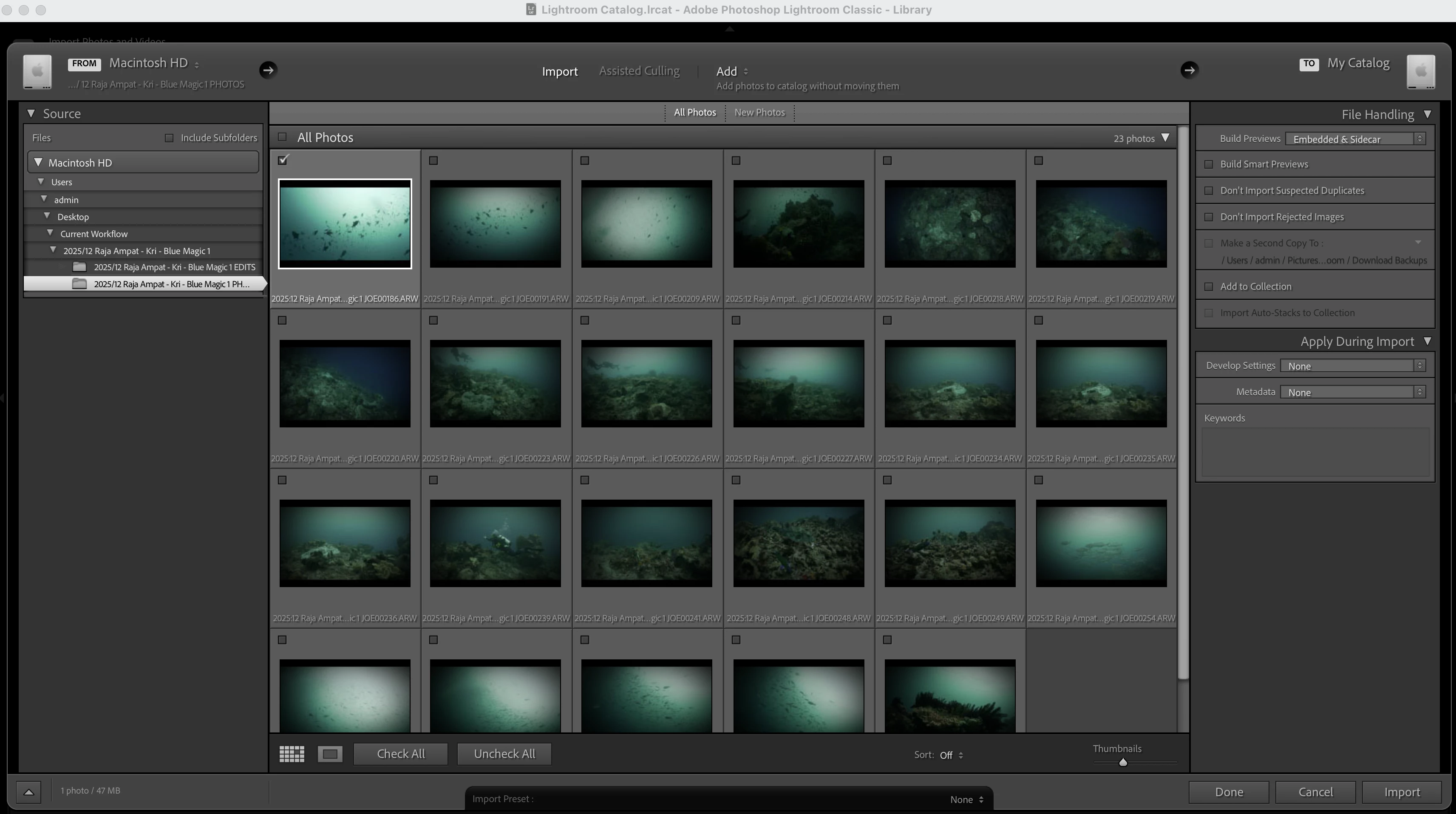
Thanks, here is a screenshot of both import box and then the 'importing...' screen it keeps getting stuck on. I have tried just leaving it to import on this screen for hours and it goes no where.


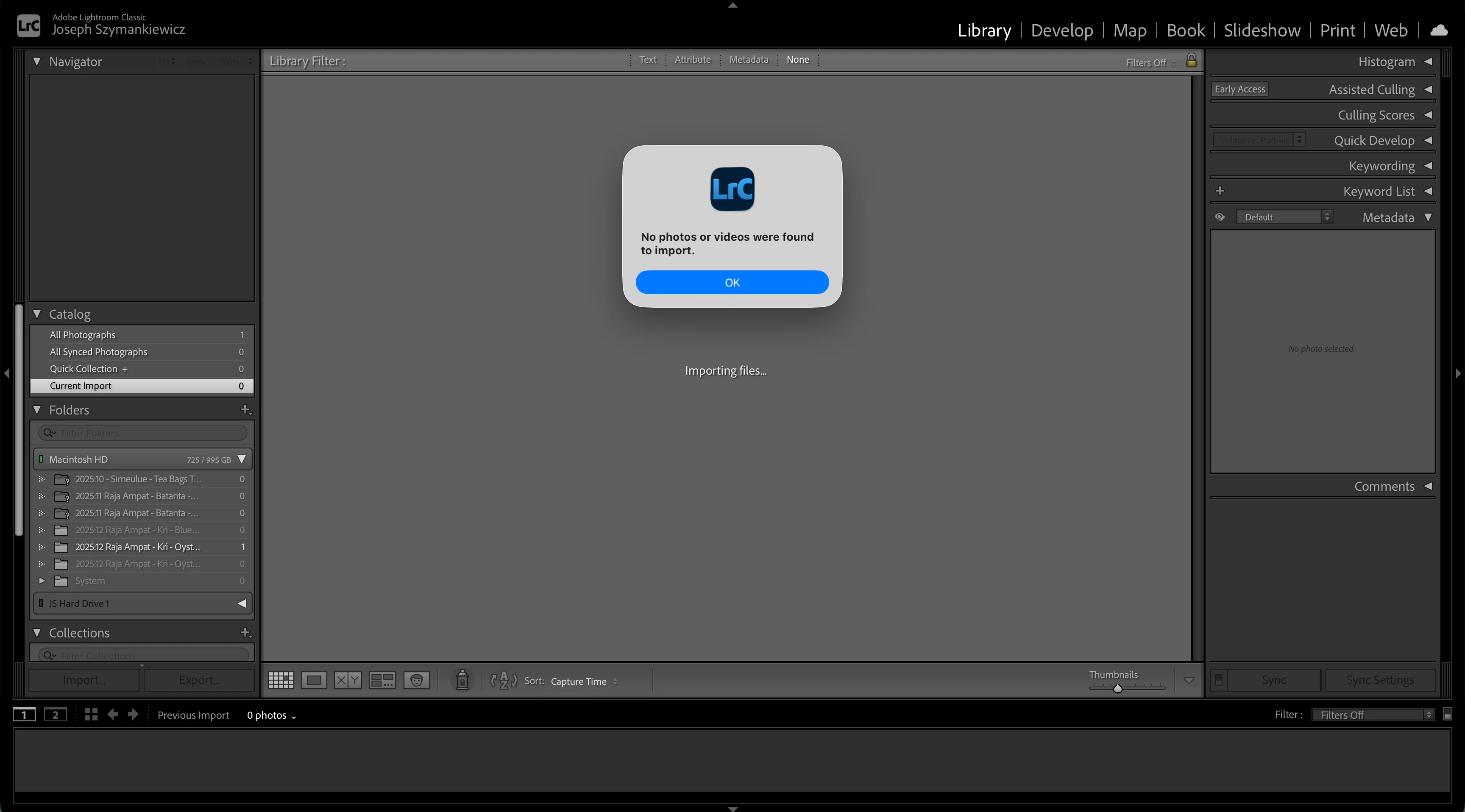
 If I quit lightroom or cancel the import it displays a 'no files found to import' see error box below


It looks like your files have a colon or a slash in their name, and are named "2025:whatever" (or "2025/whatever"). While such a character is perfectly legal for MacOS, Lightroom Classic cannot handle colons or slashes in file names (because it needs to be cross-compatible with Windows). It sees this as a folder hierarchy separator, so it thinks the file is called "whatever" and resides in a subfolder called '2025'. When trying to import that file, it obviously can't find it.


2 replies

dj_paige
Legend
December 28, 2025

Are you now trying to import both still photos (RAW) and videos? Or just still photos?

December 29, 2025

Thanks for your reply, I am just trying to import still RAW files. I have tried importing from my Mac internal storage, external hard drives and SD cards al with no success, any advice would be much appriciated. (more details on my response to Johans comment above)

dj_paige
Legend
December 29, 2025

Please show us a screen capture of the entire Import dialog box window when this problem happens. Please use the Insert Photos icon to include your screen capture in your reply. Do NOT attach files.

JohanElzenga
Community Expert
Community Expert
December 28, 2025

First of all, "the latest updates" means nothing. You would not be the first person who thought he was using the latest versions, only to find that he did not see any updates for some reason and so he thought he was using the latest versions while he was not. Give us numbers. Secondly, explain the process you are using. How do you try to import these images? From a connected camera? From a memorycard in a card reader? From a hard disk? The more information you give, the better your chance that somebody can help you.


-- Johan W. Elzenga
December 29, 2025

Hey Johan, thanks for your reply. 

I am using lightroom classic version 15.1, MacOS Tahoe 26.0, Chip Apple M1 Pro and 32GB memory. 

I have tried importing these RAW image files from my Mac internal storage, hardrives (cable connected), SD drives (cable connected) and SD cards (mac SD slot) all without any success. 

Hope this helps, any advice is much appriciated