Participating Frequently
November 16, 2016
Question

Lightroom is CC (2015) Everything Else is CC (2017).. and where is Dehaze?!

  • November 16, 2016
  • 3 replies
  • 2025 views

I have CC installed on my home machine, courtesy of the licence from my workplace (a University). We moved from the having each application installed from a package we would download, to via the Creative Cloud installer app, a few months ago. I had some troubles getting that to work, and had to do a lot of uninstalling/reinstalling to get anything to work at all (initially the problem was that the 'Apps' tab was missing from the Creative Cloud installer app).

Anyway, that is all just background.

Right now everything is working, however for some reason that I do not understand the 'Dehaze' feature is missing from my installation of Lightroom.

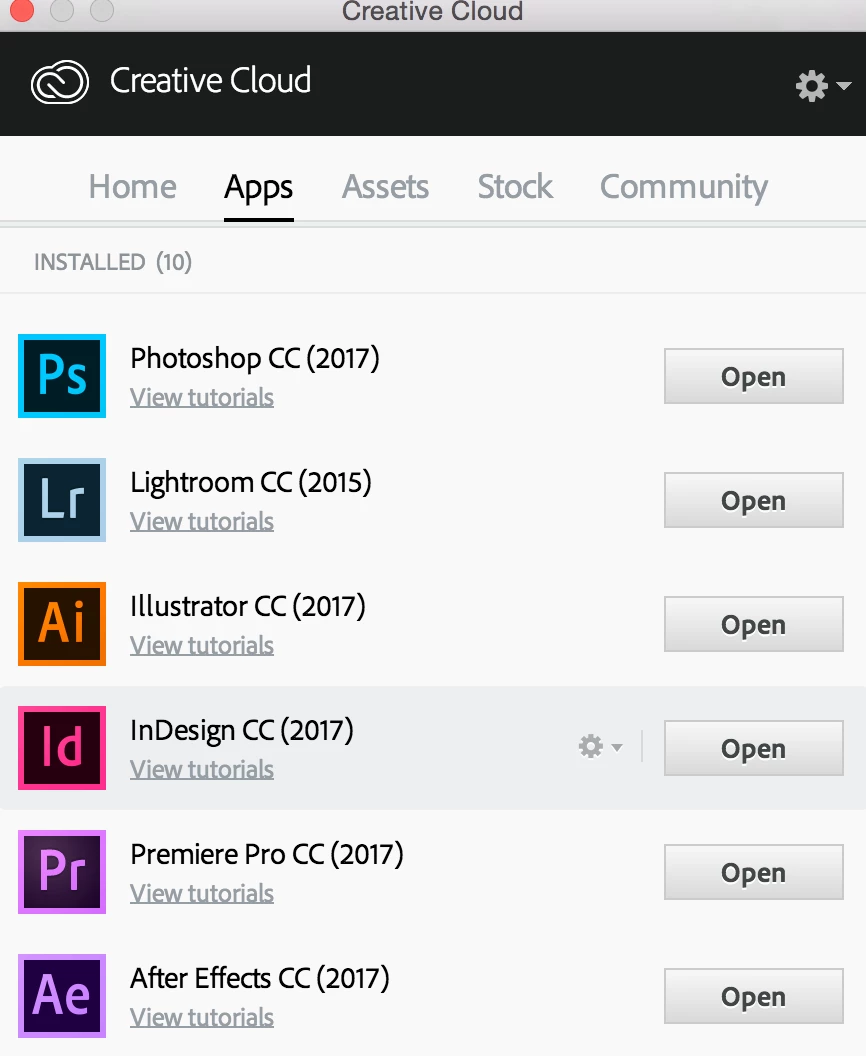
Another anomaly (which might explain the Dehaze one?) is that in the list of installed apps everything is on a '2017' version, except for Lightroom (see screenshot).

Dehaze has been really useful on lots of projects, so, would be nice to get this sorted.

Ideas?

Thanks,

Joe
This topic has been closed for replies.

3 replies

dj_paige
Legend
November 16, 2016

What is the exact version number of your Lightroom? Go to Help->System Info and report the version number of your Lightroom. Do not use words like "current" or "up-to-date".

Participating Frequently
November 16, 2016

This is the version and license information from the system info dialog.

Lightroom version:  CC 2015 [1014445]

License: Creative Cloud

For information here is the same data from my install of Photoshop. Both applications are maintained on my machine via the Creative Cloud app.

Adobe Photoshop Version: 2017.0.0 20161012.r.53 2016/10/12:23:00:00 CL 1094006  x64

JP Hess
Inspiring
November 16, 2016

The Lightroom installation is clearly not up to date. You might want to reinstall the creative cloud application manager because it should accurately manage and install updates as they become available.

99jon
Legend
November 16, 2016

Dehaze should be available from the Effects tab in LR CC 2015.7

Have you by any chance also installed LR6 using a serial number?

Participating Frequently
November 16, 2016

No - I've never used a serial number. As I explained we have used two different ways of installing CC on our Enterprise license. Formerly each app had its own installation package, latterly we were advised to remove those versions (which I did) and move to the CC installer app.

The version reported (as I put in a separate post) is "CC 2015 [1014445]" - not sure whether that is before or after 2015.7 ?

99jon
Legend
November 16, 2016

You need to update. Start by signing out of the CC app Preferences (click gear icon) Then sign back in and await for everything to refresh. Install available update. Or try the direct download for LRcc2015.7/LR6.7

https://helpx.adobe.com/lightroom/kb/keeping-lightroom-up-to-date.html

kglad
Community Expert
Community Expert
November 16, 2016

lr cc 2015.7 looks like the latest version, at this moment.

[moved from Adobe Creative Cloud to Photoshop Lightroom]