
LIghtroom is now missing dozens of subfolders and tens of thousands of photos
So, I went back to re-propcess some old photos only to find that they weren't there. After firing up ACDsee and windows explorer, I confirmed the photos exist, and that lightroom catalog has decided to ignore them. I have no clue when this happened, but My library has dumped dozens of folders and subfolders, and, according to syncronize who doen't ad din the photos or rubfolders, tens of thousands of photos.
A search of these forums lead to one person having a similar issue, and people talking past them/not listening ending up in them to not resolve the issue. Hopefully I will have better luck
EDIT1: Further looking into the issue shows that lightroom is syncronizing folder from my backup drive (F) when I tell it to syncronize any folder in drive (D) if the missing folders are on the backup drive. It then creates a drive F under folders, and randomly adds foders with no hierarchy.
EDIT2: More research has led me to find these rules on how lightroom syncronizes and re-imports:
A) Syncronizing any folder that is missing subfolders in drive D imports all photo file types root and above from drive F
B) Adter disabling drive F in windows, syncronizing any existing folder in Drive D imports all photo types root and above on drive D
C) Importing any folder that exists in the catalog and is missing subfolders on drive D while Drive F is offline
imports all photo types root and above on drive D
D) Importing any completly missing folder from drive D works and only brings in the missing photos, and maintains the proper file structure.
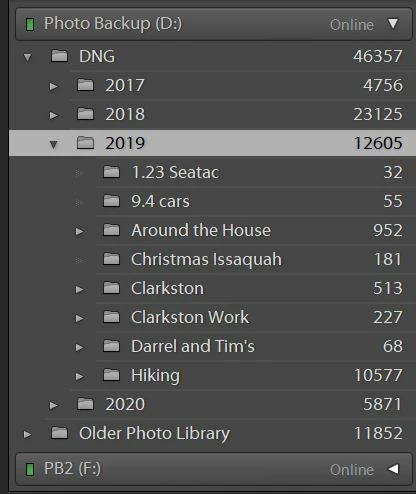
What lightroom shows:
What windows shows:

 AdChoices