
pavanr62556457
Participant
September 13, 2022
Answered

Lightroom JPG Export has embedded images

  • September 13, 2022
  • 3 replies
  • 724 views
All of a sudden, I noticed that all my edited JPG exported images from Lightroom Classic have a small embedded image at the bottom of the picture. If I click on it, the RAW Image shows up on the screen.
I have searched all over the web to find a solution on how to turn this off but to no avail. Any help will be greatly appreciated.
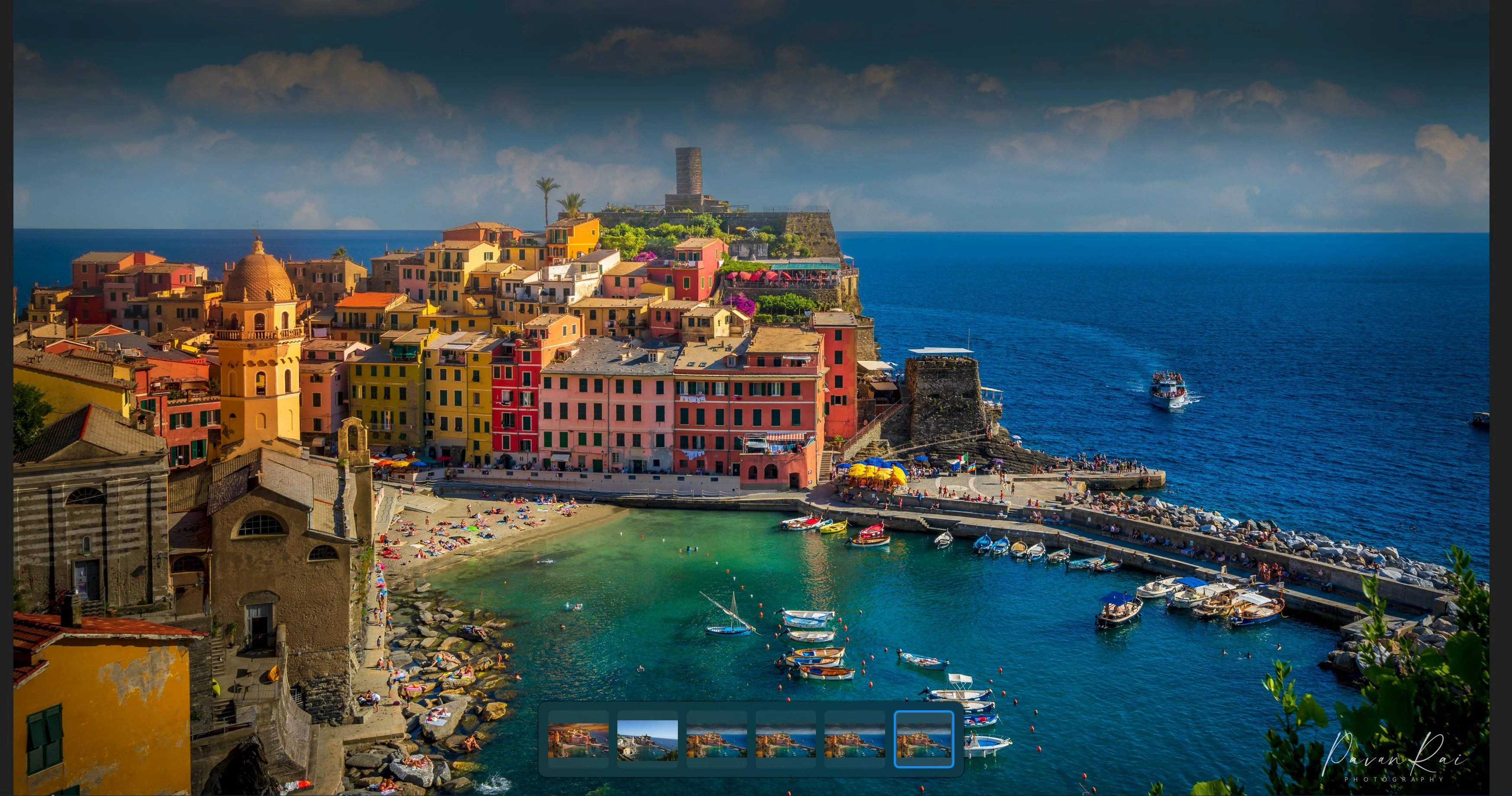
Correct answer Rob_Cullen

Here is a screenshot with 6 embedded images. I am using Lightroom Classic Version 11.5. Windows 10. I imported the RAW image to Lightroom for initial editing, then exported to Photoshop 23.5.0 for more editing, and brought it back to Lightroom for final processing.


I don't believe they are embedded images. They are possibly a feature of the Viewer App you are using.

And your screen-shot cannot be of a raw image file because there is a Watermark showing (not possible on a raw render)

You see something like this-

https://blogs.windows.com/windows-insider/2021/09/16/redesigned-photos-app-for-windows-11-begins-rolling-out-to-windows-insiders/


3 replies

GoldingD
Legend
September 14, 2022

Please post a screen capture.


And what is the exact version of your application. Is it LrC v11.5 or Lr v5.5


When you post that screen capture, use the insert photo button in the tool bar, not the insert attachment.


Rob_Cullen
Community Expert
Community Expert
September 14, 2022

You also posted this in the Lightroom Ecosystem forum, and have not replied there.

You state "Lightroom CC".  There is no App that uses the "CC" suffix. So please-

Include the following in your question:
Details of the Adobe product and Version number.
A Screenshot of the info panel from MENU: Help/System Info...
Operating system and Version number.
The full text of any Error Message(s) if any.
What you were doing, in detail, when the problem occurred
Screenshots of the problem.

I want to see the "embedded image" -please!


Regards. My System: Windows-11, Lightroom-Classic 15.3, Photoshop 27.5, ACR 18.3, Lightroom 9.3, Lr-iOS 10.4.0, Bridge 16.0.3 .
pavanr62556457
Participant
September 13, 2022

When I export an edited RAW image, small embedded images show up on the screen in this exported JPG file. I can click on this embedded image and I get the original RAW file. However, when I print, the embedded images do not show up.

Can someone help me get rid of these embedded files on the screen? Thank you very much.

pavanr62556457
Participant
September 13, 2022

I forgot to mention, I am exporting from Lightroom CC.