Participant
November 22, 2023
Question

Lightroom Katalogimport eines alten Kataloges in den aktuellen

  • November 22, 2023
  • 1 reply
  • 203 views

Liebe Community, 


ich habe ein Problem. Ich möchte in meinen aktuellen Katalog einen alten Katalog importieren und somit beide Kataloge vereinen und dann nur noch mit dem neuen Arbeiten.


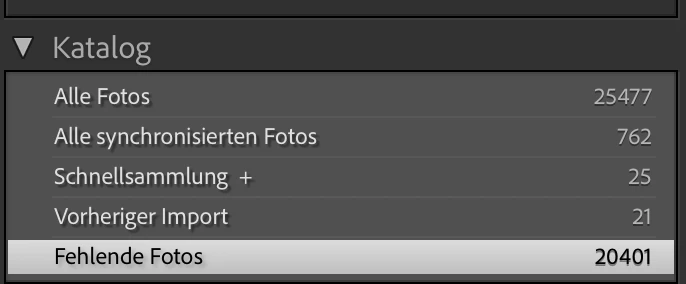
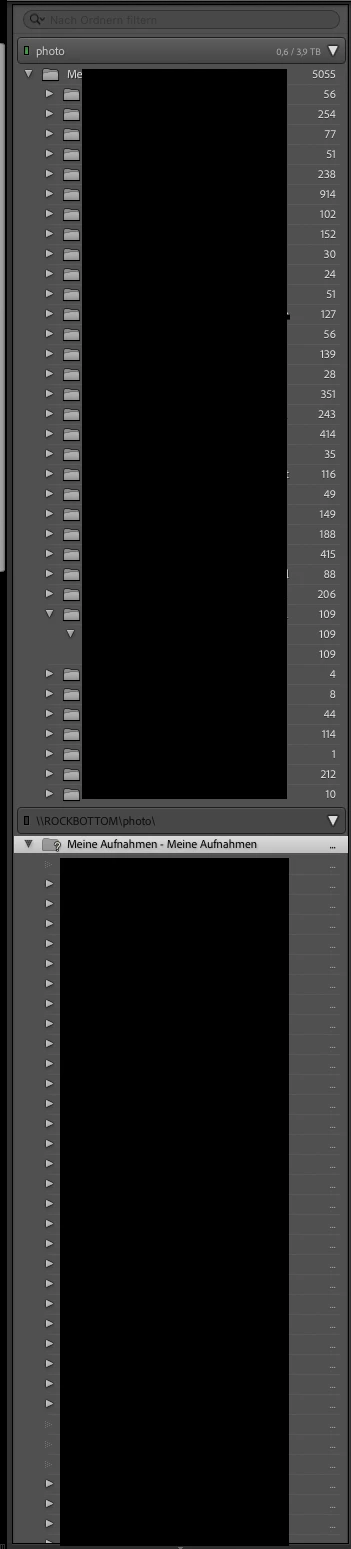
Das habe ich jetzt versucht, und das Problem, dass vom Importierten Katalog die Ordnerstruktur komplett Leer ist und da kein Foto erkannt wird. Im Katalog bei "Alle Bilder" oder Fehlende Fotos sind die importierten Bilder allerdings vorhanden. 

Lightroom muss also etwas importiert haben, aber die Zuordnung fehlt. 


Auch ist auffällig, dass die Pfade der beiden Ordner (alle RAWS und unterordner liegen auf dem selben Pfad auf der NAS) unterschiedlich heißen, und wenn ich die "Fehlende Ordner Suchen" Funktion nutzen möchte, kommt "INTERNER FEHLER - INVALID PATH" als Fehlermeldung. 


Was mache ich falsch????
 

This topic has been closed for replies.

1 reply

GoldingD
Legend
November 25, 2023

Use your mouse to click on the right edge of that folders panel, and expand or contact it a bit. does what you see change?


Participant
November 27, 2023

Nothing Changes....I had a guy from the support on the problem...in the old Catalogue, and the Backups of the Catalogue the Picture information got lost...So I lost roundabout 6000 pics in the catalogue or the editing of them....the originals are still sleeping on the nas...hmpf

GoldingD
Legend
November 27, 2023

You may want to contact support for that NAS.


By the way, Adobe does not support the catalog on the NAS (yes, I understand, you are not doing that) , but they do support the photos on the NAS. HOWEVER, you may notice several members with issues when the photos are on a NAS. Some members will state NOoooooooo, do not use a NAS for active work, just backups/copy's.