Participant
November 4, 2018
Answered

Lightroom leaves command text on my screen

  • November 4, 2018
  • 3 replies
  • 343 views

When I first open lightroom and select file and then Import Photos and video..  The text box turns blue and remains on my screen even after I close lightroom and go into chrome it is even on my Desktop.  I have 2 computers with this bug the only way I can remove it is hit ctrl alt delete.  This is what it looks like.  Whatever my first selection is the text stays on the screen.
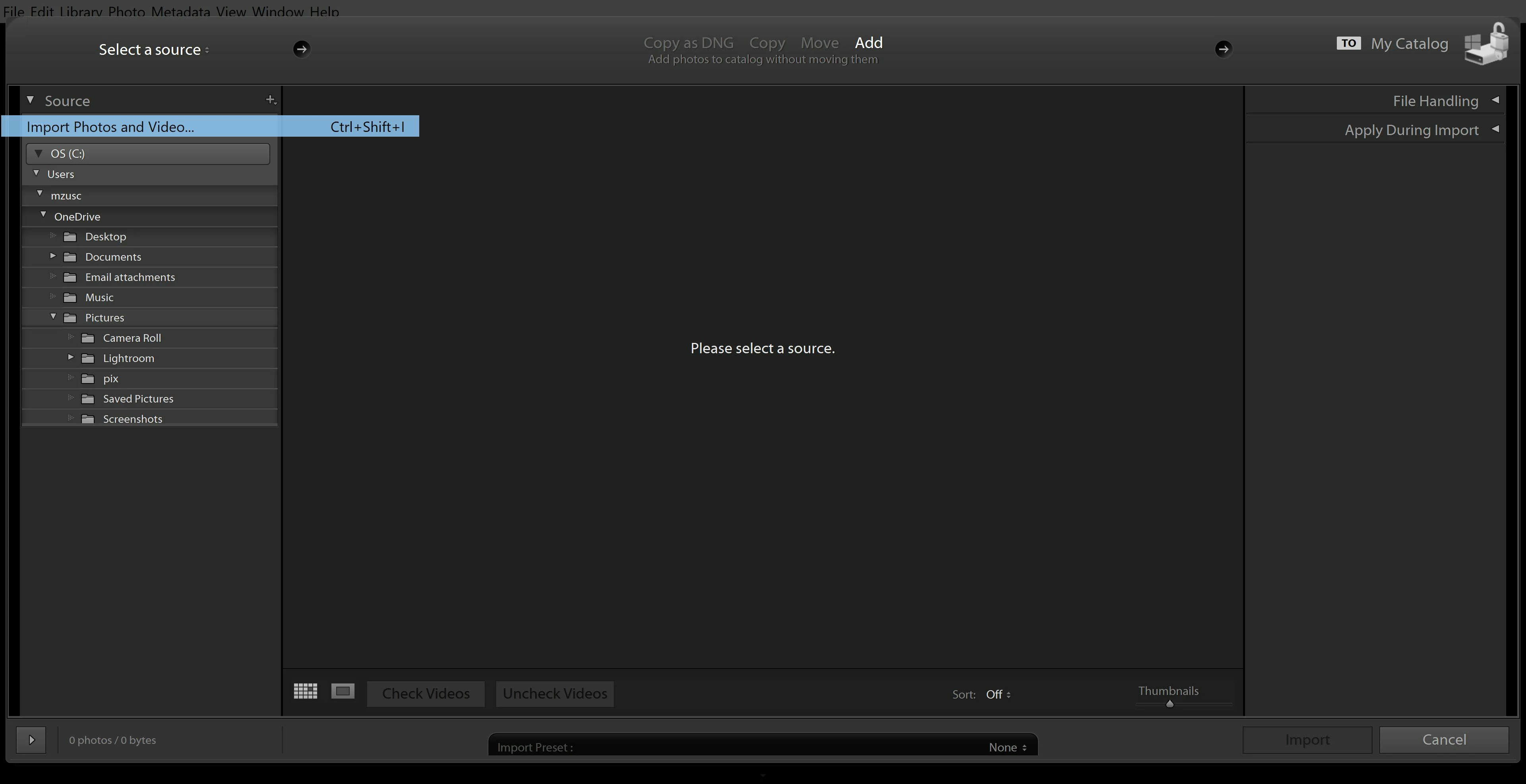
    This topic has been closed for replies.
    Correct answer Just Shoot Me

    This is a Computer Graphics problem and has nothing to do with LR.

    Turn off the GPU option in LR, Preferences, Performance tab and then update the graphics drives.

    3 replies

    JohanElzenga
    Community Expert
    Community Expert
    November 4, 2018

    rivers2run  wrote

    When I first open lightroom and select file and then Import Photos and video..  The text box turns blue and remains on my screen even after I close lightroom and go into chrome it is even on my Desktop.  I have 2 computers with this bug the only way I can remove it is hit ctrl alt delete.  This is what it looks like.  Whatever my first selection is the text stays on the screen.

    Are you perhaps using some special hardware with Lightroom, like LoupeDeck?

    -- Johan W. Elzenga
    Just Shoot Me
    Just Shoot MeCorrect answer
    Legend
    November 4, 2018

    This is a Computer Graphics problem and has nothing to do with LR.

    Turn off the GPU option in LR, Preferences, Performance tab and then update the graphics drives.

    Participant
    November 4, 2018

    Thank you it was the graphics driver.  I turned off acceleration and it went away.  This is a brand new compter and I thought I had updated everything but there was an update for graphics.  I updated and now with acceleration on it is no longer an issue.

    Ian Lyons
    Community Expert
    Community Expert
    November 4, 2018

    Have you tried resetting the Lightroom preference file as described in Method 1 at How to set Lightroom Classic CC preferences