
Participant
Oct 31, 2026 7:11 AM UTC
Question

Lightroom Library Image Previews Not Loading (Greyed Out)

I'm experiencing an issue in Adobe Lightroom Classic where approximately 50% of my images appear greyed out immediately after importing them. The images are not visible under the Library tab, they appear greyed out and are not displaying properly. The same issue persists when switching to the other tabs, including Develop. There are no warnings, error messages, missing file indicators, or notifications suggesting that the original files are missing or unavailable.
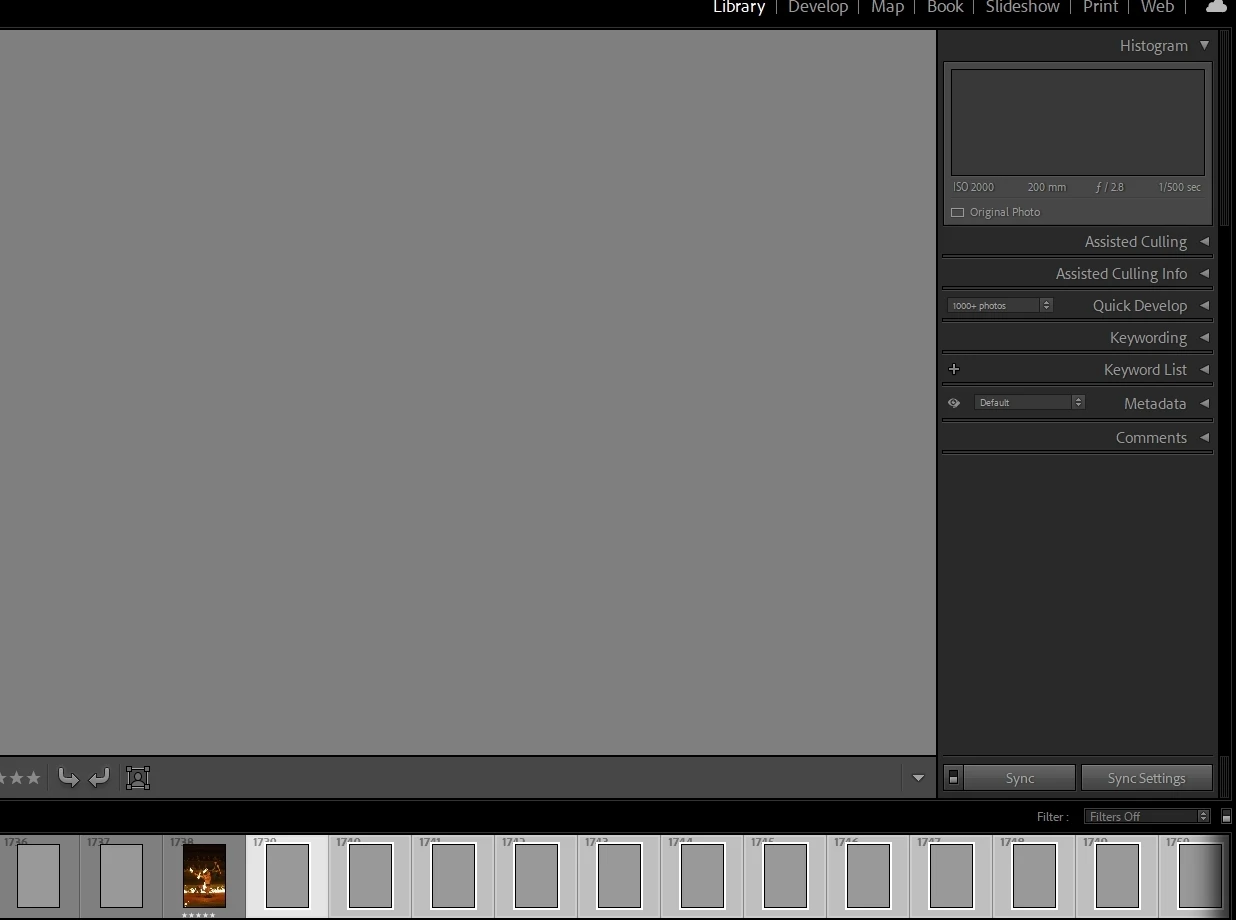
 

    3 replies

    johnrellis
    Legend
    Nov 1, 2026 3:23 AM UTC

    [View this post in your web browser. It contains formatting and images that don't appear in email.]


    Some more troubleshooting steps:


    1. Go to Library Grid view (type “g”). 


    2. Select several of the grey thumbnails and do the menu command Library > Previews > Build Standard-Sized Previews.  Do thumbnails get generated?


    3. Delete the preview cache, as described in this help article:

    https://helpx.adobe.com/lightroom-classic/desktop/kb/lightroom-gives-error-preview-cache.html


    4. If those steps don’t help, please do the LR menu command Help > System Info, click the Copy button in the upper right corner, and paste into your reply here, so we can see exactly which versions of hardware and software LR thinks you're running and important LR options that are set.

    Translate
    dj_paige
    Legend
    Oct 31, 2026 7:39 AM UTC
    Participant
    Nov 1, 2026 1:08 AM UTC

    Didn’t work unfortunately.

    Translate