

katies2652249
Participant
Oct 28, 2026 5:26 PM UTC
Question

Lightroom Lrcat files to keep

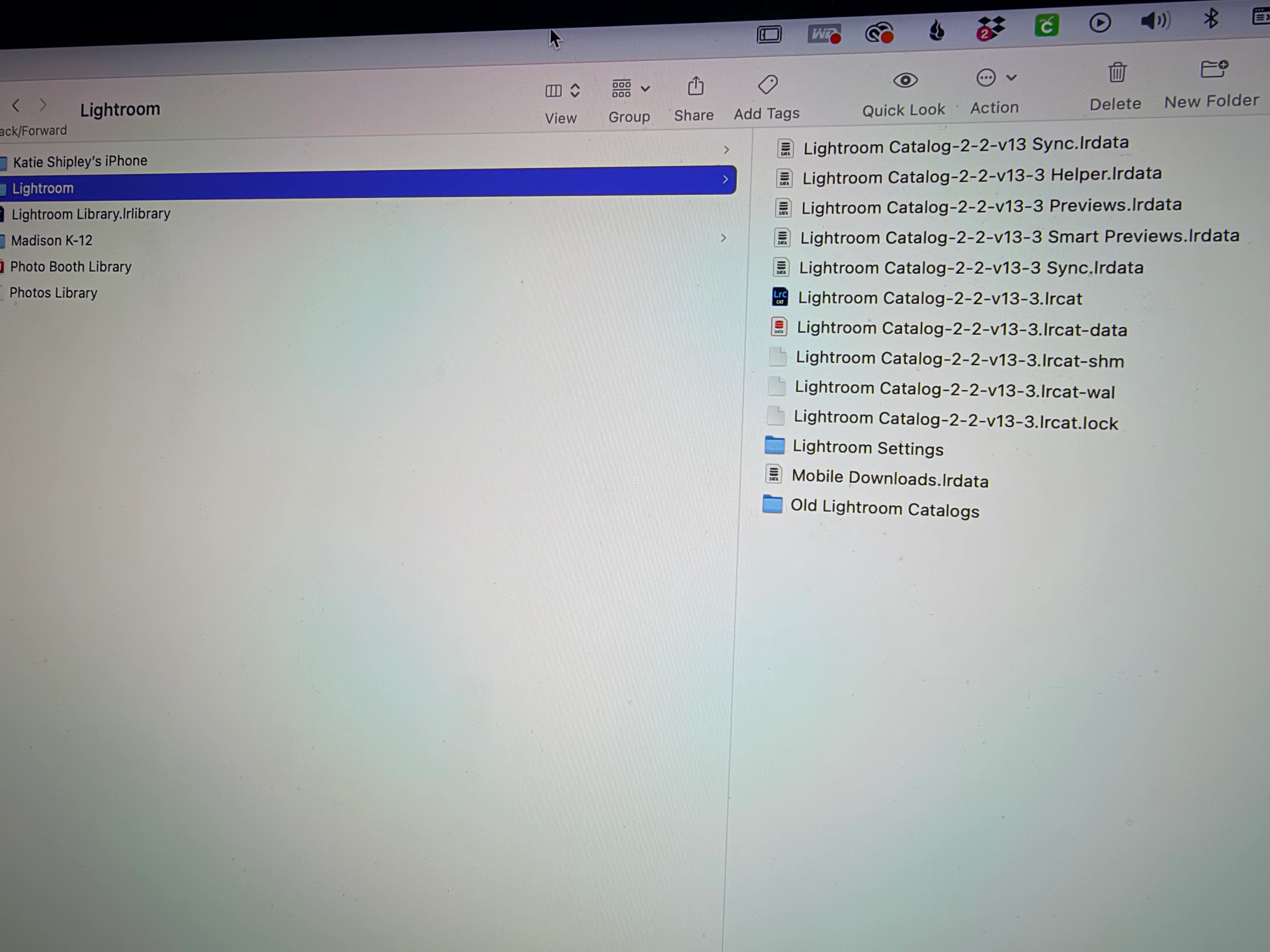
I'm moving everything to a new computer. Before doing so, I feel like some of these files are not necessary. Which ones can I safely delete? 
 

    2 replies

    CORCTON34033231
    Community Expert
    Community Expert
    Oct 28, 2026 6:07 PM UTC

    Hi! From your screenshot, the essential one is the .lrcat file itself, together with its .lrcat-data file. Adobe’s move-a-catalog steps list copying the .lrcat, .lrcat-data and Previews files to the new computer, so keep those together.


    The Previews.lrdata and Smart Previews.lrdata files are caches. You can leave them behind to save space; Lightroom Classic will rebuild previews (browsing will just be slower at first, and Smart Previews would need to be rebuilt for offline editing). The .lrcat-shm, .lrcat-wal and .lrcat.lock files are temporary files used while the catalog is open — quit Lightroom Classic first, and you don’t need to copy them.


    Helper.lrdata, Sync.lrdata and Mobile Downloads.lrdata are auxiliary/sync-related files, not your catalog data, so they can be left behind and will be recreated as needed. The Old Lightroom Catalogs folder is just older upgraded copies — keep it only as a backup until you have opened the new catalog on the new computer and confirmed everything is there. Safest order: copy the .lrcat + .lrcat-data (+ Previews if you want them) and your original photos to the new computer, open the catalog there and check it, and only then delete anything from the old computer. Reference: https://helpx.adobe.com/lightroom-classic/desktop/manage-catalogs-and-files/create-catalogs.html

    Translate
    dj_paige
    Legend
    Oct 28, 2026 6:07 PM UTC

    You want to move the .LRCAT file and the .LRCAT-DATA folder. You can move the other files as well, but if these are not present, Lightroom Classic will rebuild them on the new computer.

    In case you have not seen this, here are the full instructions to move Lightroom Classic to a new computer: https://www.lightroomqueen.com/how-move-lightroom-to-new-computer/ Please follow the instructions exactly as written, do not make up additional steps and do not skip steps (except the part about going from Windows to Mac or Mac to Windows, if that doesn’t apply to you)

    Translate
