Lightroom messing up .psb files after importing
Hello,
I've edited several images this week taken with my Fujifilm GFX100 and upscaled in photoshop with the new super resolution function in Camera Raw ... so far so good, great quality ... I edit as usual and make some different layers etc... after saving the files ( between 3 to 16 GB of file size ) everything still OK.
When I open the files in Lightroom... Several messages showed up the last days ...
- The file uses compression techniques not suported in Lightroom ...
- The file is corrupt or isn't supported in Lightroom
I use 2 computers, giving me the same problem on each, so probably it's a software issue ....
- I7 CPU based computer with 32GB ram with GTX 1080Ti Graphics and I work on 12 bay Synology NAS Drive,
- MacBook Pro 16" with I9 and 64GB Ram and Radeon Pro 5600M Graphics
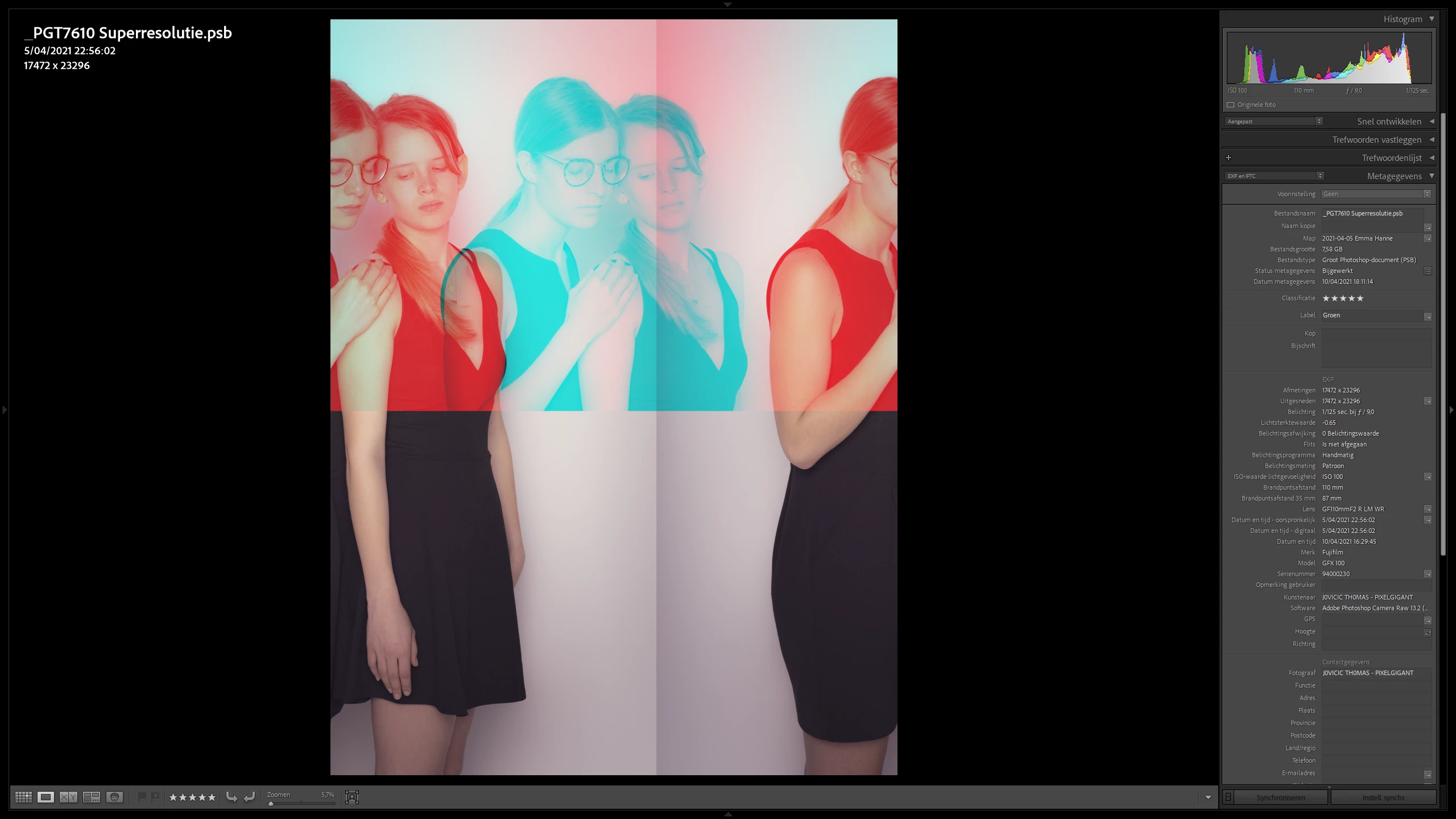
What can I do ???
One file has been completely ruined and can't be opened anymore. File is corrupt message appears.
The picture above still opens correctly in photoshop, and gives the shown mistake in Lightoom only.
Thank for helping me 😞
 AdChoices