Question
Lightroom Missing Volume (External Hard drive has dissapeared)
Hi All,
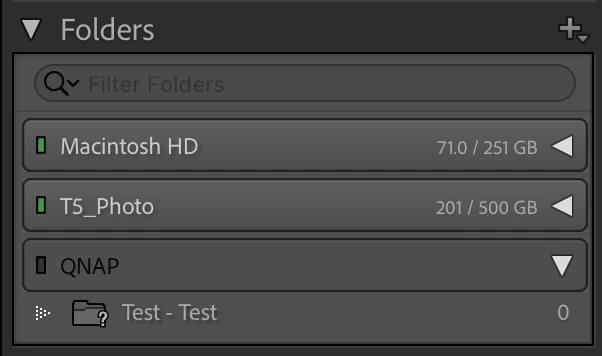
I have been using a NAS for a number of years and have some 60k+ images on there. I only noticed recently (possibly after updating LR) that it has completely dissapeared - it's not even showing as greyed out (offline) it's just completely gone.
I have checked security settings on Mac and LR has access to external drives. I have even setup a test folder on the NAS (you will see QNAP - Test on the folders list) so LR and the NAS are communicating. I have even tried loading old catalogs to see if it appears on them but nothing - it's just gone.
The only other thing I can think to do is re-import all images and take the hit on the edits but that just sounds horrendous - I'm really hoping someone can help with this 🙂
Thanks,
Ross
 AdChoices