Participant
September 26, 2017
Answered

Lightroom mobile wont sign in from PC, stays blank for an hour

  • September 26, 2017
  • 2 replies
  • 964 views

I've seen a few threads about this but none of the answers have helped.

I need to sign in to lightroom mobile from my pc but all I'm getting is a blank box on creative cloud after ive tried to log in. and it stays like that for (I've timed it) an hour or more if I leave it.
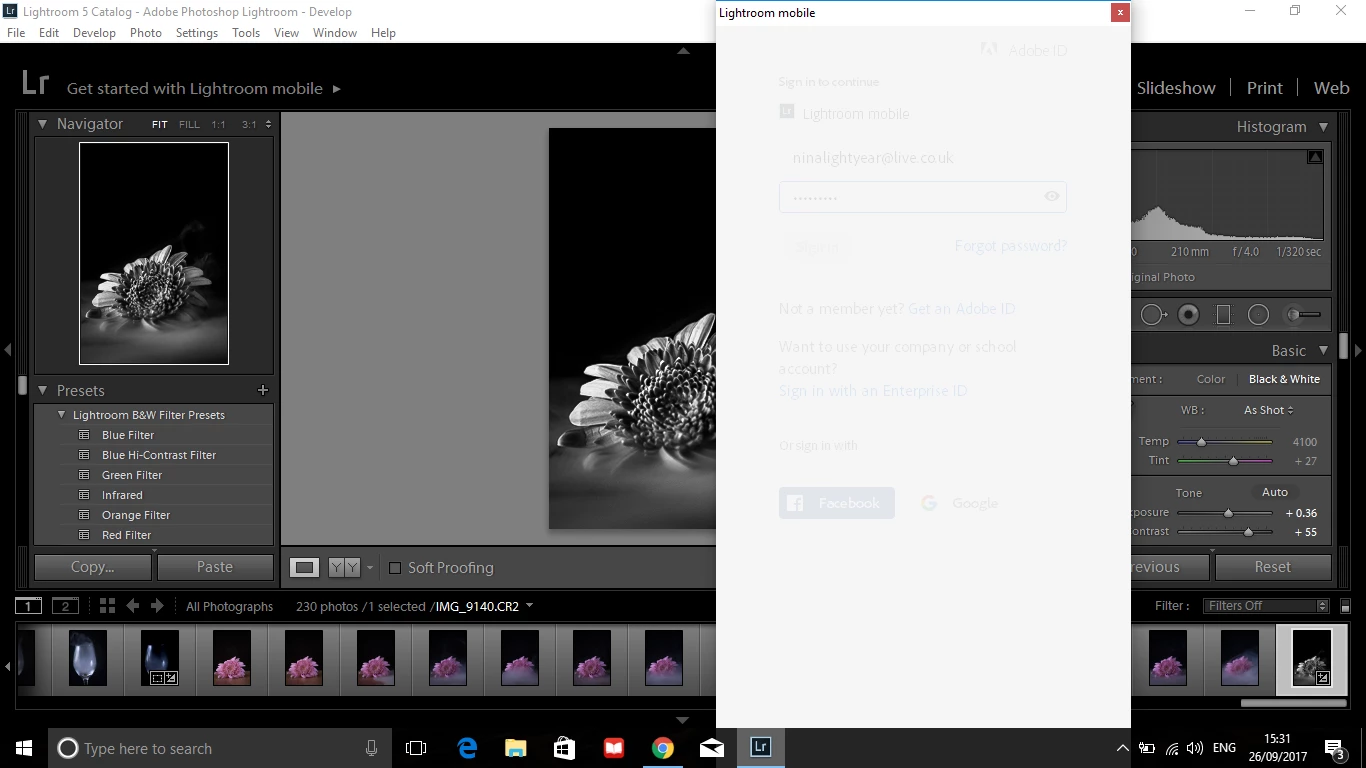
I would very much appreciate it if someone could help me. I've tried force closes, uninstalling, the lot.

This topic has been closed for replies.
Correct answer F. McLion

Please update to the latest version, which is 2015.12, then sign off and back in.

Lightroom CC message 'Upgrade required for Lightroom mobile sync'

2 replies

Participant
October 9, 2017

I am having exactly the same problem.  Windows 10 Lightroom CC 2015.10.1.

F. McLion
Community Expert
F. McLionCommunity ExpertCorrect answer
Community Expert
October 10, 2017

Please update to the latest version, which is 2015.12, then sign off and back in.

Lightroom CC message 'Upgrade required for Lightroom mobile sync'

--- Got your issue resolved? Please label the response as 'Correct Answer' to help your fellow community members find a solution to similar problems. ---
Participant
January 2, 2018

My Lightroom is doing the exact same thing however when I go to help and "check for updates" it says that all my software is up to date. I have Lightroom 5.7

Akash Sharma
Legend
September 26, 2017

Hi ninak,

Could you please try signing out of the Creative Cloud desktop app and sign back in? Please check out this discussion Lightroom Mobile won't let me sign in? and let us know if that helps.

Thanks,

Akash

Participant
September 26, 2017

Hi, I've already done that. Nothing works.

Nina

Akash Sharma
Legend
September 27, 2017

It seems something is preventing the app to connect with servers, Please refer Resolve connection errors with Adobe Creative Cloud and Creative Suite applications

~Akash