
Participant
November 30, 2023
Question

Lightroom no longer connects to my Canon 6D

  • November 30, 2023
  • 2 replies
  • 568 views

Hello,
Lightroom no longer connects to my Canon 6D as of today, although everything was working fine before.
I'm on
- Apple MacBook Air M1 Ventura 13.2.1
- Lightroom 12.5.1 / 13.0 / 13.0.1 / 13.0.2 (I've tried all 4 versions)
- Canon 6D Mark II (I've updated the firmware)
- Canon EOS utility software (updated), it connects well to the camera
I've activated Rosetta emulation mode, restarted the computer several times but I still get the message :
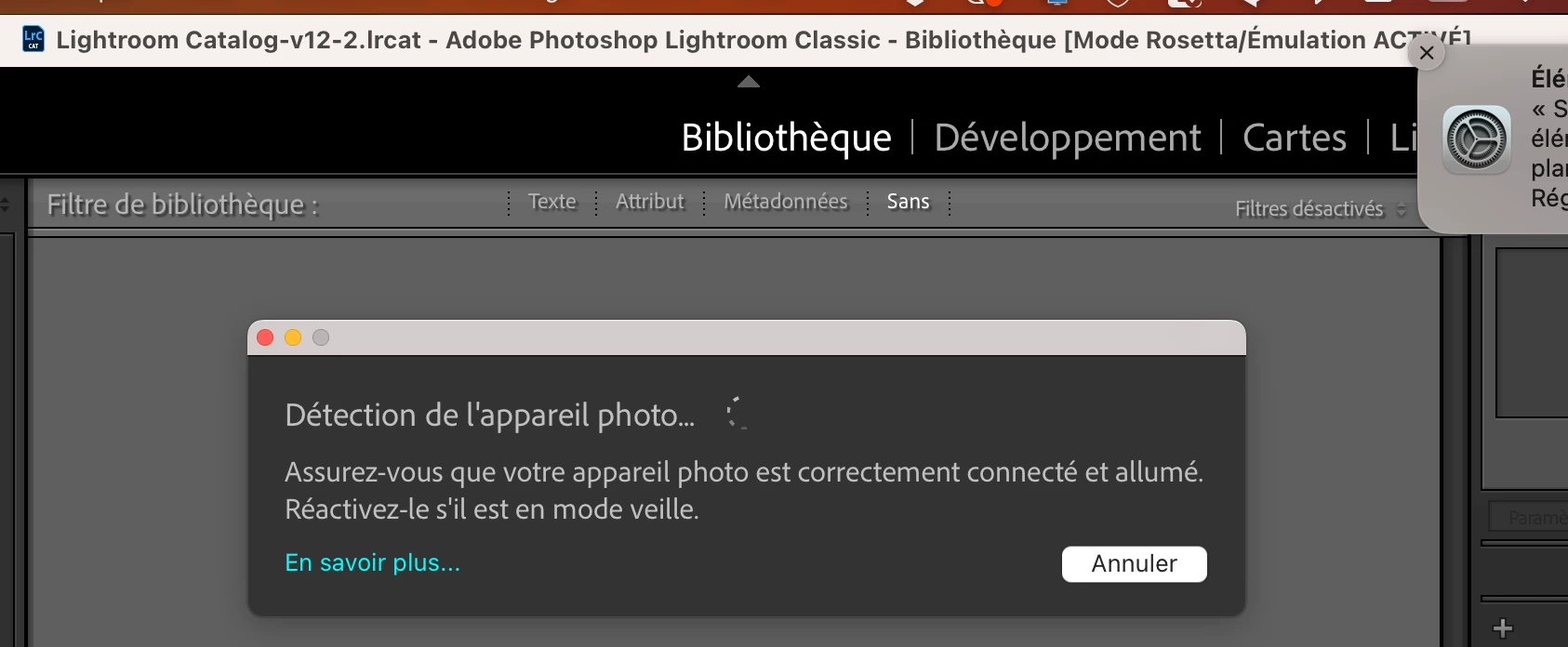


Does anyone have any idea what's causing the problem?

Thanks,
Stéphanie

2 replies

KR Seals
Community Expert
Community Expert
December 1, 2023

Try adifferent cable and port on the computer.

It won't hurt to reset the LrC preferences.


Ken Seals - Nikon Z 9, Z 8, 14mm-800mm. Computer Win 11 Pro, I7-14700K, 64GB, RTX3070TI. Travel machine: 2021 MacBook Pro M1 MAX 64GB. All Adobe apps.
Participant
December 1, 2023

Thanks, I've already reset the LRC preferences. I connect my camera by wifi and it works (I can take photos with EOS utility on my computer). Only Lightroom can't see my camera (It worked for many years before today).

Participant
June 14, 2025

is it solved? i got the exact same issue

GoldingD
Legend
November 30, 2023
Make sure your camera is properly connected and turned on.
Wake it up if it is in sleep mode.

So, is their an internal camera setting that needs to be correct? Perhaps relating to USB and data transfer?