Participant
April 20, 2015
Answered

Lightroom not responding, it won't quit, force quit...just freezes

  • April 20, 2015
  • 13 replies
  • 39290 views

‌I have a MacBook Pro.  I can't import files like I'm used to.  It imports about 5 out of 300, then stops.  I cancel task, then LR goes in to not responding.  It won't force Quit and when I turn off my laptop, I try again and the process repeats...  I'm so frustrated.  Please help.
This topic has been closed for replies.
Correct answer dj_paige

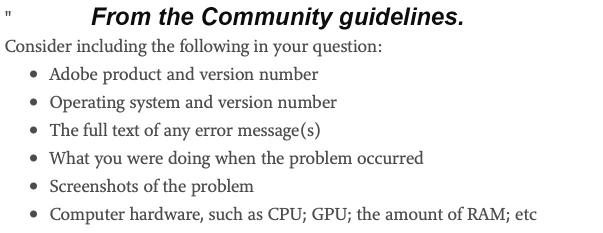
Gibran Lucas ... please start a new thread and describe your problem in detail. Please also provide the information requested below

13 replies

Geoff the kiwi
Community Expert
Community Expert
April 20, 2015

Tammi Kopec wrote:

I have a MacBook Pro.  I can't import files like I'm used to.  It imports about 5 out of 300, then stops.  I cancel task, then LR goes in to not responding.  It won't force Quit and when I turn off my laptop, I try again and the process repeats...  I'm so frustrated.  Please help.

Doesn't sound like a hardware issue necessarily at all to me.

Please give some detail:

Which Lightroom version?

Which OS version?

You are attempting to import from where to where??

Participant
May 18, 2015

Macbook air (mid 2012)

Lightroom CC (2015)

Mac OS 10.10.4

I have the same problem that Lightroom CC won't force quit (even from the Apple Menu)

I was working fine in it for two hours with photos on my hard drive. Then, while still in lightroom on my desktop, I went to edit a photo in my synced iphone folder (iphone was not plugged in) and it just "beach balled" for five minutes so I went to force quit the app. It said "app not responding" so I pressed force quit several times - to no avail...

All other apps were still running fine, even photoshop...

so I had to restart computer

Community Expert
May 18, 2015

so I had to restart computer

If you did this a few times, I highly recommend you run disk utility on your hard disk while booted in recovery mode. These lock ups and reboots tend to leave orphaned files and directory structure damage on your hard disk. You should restart the computer and hold down the command and R keys simultaneously until the apple logo appears. You'll get a screen where you can select disk utility. Select your internal hard disk and run "repair disk" on it. It is not unlikely that you'll find a few problems that you should let the disk utility repair. If the computer tells you it can't repair the damage to your disk (which it sounds you might have), you should reboot in single user mode and run "fsck -fy" from the command line. It's described here: Resolve startup issues and perform disk maintenance with Disk Utility and fsck - Apple Support and contrary to apple's info fsck fixes more problems than Disk Utility.

dj_paige
Legend
April 20, 2015

Sounds like a hardware problem to me. One possibility (out of many) is that the fans in your computer have malfunctioned causing your computer to overheat and crash.

Just Shoot Me
Legend
April 20, 2015

Hold down the power button until the system turns off. You have other problems with your Mac, it isn't LR.