
Participant
April 11, 2023
Question

lightroom not showing photos

  • April 11, 2023
  • 1 reply
  • 483 views

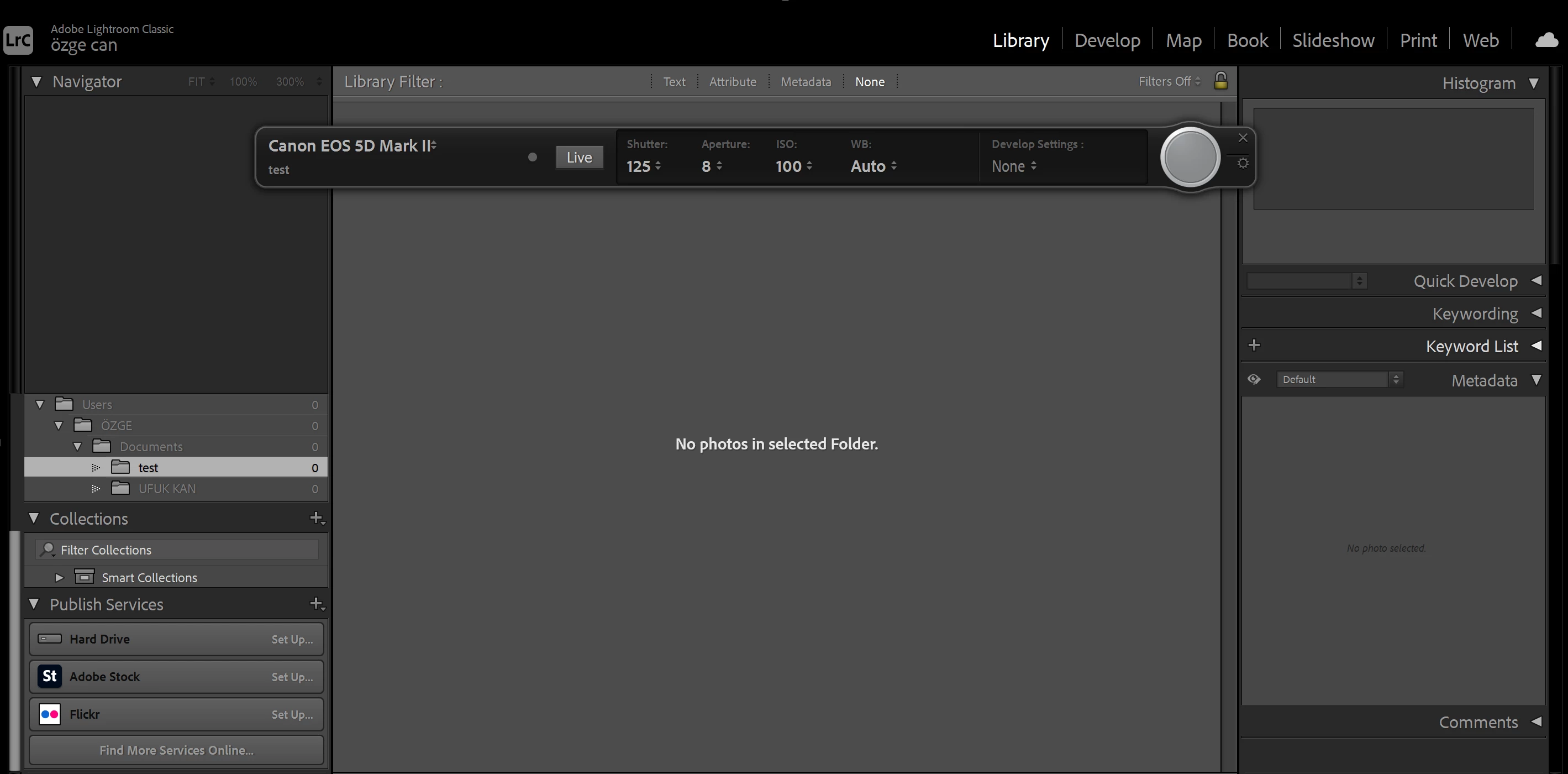
Hello everyone! recently I switched from macos to windows (windows 11). With the macbook I didn't have this problem but now when I use tethered capture in Lightroom Classic, the program recognizes my camera but doesn't show the images captured. I use Canon 5d mark ii and my camera firmware is up to date. Lightroom classic supports my camera and I'm using the latest version of lightroom. I can trigger the camera from the app but no photos appear. Also when I try to import from camera to lightroom it often says no photos found or shows only couple of photos but not all of them. I don't have a problem importing photos from camera to computer using sd card reader. I can't understand the cause of the problem and really need to use tethered shooting for product photography. I would be glad to hear some solutions, thanks in advance.
This topic has been closed for replies.

1 reply

Sameer K
Community Manager
Community Manager
April 11, 2023

Hey, @özgec25257833. Welcome to the Lightroom Community. I'll help you figure this out.


What version of Lightroom Classic are you working on? Is the camera connected to Lightroom via the official cable? Is there a USB hub or extension port being used?


Try the Live Tethering option to check if the camera's live view gets through to Lightroom to ensure a proper connection.


You can check this list of suggestions you can try to troubleshoot tethering Lightroom Classic: https://helpx.adobe.com/lightroom-classic/kb/troubleshoot-tethered-capture-lightroom.html


Let me know how it goes. Thanks!

Sameer K

Participant
April 11, 2023

@Sameer K thanks a lot for the response. 

I have Lightroom Classic 12.2.1 version and my camera is connected with the official usb cable but I didn't test it with another cable. I have used Capture One and Helicon Remote and they seem to be working, no trouble with tethered shooting.  I think "live tethering" option doesn't work for me because when I click the live button nothing happens.