Answered
Lightroom opens without me running it
When I connect any pendrive, it automatically opens the Lightroom without me wanting it. Could someone help me? Thank you very much
When I connect any pendrive, it automatically opens the Lightroom without me wanting it. Could someone help me? Thank you very much
The first option is to turn off auto import in Lightroom Preferences in the Edit menu on PC, or the Lightroom menu on the Mac.
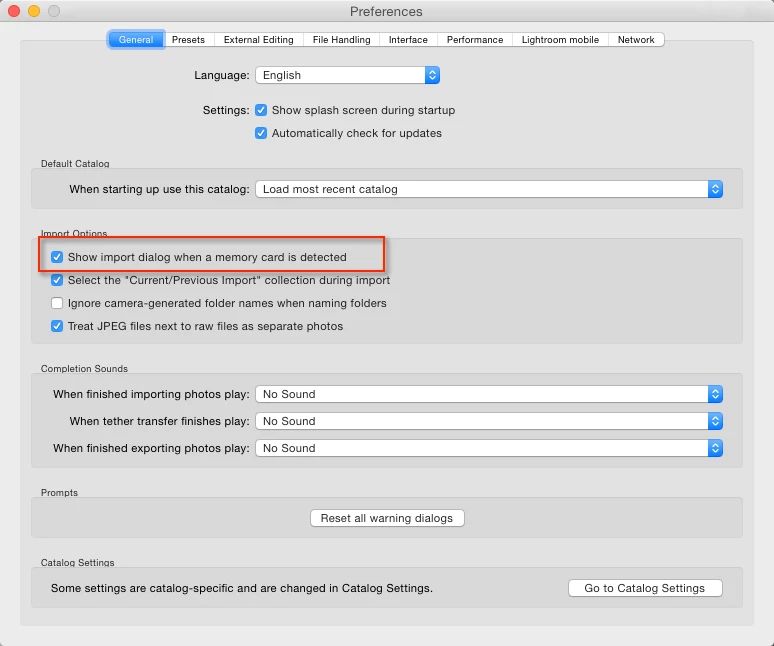
If you're on PC, you may need to change Default Programs, Start>Default Programs on win 7, or search for Default Programs, and check the Autoplay settings.
Already have an account? Login
Enter your E-mail address. We'll send you an e-mail with instructions to reset your password.
 AdChoices