
welshgold
Inspiring
April 13, 2022
Question

Lightroom permissions

  • April 13, 2022
  • 2 replies
  • 421 views

Can't open Lightroom because of this, any ideas? 
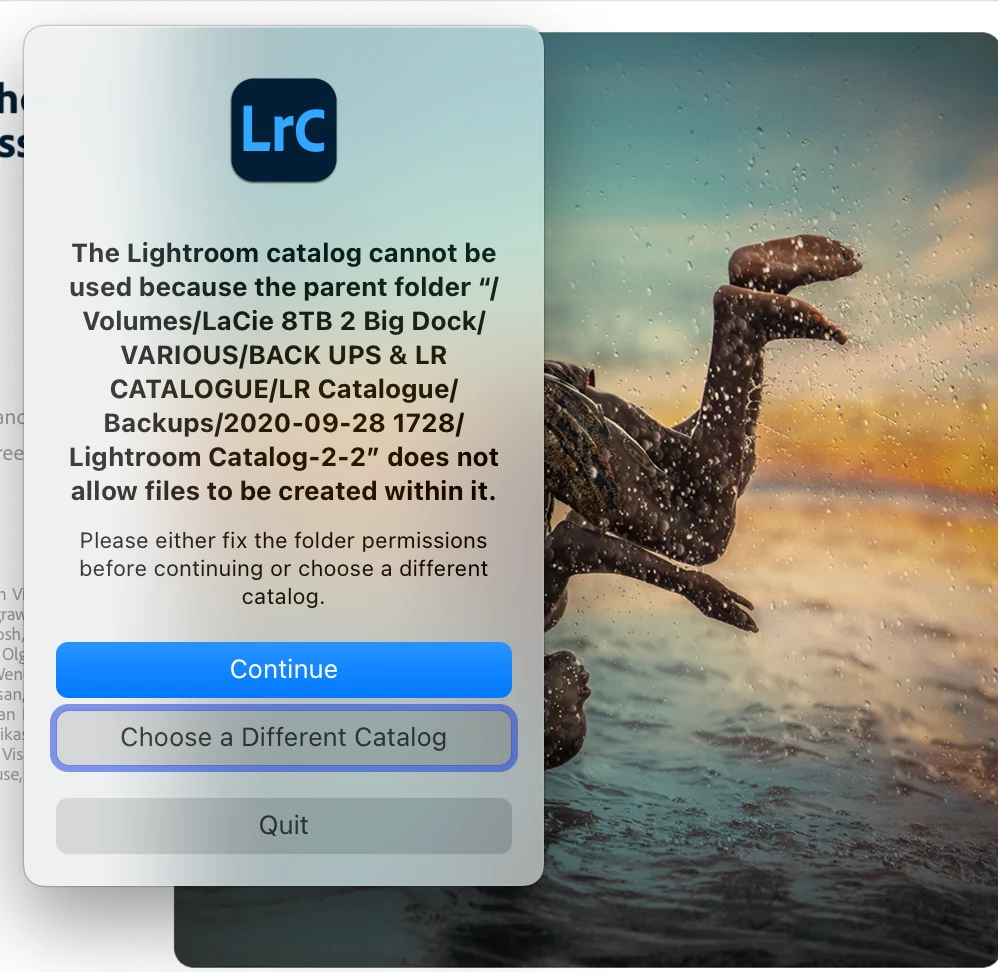
This topic has been closed for replies.

2 replies

JohanElzenga
Community Expert
Community Expert
April 13, 2022

Make sure Lightroom has the necessary permissions in MacOS System Settings - Security & Privacy.


-- Johan W. Elzenga
welshgold
welshgoldAuthor
Inspiring
April 14, 2022

Thanks, done that and they're already on there, could do with some advice re: permissions

JohanElzenga
Community Expert
Community Expert
April 14, 2022

I noticed that the path in the error message includes the word "backup" a few times. Do you perhaps also use this disk as a Time Machine backup? If so, that could be the reason of your problem. Time Machine 'owns' the backup disk, and that could cause other apps to be without permissions to access it. Even if they do not access the Time Machine backup itself. Always use Time Machine with a dedicated backup disk.


-- Johan W. Elzenga
Ranjisha Sengupta
Legend
April 13, 2022

Hi there,


We are sorry to hear that you are getting an error while launching Lightroom Desktop.

Would you mind sharing your Lightroom and macOS versions? Have you given access permissions to the application from your system's preferences? Since when is it happening?

Please check this similar discussion: https://community.adobe.com/t5/lightroom-classic-discussions/lightroom-catalog-cannot-be-used/td-p/10793799


Let us know if that helps,


Regards,

Ranjisha

welshgold
welshgoldAuthor
Inspiring
April 13, 2022

Mac OS Monterey version 12.3.1 (21E258), I think this permissions thing only started after a system update?
