mistyh23009114
Participant
March 27, 2019
Question

LightRoom Presets are not showing up

  • March 27, 2019
  • 3 replies
  • 419 views

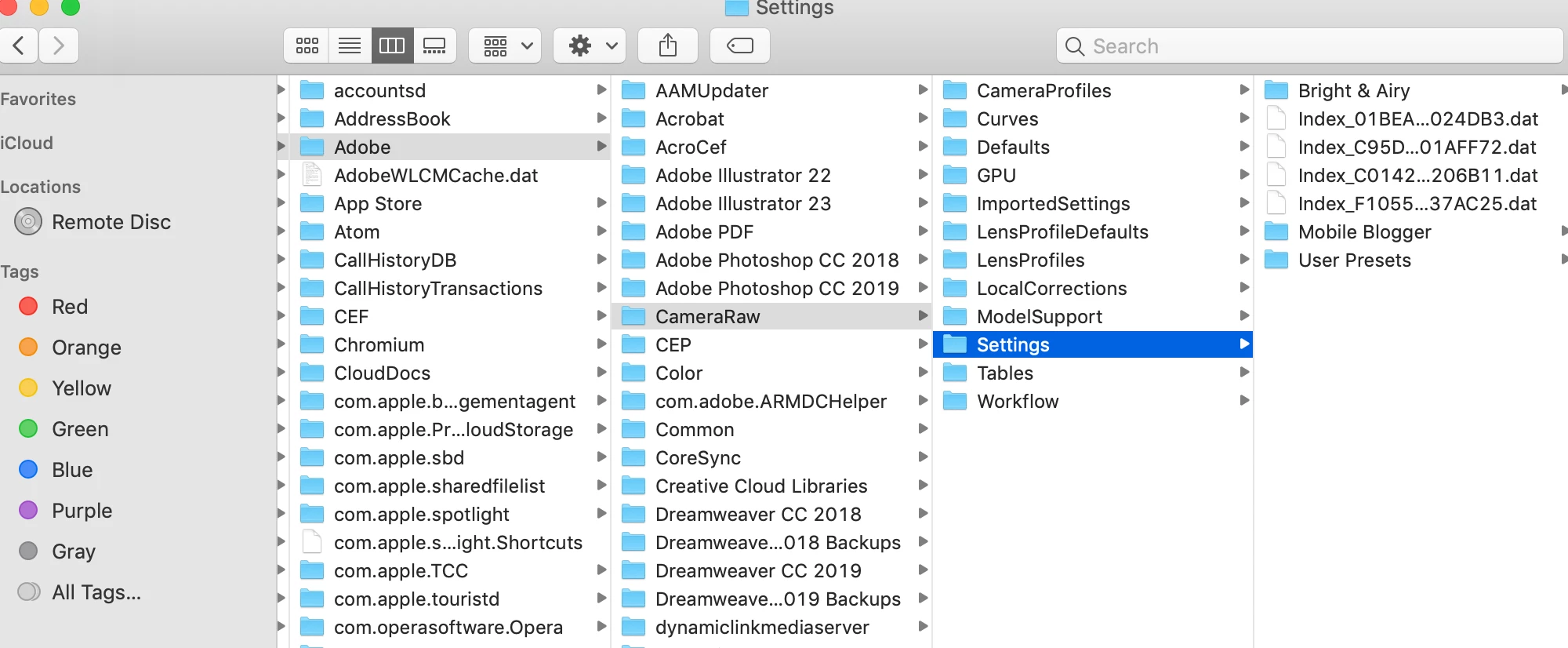
I do not use Lightroom very often but wanted to start using more for social media images. I have downloaded and installed three lightroom preset packs. I have restarted the program, and yet they do not show up under presets. Curious if I am doing something wrong. Here are a couple of screenshots to show the setting and file the presets have been placed in. Any help would be appreciated.

This topic has been closed for replies.

3 replies

jigum71110152
Participant
May 20, 2019

I am facing same problem. Did you ever got your issue resolved?

Rob_Cullen
Community Expert
Community Expert
May 20, 2019

Issues like this cannot be resolved in the forum unless we (other community users) have more details-

Exact Version Number of Lightroom?  Report from the MENU: HELP > SYSTEM INFO...

Operating System and Version?

Where were the Presets purchased/obtained?

What are the full filenames of the Presets?  (xxx.LRTEMPLATE   xxx.XMP )

Are they (Global) Develop Presets, Brush Presets, Photoshop Actions, etc?

What exact steps did you take to install the Presets?

Regards. My System: Windows-11, Lightroom-Classic 15.3, Photoshop 27.5, ACR 18.3, Lightroom 9.3, Lr-iOS 10.4.0, Bridge 16.0.3 .
Tony_See
Inspiring
April 1, 2019

Can you please post back whether or not this has been sorted for you?

Just Shoot Me
Legend
March 27, 2019

What EXACT version of LR are you using. Go to the Help men u item in LR and select System Info and post, copy and paste, the first 5-10 lines from what comes up.

What exact preset packs have you downloaded and installed?