Question
Lightroom Presets Not Showing in Certain Folders of Pictures
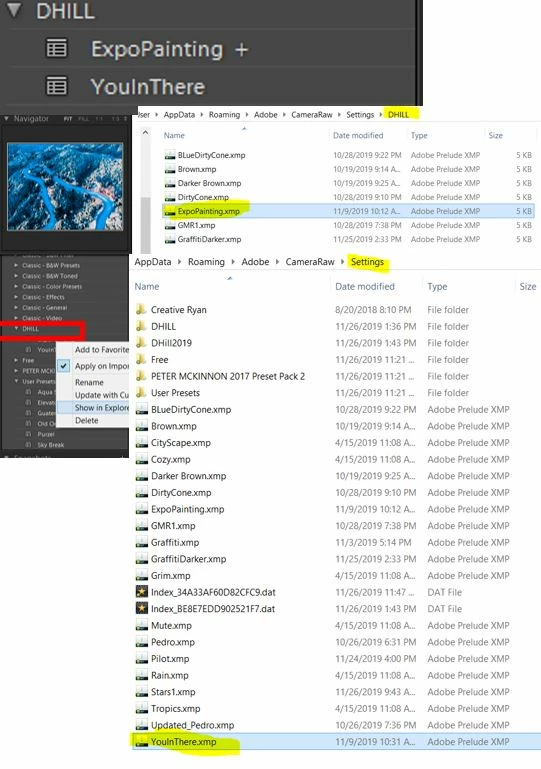
Occasionaly when I import a new folder of pictures into Lightroom Classic CC, at random, my presets that I have created or purchased do not all show up and I will not be able to import any presets when this happens. I can create new presets but not import existing ones. I have attached a picture showing that two presets populated but when I search there location individually the other presets I want are there, but they do not show in Lightroom (also not sure why "YouInThere" is not in the "DHILL" folder but it works). I have tried a whole bunch of different ways to try and fix this from going into the "develop presets", "user presets", creating new folders and have not fixed it yet. Thank you for your help.
 AdChoices