


Participant
November 4, 2022
Question

Lightroom presets not working

hi,

When I click to apply my Lightroom presets nothing happens. I have my picture up in develop mode and want to apply my own presets or bought ones, I click on the specific preset on the left side and it should apply it to the image, but now it doesn't work with any of my presets on any image. Nothing changes with the image when applying the preset.

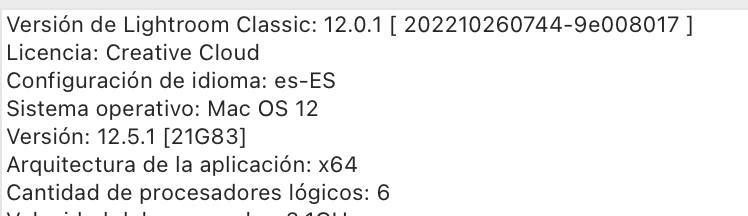
I have checked my licence in case it is nor updated or it´s something wrong and everyhting is fine. I´ve a Creative Cloud Licence... Any help?
 

This topic is closed to new replies. Start a new post to keep the conversation going.

3 replies

johnrellis
Legend
November 8, 2022

Most instances of this problem can be fixed by resetting LR's preferences:

https://www.lightroomqueen.com/articles-page/how-do-i-reset-lightrooms-preferences/


LR sometimes soils its preferences file, and resetting it can fix all sorts of wonky behavior. That article explains how to restore the old preferences if resetting doesn't help.

Translate
Participant
November 8, 2022

Fantastic!!!  Thanks so much John, it worked!!! You are a LEGEND!!

Translate
Participant
November 6, 2022

I'm the same!! Invested in a new MacBook, downloaded Lightroom and presets don't work...I have a Creative Cloud Licence too. HELP please! Another Sarah

Translate