Participating Frequently
September 19, 2020
Question

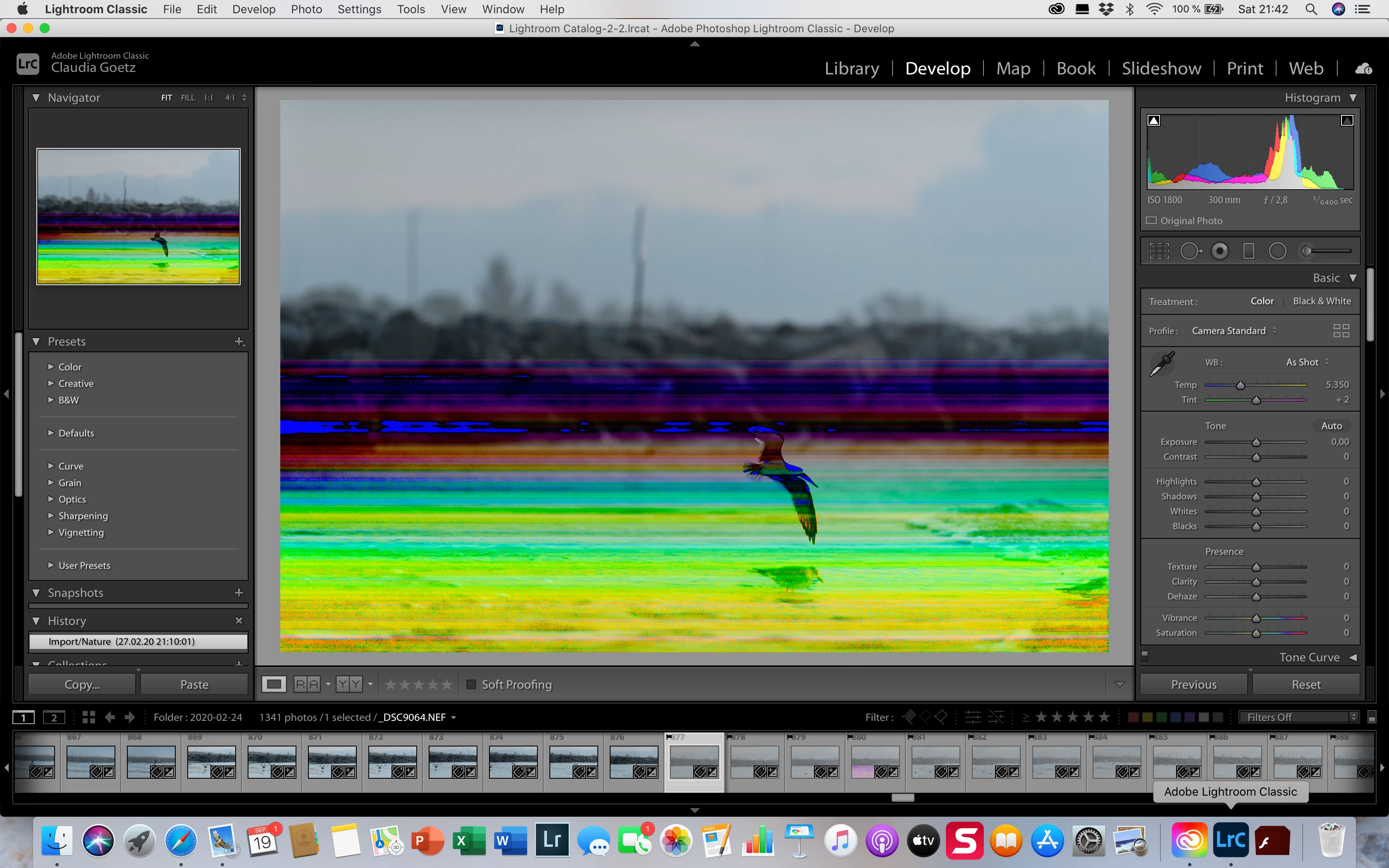
Lightroom previews RAW files correctly, then after loading displays colours that are not in the file

  • September 19, 2020
  • 2 replies
  • 183 views

As I started editing photographs I took in February I noticed that LrC will show previews in what is the expected colouring, then after loading the file it will look like the example I am posting. Strangely though, the file in  a different program has the proper colouring (without the stripes). Whatever did Adobe do in one or more of the updates that went past my MAC? I dread using LrC, it used to be my favourite program.
This topic has been closed for replies.

2 replies

dj_paige
Legend
September 19, 2020

Because the other programs are also showing you the embedded JPG.

dj_paige
Legend
September 19, 2020

This is a corrupted file, caused by a hardware malfunction somewhere. The reason the image appears fine at first is because it is displayed an embedded JPG in the RAW file, which is often un-corrupted while vthe raw image is corrupted.

Participating Frequently
September 19, 2020

If it is a corrupted file why do I look at a perfect RAW file in another program?